Mason hack for Albion Online
Mason layers information over Albion Online — targets, loot, distances — without touching your aim. 4 licence lengths to choose from.
- Platform Albion Online
- Developer Mason
- By software type Radars
Choose period
Mason
If payment does not go through
A second checkout at eliteseller.ru in case the option above does not go through. Same seller; the price may differ — it is set there separately.
Payment and delivery via Digiseller. The key arrives by email right after payment.
This is a digital product: there is no physical shipping or separate shipping charge.
Screenshots
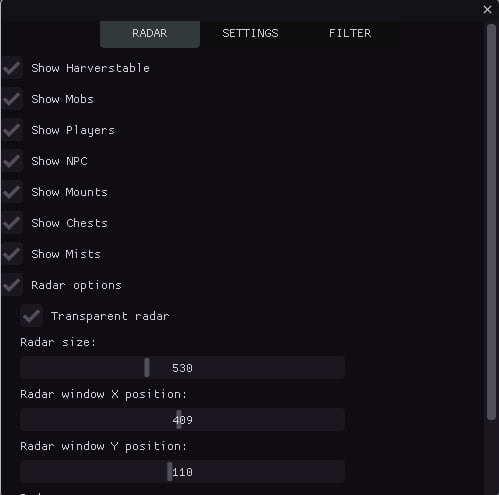
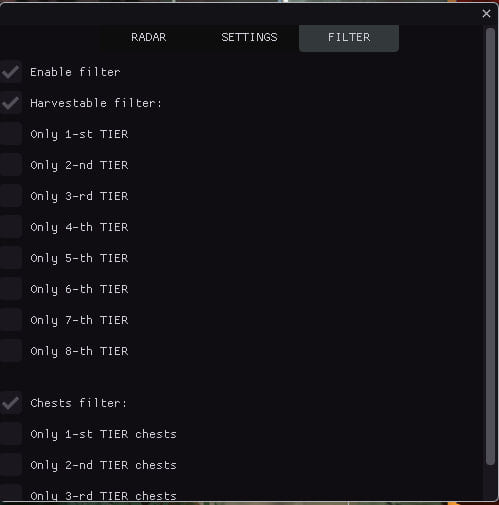
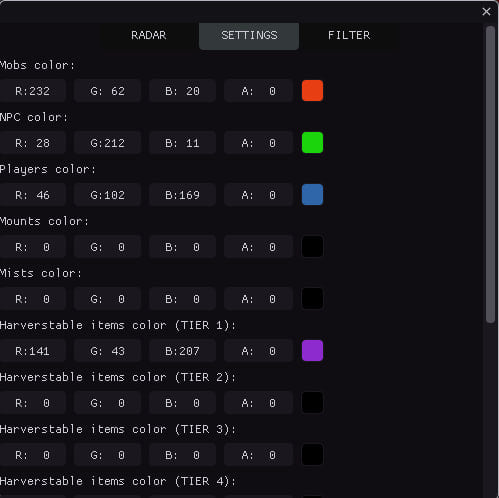
Video demo
The player needs scripts, and they are currently off: Watch onKinescope →
Features
80MAIN
- Show Resources / Display resources (wood, stone, ore, etc.)
- Show Mobs / Display mobs
- Show Players / Display players
- Show NPC / Display NPCs
- Show Chests / Display chests
- Show Mists / Display mists
- Show Mounts / Display mounts
- Counter of objects of each type / Shows the count of each object type on the radar (CHEST, MOB, HARV, etc.)
- Minimum/maximum distance for display / Filter objects by distance; objects outside range are hidden
- Sound notifications / Sound alerts when detecting different object types (players, chests, resources)
- Tracking the nearest object / Automatically detects and shows info for the nearest object to the player
- Export coordinates to a file / Saves coordinates of all detected objects to a text file (hotkey: F3)
- History of discovered objects / Tracks discovery history with timestamps
- Hotkeys / Quick access: F1 (menu), F2 (save), F3 (export coordinates)
- Automatic configuration saving / Auto-saves settings every 30 seconds
- Displaying the distance to objects / Shows distance in meters to each object on the radar
- Player approaching warning / Sound warning when other players approach within a set distance
- Grouping objects by type / Groups objects by type for easier analysis
- Direction indicator / Shows direction on the radar
- Automatic hiding of distant objects / Hides objects outside scan radius
- Detection time statistics / Tracks detection stats (first/last seen, count)
- Improved sound notifications / Different sounds for different object types (chests, resources, players)
- Visual indicators / Pulsing circles for important objects (chests, artifacts)
- Object Priority System / Object prioritization for sorting (chests — highest priority)
- Object caching / Object caching for performance
RADAR
- Radar options / Radar settings
- Transparent radar / Set radar transparency
- Radar size / Set radar size
- Radar X position / Set radar position on X axis
- Radar Y position / Set radar position on Y axis
- Radar zoom / Set radar zoom in/out
- Scan radius / Set object scan radius
VISUALS COLORS
- Mobs color / Set mob display color
- NPC color / Set NPC display color
- Players color / Set player display color
- Mounts color / Set mount display color
- Mists / Set mist display color
- Resources TIER 1 color / Set tier 1 resource color
- Resources TIER 2 color / Set tier 2 resource color
- Resources TIER 3 color / Set tier 3 resource color
- Resources TIER 4 color / Set tier 4 resource color
- Resources TIER 5 color / Set tier 5 resource color
- Resources TIER 6 color / Set tier 6 resource color
- Resources TIER 7 color / Set tier 7 resource color
- Resources TIER 8 color / Set tier 8 resource color
- Chests color / Set chest display color
RESOURCES
- Enable filter / Enable filter
- Resources filter / Resource display filter
- Only 1-st TIER items / Display 1st tier items
- Only 2-st TIER items / Display 2nd tier items
- Only 3-st TIER items / Display 3rd tier items
- Only 4-st TIER items / Display 4th tier items
- Only 5-st TIER items / Display 5th tier items
- Only 6-st TIER items / Display 6th tier items
- Only 7-st TIER items / Display 7th tier items
- Only 8-st TIER items / Display 8th tier items
CHESTS
- Chests filter / Chest filter
- Only 1-st TIER chests / Display 1st tier chests
- Only 2-st TIER chests / Display 2nd tier chests
- Only 3-st TIER chests / Display 3rd tier chests
- Only 4-st TIER chests / Display 4th tier chests
VISUAL EFFECTS
- Lines to objects / Draws lines from radar center to each object for better visualization
- Trajectories of movement / Shows movement trails with configurable length
- Visibility zones / Visualizes scan zone
- Color gradients / Gradient coloring for objects
- Object animations / Pulsing effects with configurable speed
- Shadows / Shadows under objects for depth
- Glow effects / Glow around objects
- Radar grid / Coordinate grid for orientation
- Zone boundaries / Visual radar boundaries with corner markers
- Directional arrows / Arrows showing direction to objects
- Object icons / Unique icons for different object types
- Gradient lines / Lines with smooth color transition
- Contours of objects / Contours with configurable thickness
- Hover highlight / Highlight on mouse hover
- Distance rings / Concentric rings for distance visualization
- Particle effects / Particles around important objects (chests, artifacts)
- Visual markers / Star markers for important objects (chests, artifacts)
- Pulsating effects / Object pulsation
- 3D depth effect / Depth effect for objects
Safety
The fewer overlay elements you keep enabled, the fewer questions your opponents ask.
The required window mode is Window or window frameless; set it before entering a match. With no capture bypass declared, a screen share or a clip shows the menu in full.
System requirements
| Supported game version | Official client / Steam |
|---|---|
| Supported game mode | Window or window frameless |
| Operating system | Windows 10x64, versions (2004 / 20H2 / 21H1 / 21H2 / 22H2). Check your build in the guide <a href="/en/articles/windows-build/">HERE</a> |
| Supported anticheats | In-game |
| Supported processors | Intel and AMD |
| Support for invisibility on videos or screenshots | No |
Mason is a visuals-only cheat for Albion Online. It comes from Mason. 80 entries in 6 groups are declared, and the table above lists them verbatim. Menu sections: Main, Radar, Visuals colors, Resources, Chests and Visual effects.
What it needs to run
Declared requirements: OS: Windows 10x64, versions (2004 / 20H2 / 21H1 / 21H2 / 22H2). Check your build in the guide; window mode: Window or window frameless; CPU: Intel and AMD; game version: Official client / Steam. No screen capture bypass is declared.
What it actually does
What the menu boils down to: a flat radar with live positions, opponents drawn on top of the map geometry and markers for items, containers and stashes. Settings live in config profiles.
Licence lengths
You can take it for 1 day, 3 days, 7 days or 30 days.
What to know before buying
How payment and delivery work
Checkout happens on the seller's side: for most cheats that is Digiseller, where the key appears on the order page as soon as the payment clears and is mirrored to your email. Some cheats are delivered manually — the key arrives once the seller confirms the order, and that is almost always the only reason for a delay. The licence countdown starts when the key is activated, not when you pay.
Ban risk, plainly
There is no safe cheat — only different odds of being caught in the next wave. Nobody compensates a lost game account: the key pays for access to software, not for an outcome.
Why cheats get detectedBefore the first launch
A radar renders on a second screen or phone and never touches the game itself — that is what makes it calmer than internal cheats. The phone link needs both devices on one network, so set it up before the match, not in the lobby.
Safe launch checklistSetup guide
This page walks through a full Mason session for Albion Online — from switching the game to window mode and injecting through the loader, to reading the radar markers and storing your settings so you can reload them on the next launch.
FAQ
How long can I buy Mason for?
Will the overlay show up in recordings?
What is included in Mason?
Which system and client are supported?
Other cheats for Albion Online
Byster hack for Albion Online
BysterByster Albion skips aim automation and focuses on what you can see in Albion Online. Supported client: Steam and Game Launcher.
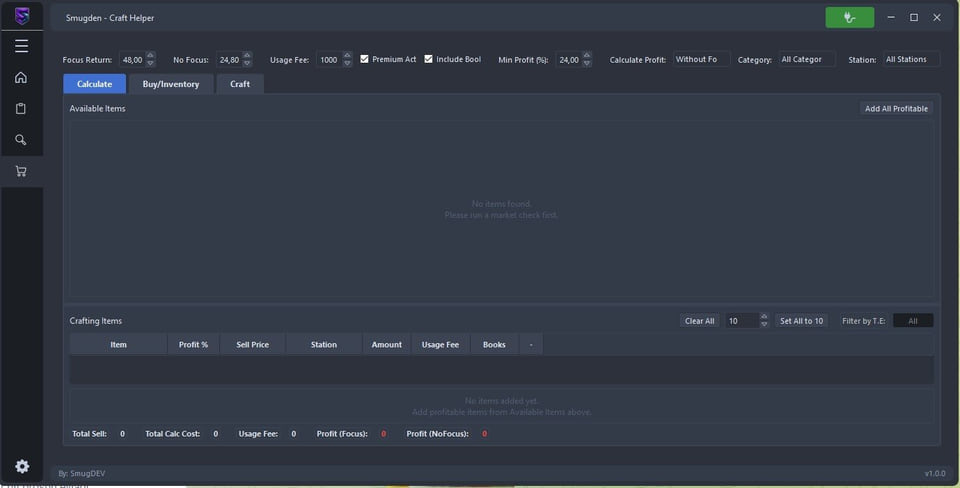
Craft hack for Albion Online
CraftCraft Bot takes over the repetitive part of Albion Online and runs unattended. Supported client: Steam and official launcher.
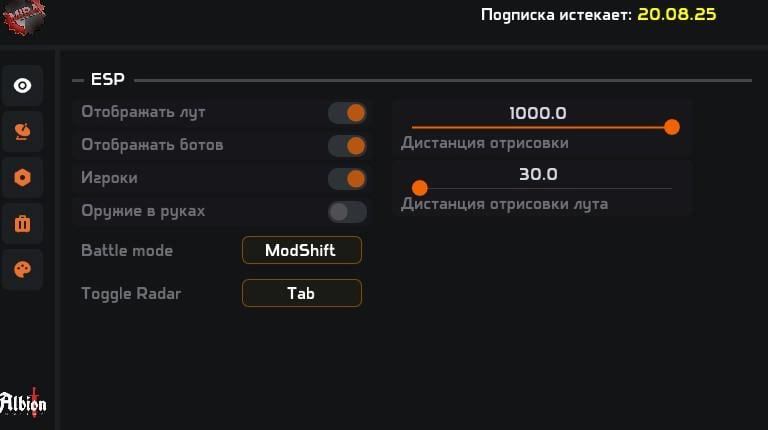
Mira hack for Albion Online
MiraMira keeps the visible footprint tiny — a radar, nothing else.
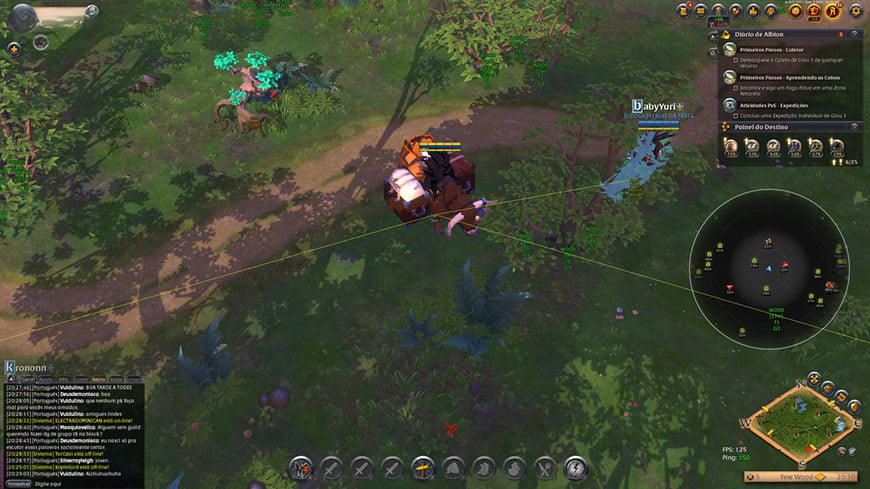
Shack hack for Albion Online
ShackShack skips aim automation and focuses on what you can see in Albion Online. The menu is large — 89 entries.