Flamingo hack for Aniimo
Flamingo skips aim automation and focuses on what you can see in Aniimo. The menu is large — 104 entries.
Choose period
Flamingo
Before you buy
- Operating system
- Windows 10 / Windows 11
- Additional requirements
- Run the loader as administrator; Windows memory integrity must be disabled according to the developer instructions
This is a summary. Check all requirements and ask the seller about unknown conditions.
If payment does not go through
A second checkout at eliteseller.ru in case the option above does not go through. Same seller; the price may differ — it is set there separately.
Payment and delivery via Digiseller. The key arrives by email right after payment.
This is a digital product: there is no physical shipping or separate shipping charge.
Screenshots
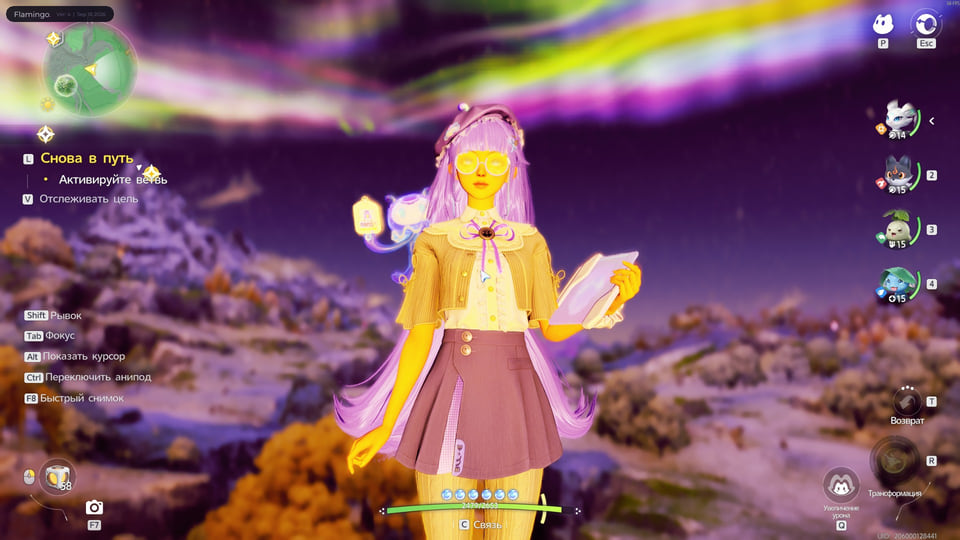
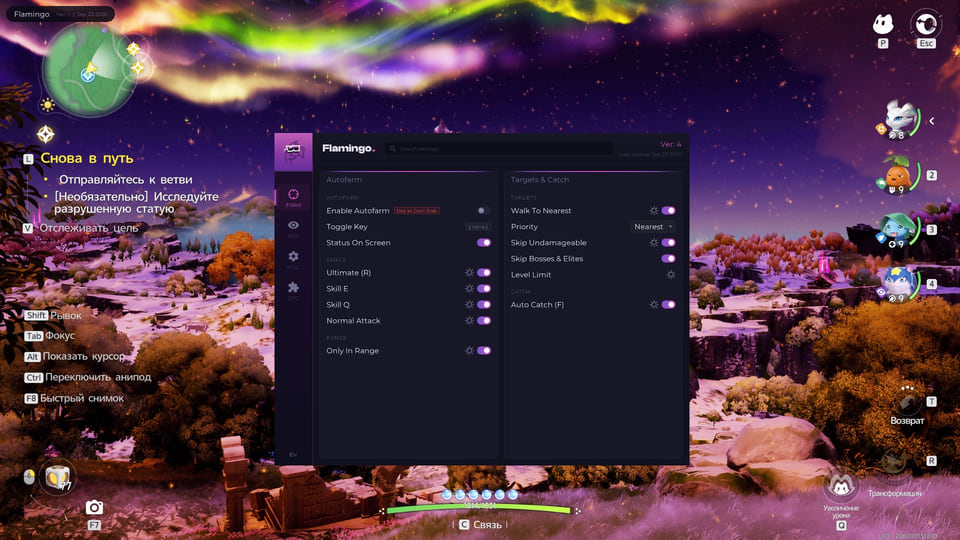
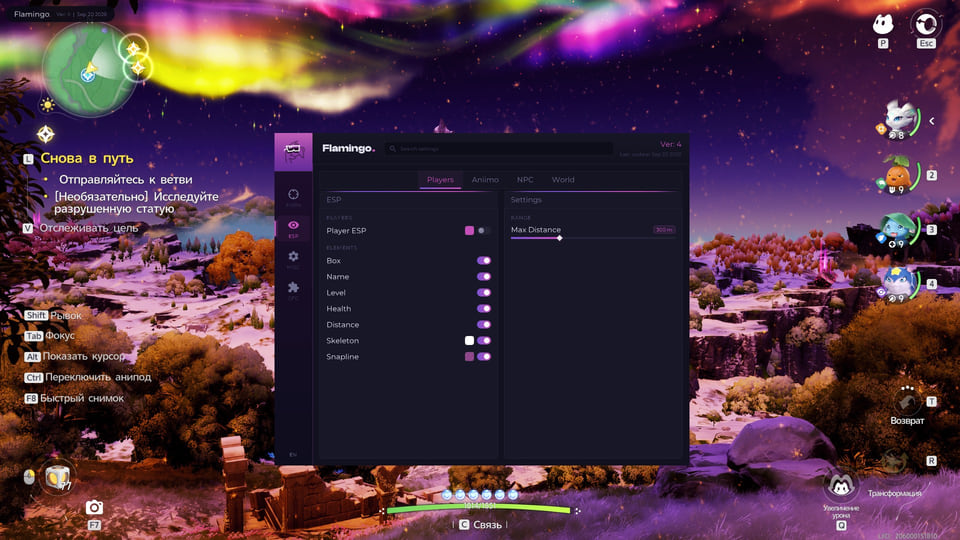
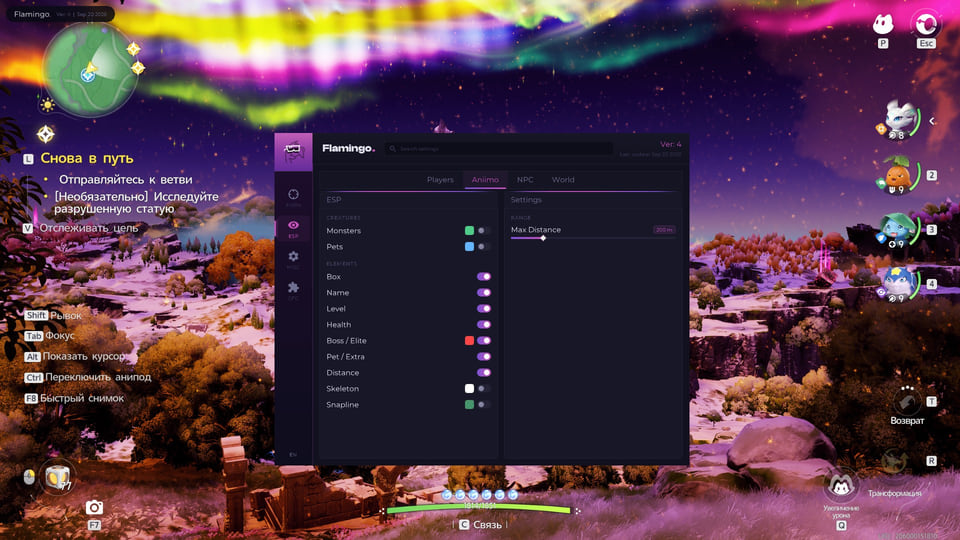
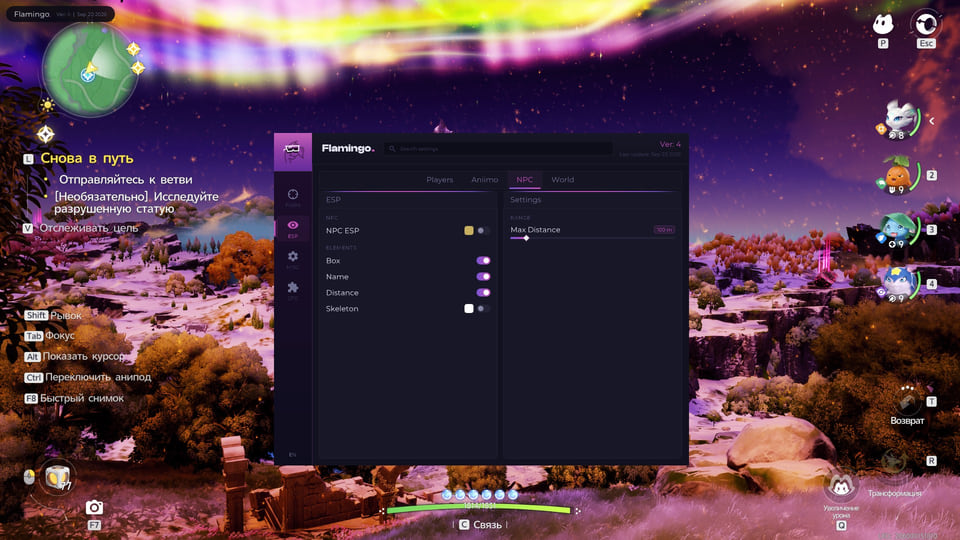
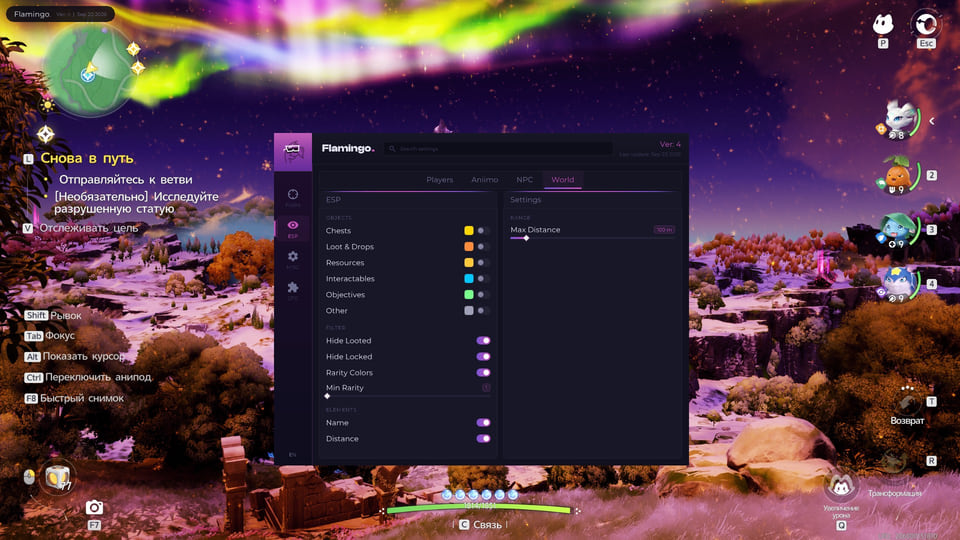
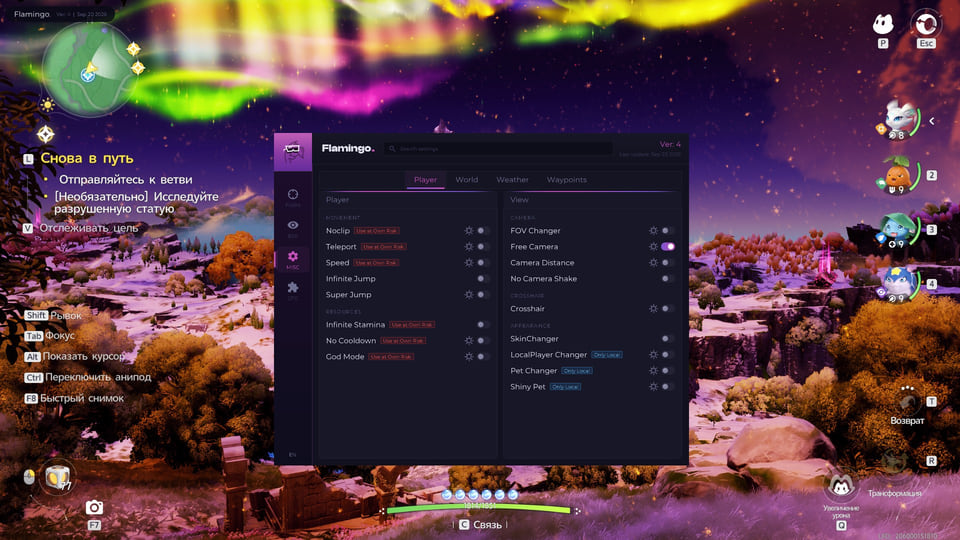
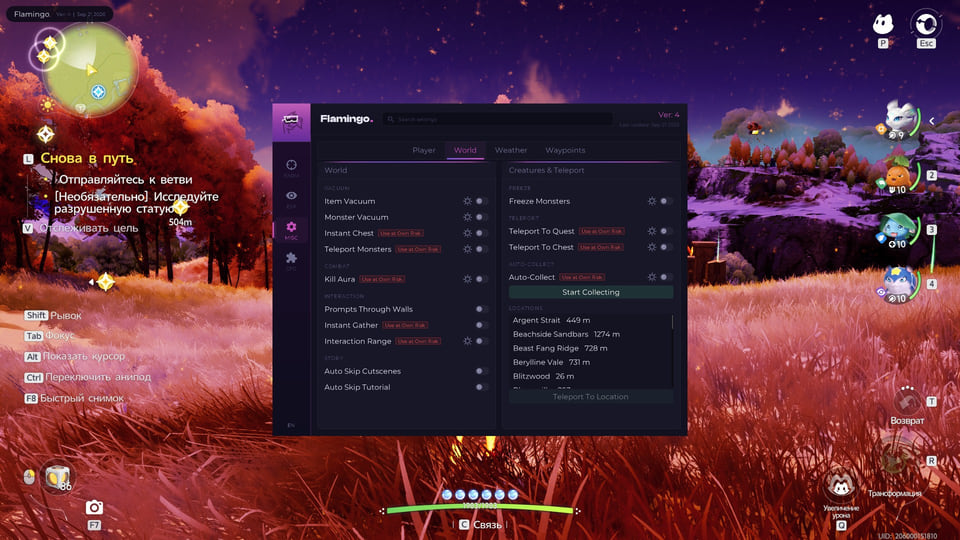
Features
104Automatic farming
- Use the R ultimate (Autofarm)
- Use E and Q skills when available
- Normal attacks between skills
- Adjustable farming radius
- Farming activation hotkey
- Display farming status
- Select the nearest target using priorities
- Limit distance from the starting point
- Skip invulnerable targets, bosses and elites
Automatic catching
- Catch a weakened Aniimo with F (Auto Catch)
- Adjustable target health threshold
- Adjustable minimum catch chance
Player ESP
- Player boxes
- Player nicknames
- Player level
- Player health
- Player distance
- Player skeletons
- Player lines
- Player ESP distance limit
Aniimo ESP
- Creature boxes, names and details
- Creature level and health
- Creature distance, skeleton and lines
- Separate colors for wild creatures and pets
- Boss and elite markers
- Show the pet owner
- Highlight shiny Aniimo
NPC and world ESP
- NPC boxes, names, distance and skeletons
- NPC ESP distance limit
- Chest markers
- Ground loot markers
- Resource markers
- Interactable object markers
- World object distance
- Overall world object rendering distance
Waypoints and routes
- Save, overwrite and delete waypoints (Waypoints)
- Teleport to a saved waypoint
- Walk to a saved waypoint
- Display waypoints in the world
- Waypoint action hotkeys
- Record a route (Routes)
- Follow and loop a route
- Teleport to the route start
- Adjust waypoint spacing and display the route
Movement
- Teleport to the point being viewed
- Teleport to the map cursor
- Fly with or without wall collision (Noclip)
- Adjust vertical speed and hotkeys
- Up to 5 times movement speed, including normal movement
Combat modifiers
- Skills without resource costs (No-Cost Mode)
- Skills without cooldowns (No Cooldown)
- Bypass Mode for No Cooldown
- Apply No Cooldown to the ultimate (Ultimate Too)
- God Mode
- No fall damage (No Fall)
- No drowning damage (No Drowning)
World interaction
- Pull items toward you (Item Vacuum)
- Pull monsters toward you (Monster Vacuum)
- Freeze Monsters
- Extended interaction distance (Interaction Range)
- Interaction prompts through walls (Prompts Through Walls)
- Auto Skip Cutscenes
- Auto Skip Tutorial
Camera
- FOV Changer
- Free Camera
- Adjust free camera speed
- Shift acceleration for the free camera
- Hide the character in free camera mode
- Up to 4 times camera distance (Camera Distance)
- No Camera Shake
Crosshair
- Dot, cross or combined crosshair
- Adjust crosshair color and size
- Adjust crosshair line length and thickness
- Adjust center gap and outline
- Hide the crosshair while the game interface is open
Weather and time
- Local time of day changes
- Weather presets
- Adjust rain and wet surfaces
- Adjust snowfall and ground snow
- Adjust dust and lightning
- Adjust wind and puddles
- Adjust clouds and fog density
- Adjust sunlight
- Northern lights
Picture
- Adjust saturation and hue
- Adjust contrast, gamma and brightness
- Adjust shadows and highlights
- Adjust color temperature
- Green-magenta tint adjustment
- Adjust exposure and bloom
- Adjust vignette
- Sun color and brightness
- Disable fog
Appearance
- Any outfit, including locked outfits (SkinChanger)
- Local Aniimo, boss, robot or NPC appearance (LocalPlayer Changer)
ESP styling
- Box style and fill
- Target line starting point
- Text outline
- Skeleton distance and thickness
- Head circle with an outline
- Enemy markers up to 3000 m away
Settings
- Customizable hotkeys for most features
- Save and load configurations
- Settings search
Safety
The fewer overlay elements you keep enabled, the fewer questions your opponents ask.
System requirements
| Os | Windows 10 / Windows 11 |
|---|---|
| Additional requirements | Run the loader as administrator; Windows memory integrity must be disabled according to the developer instructions |
Flamingo is a visuals-only cheat for Aniimo. The developer behind it is Flamingo. 104 entries in 16 groups are declared, and the table above lists them verbatim. Menu sections: Automatic farming, Automatic catching, Player ESP, Aniimo ESP, NPC and world ESP and Waypoints and routes.
What it needs to run
The compatibility list reads: OS: Windows 10 / Windows 11. Also stated: Run the loader as administrator; Windows memory integrity must be disabled according to the developer instructions.
What it actually does
What the menu boils down to: a custom crosshair and view settings, hit and damage counters, cosmetic swaps, opponents drawn on top of the map geometry, markers for items, containers and stashes and unattended automation of repetitive actions. Settings live in config profiles.
Licence lengths
You can take it for 1 day, 7 days or 30 days.
What to know before buying
How payment and delivery work
Checkout happens on the seller's side: for most cheats that is Digiseller, where the key appears on the order page as soon as the payment clears and is mirrored to your email. Some cheats are delivered manually — the key arrives once the seller confirms the order, and that is almost always the only reason for a delay. The licence countdown starts when the key is activated, not when you pay.
Ban risk, plainly
There is no safe cheat — only different odds of being caught in the next wave. Nobody compensates a lost game account: the key pays for access to software, not for an outcome.
Why cheats get detectedBefore the first launch
The routine is always the same: set the window mode from the requirements, start the software before entering a match, and do not switch everything on at once. The most dangerous window is the first days after a game or anti-cheat patch.
Safe launch checklistSetup guide
Choose the game shown on your order. Each Flamingo product has its own setup guide.