Ghost ARC Raiders: aiming, loot tracking and AI assistance
Choose the raid details you want on screen: player actions, ammunition, looted containers and extraction availability. Browse the updated Ghost interface in the gallery below.
- Platform ARC Raiders
- Developer Ghost
- By software type Radars
Choose period
Ghost
Before you buy
- Operating systems
- Windows 10 | 11 (1903-26H1)
- Processors
- INTEL | AMD
- Game clients
- Steam
- Video card / Game mode
- Video card: NVIDIA | AMD; Game mode: Windowed | Borderless
This is a summary. Check all requirements and ask the seller about unknown conditions.
If payment does not go through
A second checkout at eliteseller.ru in case the option above does not go through. Same seller; the price may differ — it is set there separately.
Payment and delivery via Digiseller. The key arrives by email right after payment.
This is a digital product: there is no physical shipping or separate shipping charge.
Screenshots
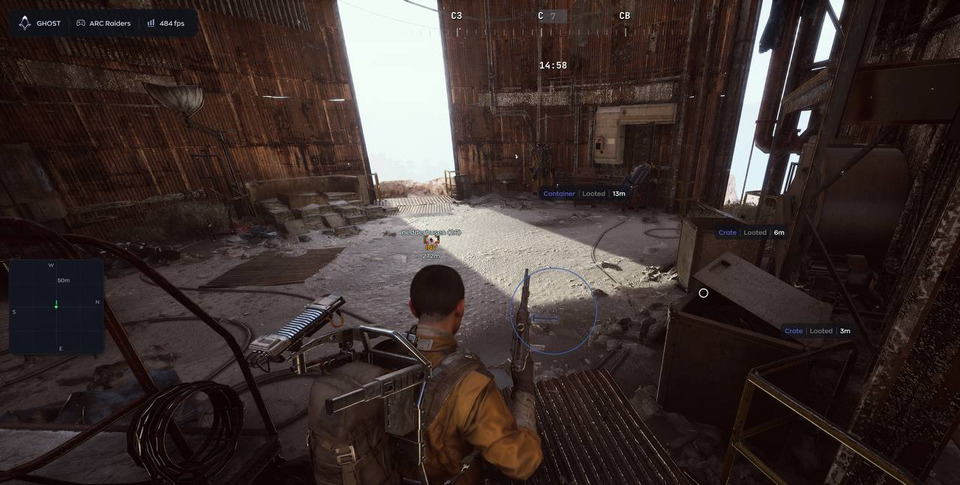
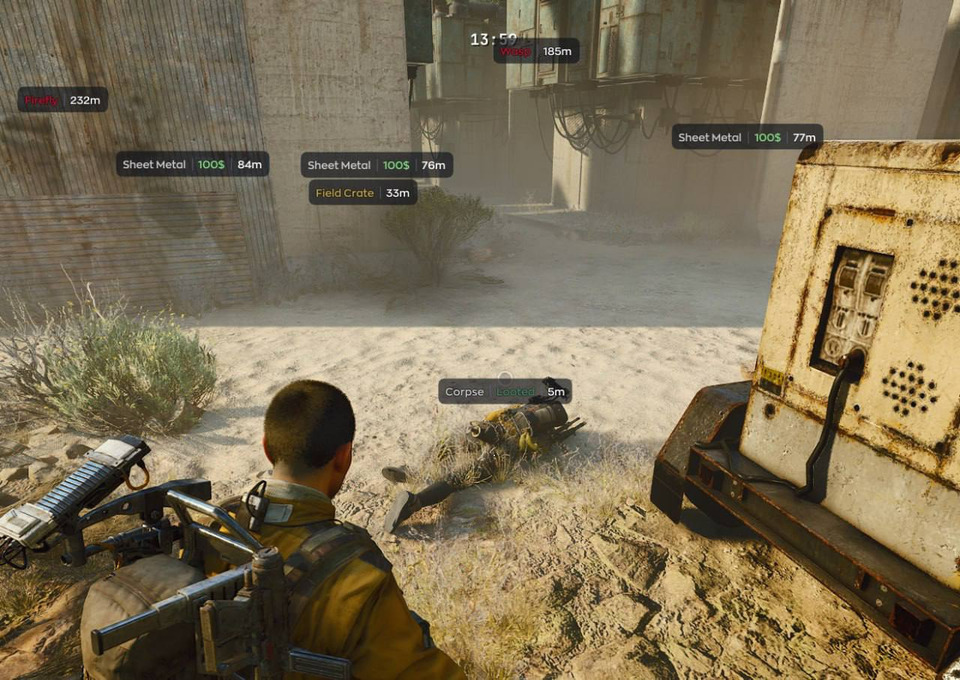
Video demo
The player needs scripts, and they are currently off: Open the video file →
Features
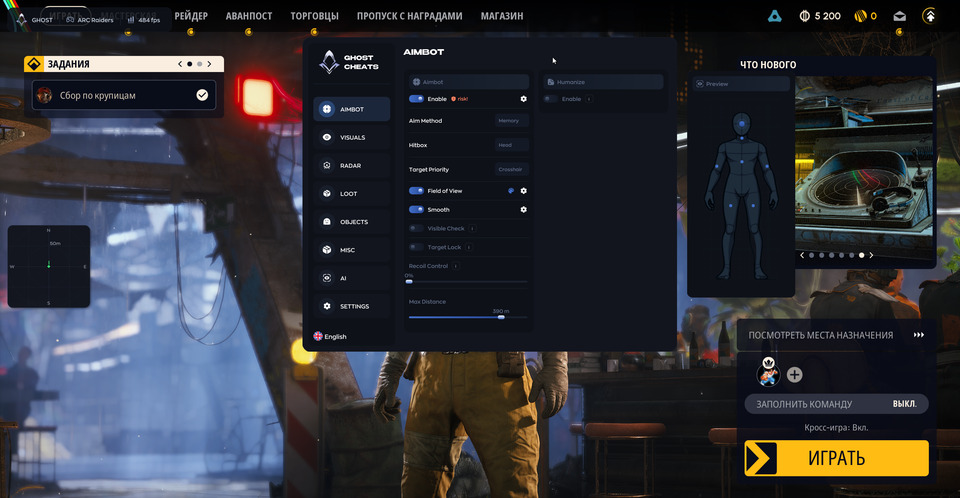
87Aimbot
- Enable aimbot
- Field of View
- Aim smoothing (Smooth)
- Target visibility check (Visible Check)
- Target Lock
- Aim Method: Memory / Mouse
- Body-part selection (Hitbox)
- Target selection priority, including health priority (Target Priority)
- Max Distance
Aim humanization
- Enable Humanize
- Small aim movements (Jitter)
- Deadzone
- Minimum reaction delay (Reaction Min)
- Maximum reaction delay (Reaction Max)
- Max Speed
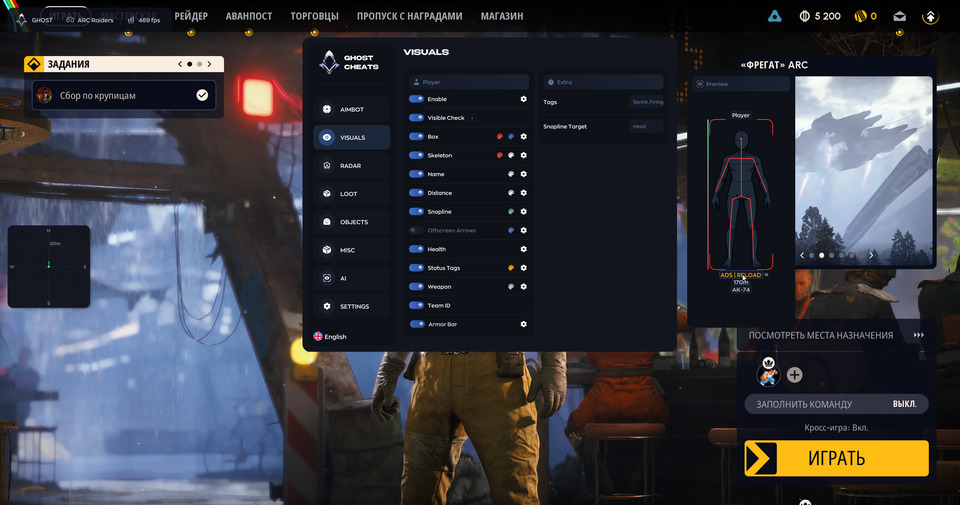
Player ESP
- Enable ESP
- Player visibility check (Visible Check)
- Player Box
- Player Skeleton
- Player Name
- Distance
- Snapline
- Offscreen Arrows
Player indicators
- Health
- Player Status
- Current Weapon
- Team ID
- Armor Bar
- Magazine and total ammunition counts next to the weapon
- Player status tags: Sprint, ADS, Reload, Fire, Map, Inv, Loot, Craft, Climb
- Multi-select tag dropdown with distance and color settings
- Player weapons and status tags update in real time
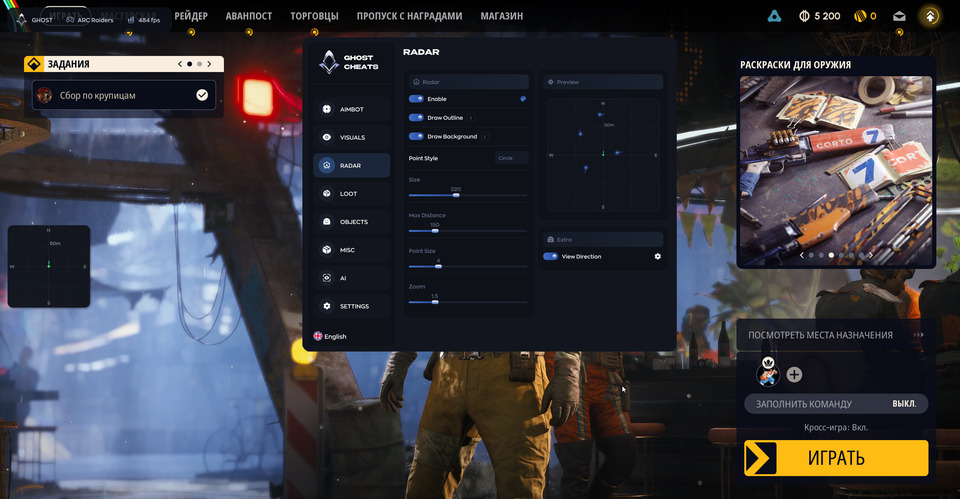
Radar
- Enable radar
- Draw Outline
- Draw Background
- Point Style: circle, square or triangle
- Radar Size
- Max Distance
- Point Size
- Zoom
- View direction with adjustable line length (View Direction)
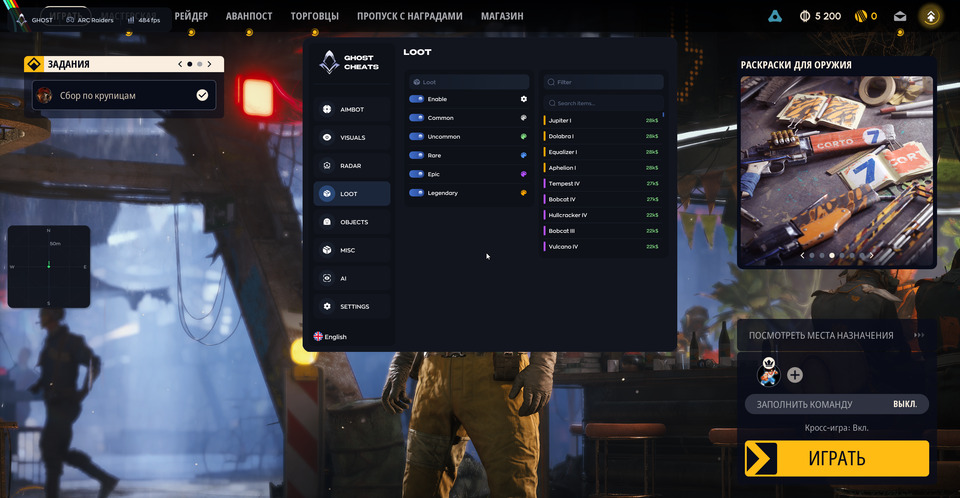
Loot
- Enable loot display
- Common items
- Uncommon items
- Rare items
- Epic items
- Legendary items
- Individual item selection including Equalizer, Dolabra and Aphelion Rifle
- Item value
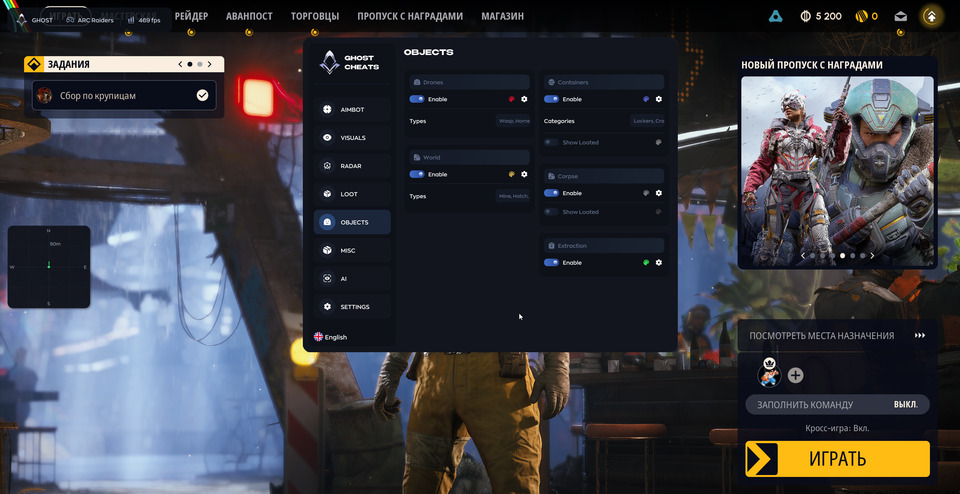
ARC drones
- Display Drones
- Select types: Wasp, Hornet, Rocketeer, Pop, Fireball, Tick, Turret, Sentinel, Snitch, Bastion, 1Spotter, Leaper, Surveyor, Queen, Bombardier, Shredder, Matriarch, Firefly, Comet, Vaporizer, Turbine
- Destroyed drones are filtered out of ESP
Containers
- Display Containers
- Select types: Lockers, Crates, Furniture, Dumpsters, Plants, Vehicles, Weapon Cases, Shelves, Cabinets, Electronics, Servers, Wall Panels, Bags, Other, Raider Cache, Special
- Opened containers are marked Looted with a separate color
- Show looted containers and choose their color (Show Looted)
World objects
- Mine
- Hatch
- Supply
- Fuel Cell
- Puzzle
- Field Crate
- Barricade
- Grenade
- Enemy bodies (Corpse)
- Looted corpses are marked Looted with a separate color
- Show looted corpses and choose their color (Show Looted)
Extraction points
- Extraction point ESP (Extraction)
- Extraction states: Open / Offline / Arriving
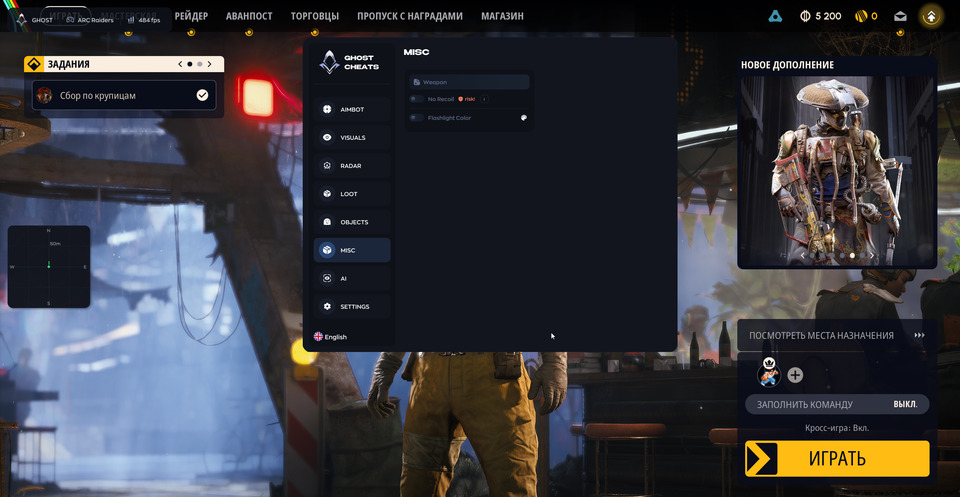
Weapons
- Aimbot Recoil Control
- No Recoil
- No Spread
- Flashlight Color
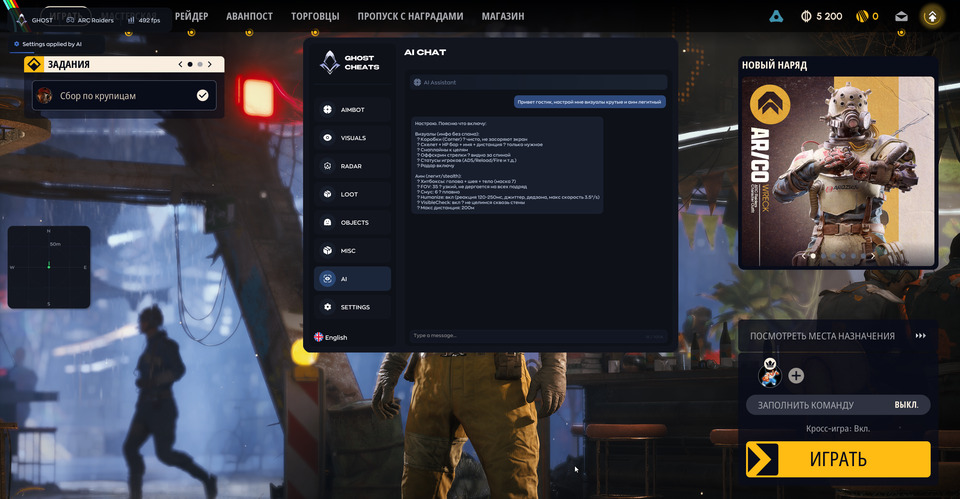
AI Assistant
- Built-in chat assistant that answers questions about cheat settings
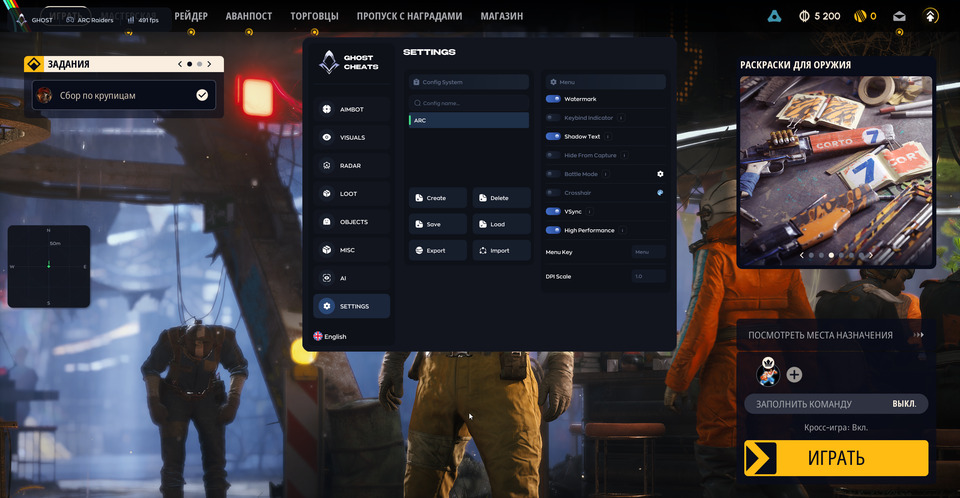
Configurations
- Create config
- Delete config
- Save config
- Load config
- Export config
- Import config
Interface
- Watermark
- Keybind Indicator
- Menu and ESP Shadow Text
- Battle Mode hides loot, objects and extraction points
- Custom Crosshair
- Menu Key
- DPI Scale
Safety
Run the first session with a minimal set of modules and in the required window mode.
System requirements
| Cpus | INTEL | AMD |
|---|---|
| Operating systems | Windows 10 | 11 (1903-26H1) |
| Video card | NVIDIA | AMD |
| Game mode | Windowed | Borderless |
| Game clients | Steam |
| Built in spoofer | No |
| Flash drive | Not required |
Player actions and extraction information
The overlay now includes Sprint, ADS, Reload, Fire, Map, Inv, Loot, Craft and Climb tags. A multi-select dropdown controls which tags appear, with distance and color settings. Magazine and total ammunition counts sit beside the weapon name. Weapons and tags refresh in real time, and extraction markers report Open, Offline or Arriving.
Separating searched locations
Opened containers and searched corpses carry a Looted label. Each group has its own Show Looted control and color palette. Destroyed drones are excluded from ESP. Enable Battle Mode to hide loot, world objects and extraction markers.
Aiming controls and radar
Health joins the target priority choices. Humanize has been improved, and the mouse speed cap follows FOV. Adjust the length of radar view-direction lines. Hitbox selection, smoothing, visibility checks, target locking and Memory/Mouse aiming remain available. Weapon controls include Recoil Control, No Recoil, No Spread and flashlight color.
Reported fixes
The developer fixed false delays when changing targets, deadzone micro-jitter and aimbot crashes. Other corrections cover selected inline ESP elements, clipping below the ESP preview, hitbox points in the aiming preview and gadget-related weapon identification. No Recoil was optimized.
The compass and Rapid Fire have been removed.
Saving settings and getting started
AI Assistant explains settings. Create, delete, save, load, export or import configurations. Use Steam, Windows 10/11 (1903–26H1), Intel/AMD and NVIDIA/AMD with windowed or borderless display mode. There is no built-in spoofer, and no USB drive is required.
What to know before buying
How payment and delivery work
Checkout happens on the seller's side: for most cheats that is Digiseller, where the key appears on the order page as soon as the payment clears and is mirrored to your email. Some cheats are delivered manually — the key arrives once the seller confirms the order, and that is almost always the only reason for a delay. The licence countdown starts when the key is activated, not when you pay.
Ban risk, plainly
There is no safe cheat — only different odds of being caught in the next wave. Nobody compensates a lost game account: the key pays for access to software, not for an outcome.
Why cheats get detectedBefore the first launch
A radar renders on a second screen or phone and never touches the game itself — that is what makes it calmer than internal cheats. The phone link needs both devices on one network, so set it up before the match, not in the lobby.
Safe launch checklistSetup guide
This page walks you through preparing Windows for Ghost Cheats, activating your key on the official loader page and starting the software. Follow it once and you finish with the cheat injected and the in-game menu ready to open with INSERT. The same procedure applies to every Ghost product.
FAQ
What does AI Assistant do?
Which durations are available?
What setup is required?
What does Show Looted control?
Other cheats for ARC Raiders
BTG hack for ARC Raiders
BTGA visuals-only cheat for ARC Raiders: BTG tells you what is around, the shooting stays manual. Supported client: Steam.
Arcane hack for ARC Raiders
ArcaneArcane covers both sides of ARC Raiders — aim modules and on-screen data — across 48 menu entries.
ESP cheat Arcane Web Radar for ARC Raiders
ArcaneArcane Web Radar skips aim automation and focuses on what you can see in ARC Raiders. The radar can be pushed to a second device.
Fecurity hack for ARC Raiders
FecurityThe full package for ARC Raiders: Fecurity puts combat and visual modules in one menu. Supported client: External.