Ghost Deadlock — aim controls, ESP and radar
Choose how aiming behaves and decide which hero and map details you want to see during a Deadlock match.
Choose period
Ghost
Before you buy
- Operating systems
- Windows 10 | 11
- Processors
- Intel | AMD
- Game clients
- Steam
- Game mode
- Windowed | Borderless
This is a summary. Check all requirements and ask the seller about unknown conditions.
If payment does not go through
A second checkout at eliteseller.ru in case the option above does not go through. Same seller; the price may differ — it is set there separately.
Payment and delivery via Digiseller. The key arrives by email right after payment.
This is a digital product: there is no physical shipping or separate shipping charge.
Screenshots
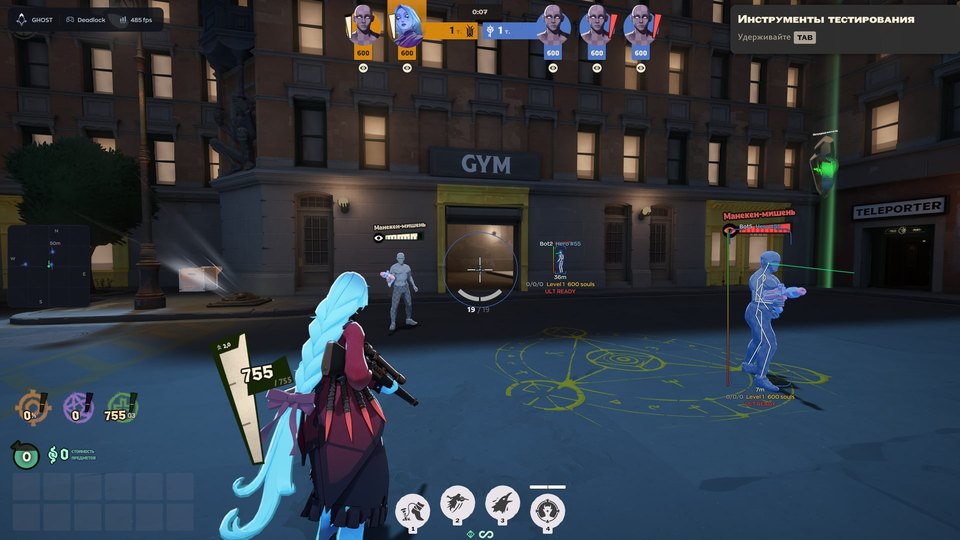
Features
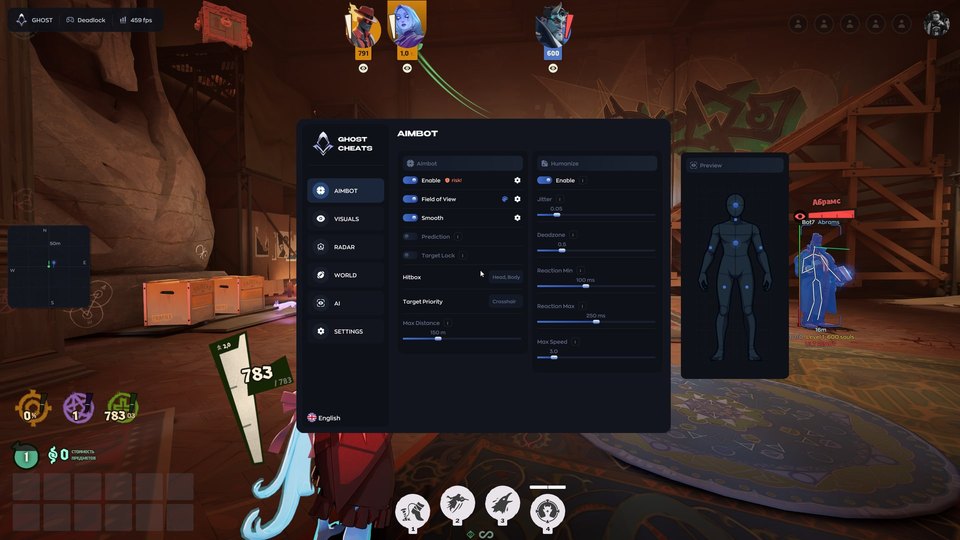
62Aimbot
- Enable (On / Off) — a toggle switch for the aimbot function.
- Field of View — the radius/area around the crosshair within which the aimbot will lock onto a target.
- Smooth — the speed at which the crosshair moves toward the target.
- Prediction — calculates the target's movement and aims toward where the target is heading.
- Target Lock — keeps the crosshair locked onto the selected target.
- Hitbox — selection of the specific body part the aimbot will target (e.g., Head, Body).
- Target Priority — selection of which target to prioritize.
- Max Distance — the maximum distance beyond which the aimbot will not react to enemies.
Aim humanization
- Enable — turns on the humanization feature.
- Jitter — adds micro-oscillations (slight tremors) to the crosshair.
- Deadzone — an area within which the aimbot will not make any adjustments to the crosshair.
- Reaction Min / Max — a delay (in milliseconds) before the aimbot begins moving toward the target.
- Max Speed — a limit on the speed at which the camera (view) can rotate.
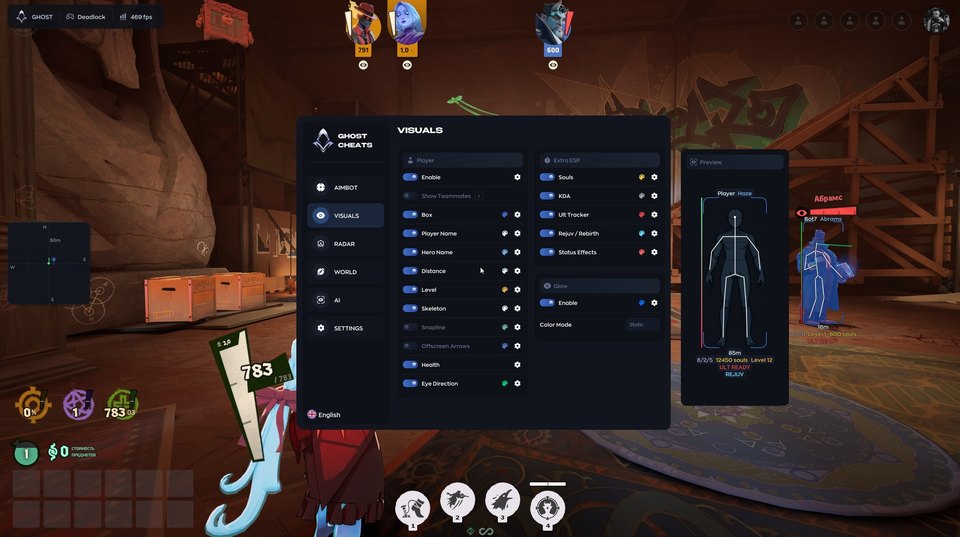
Player ESP
- Enable — turns on player rendering.
- Show Teammates — includes allies in the display.
- Box — draws a rectangle around the player model.
- Player Name — displays the player's nickname.
- Hero Name — displays the character (hero) name.
- Distance — shows the distance to the player.
- Level — shows the player's level.
- Skeleton — draws the character's skeleton (bones), allowing you to see their pose and animations through walls.
- Snapline — draws a line from your character to the enemy.
- Offscreen Arrows — displays arrows along the edges of the screen to indicate the location of enemies outside your field of view.
- Health — shows the enemy's health bar.
- Eye Direction — displays a line indicating where the enemy is looking.
Extra ESP
- Souls — shows the number of souls a player has.
- KDA — displays kill/death/assist statistics.
- Ult Tracker — tracks the readiness of an enemy's ultimate ability.
- Rejuv / Rebirth — indicates the presence of specific buffs or resurrection capabilities.
- Status Effects — displays the current status effects active on a player.
Glow
- Enable — turns on the glow effect for player models.
- Color Mode — configures the glow color (static, team-based, etc.).
- Preview — a window on the right that shows how your visual settings appear on a dummy model.
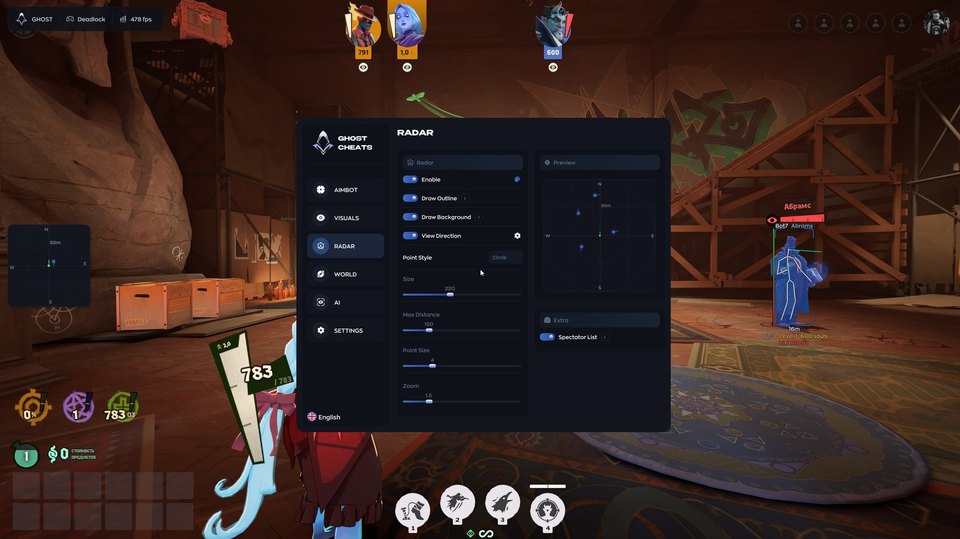
Radar
- Enable — turns on the mini-radar.
- Draw Outline — adds an outline to the radar.
- Draw Background — renders the background/map on the radar.
- View Direction — displays your character's field-of-view cone on the radar.
- Point Style — adjusts the appearance of the markers on the radar.
- Size — sets the size of the radar window.
- Max Distance — controls the scale of the radar.
- Point Size — sets the size of player markers on the radar.
- Zoom — adjusts the zoom level of the radar.
Spectators
- Spectator List — shows who is currently spectating you.
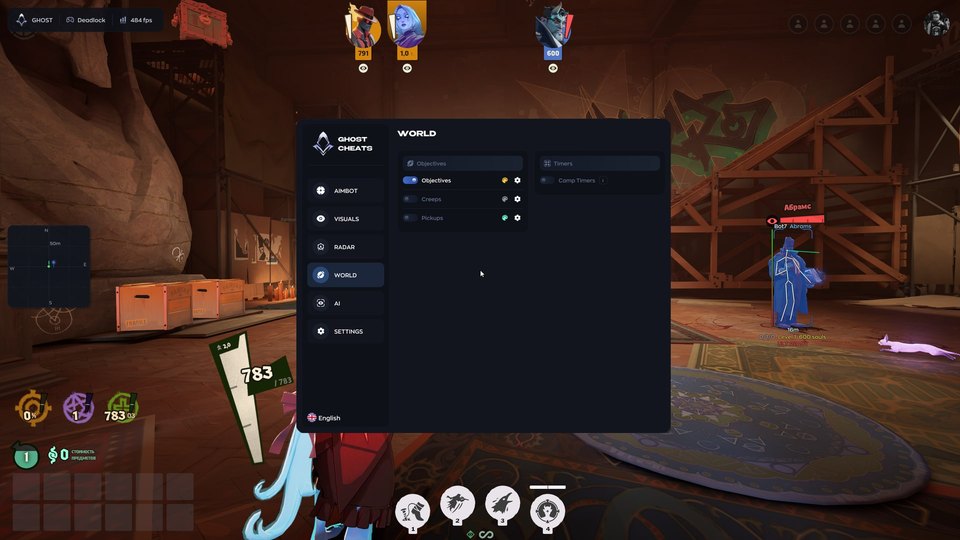
World objects
- Objectives — marks important in-game objectives on the map (e.g., bosses, defensive turrets, guardians, etc.).
- Creeps — highlights neutral mobs or standard enemy units.
- Pickups — highlights various boosts, runes, loot crates, and other useful items on the map.
- Camp Timers — respawn timers for neutral monsters/camps.
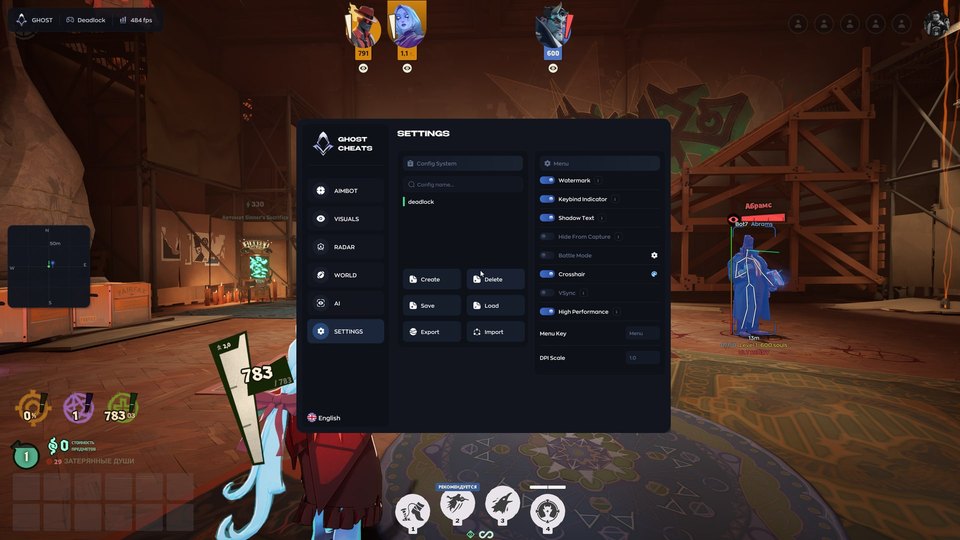
Configurations and interface
- Create / Delete — create or delete a configuration.
- Save / Load — save current settings or load previously saved ones.
- Export / Import — export a configuration to a file or import one (to share settings with another user).
- Watermark — displays a watermark/logo of the software on the screen.
- Keybind Indicator — an indicator for the key used to open the menu.
- Shadow Text — adds a shadow to the text within the menu.
- Hide From Capture — hides the cheat menu during streaming or screen recording (e.g., in OBS or via screen capture).
- Battle Mode — combat mode (hides unnecessary interface elements).
- Crosshair — settings for enabling or configuring a custom crosshair.
- VSync — vertical synchronization.
- High Performance — a mode for high performance.
- Menu Key — the key used to open this menu (default is Insert/Home).
- DPI Scale — scales the menu interface according to the screen resolution.
- Language — switches the interface language.
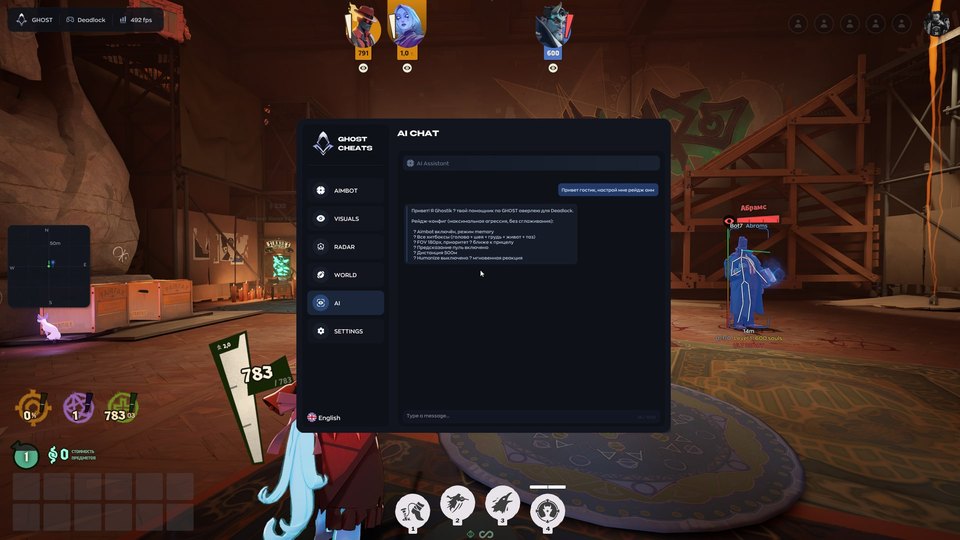
AI Chat
- AI Chat — help with settings and answers to questions.
Safety
The developer screenshot flags the aimbot as a higher-risk feature. Confirm current compatibility before purchase.
System requirements
| Processors | Intel | AMD |
|---|---|
| Operating systems | Windows 10 | 11 |
| Graphics card | NVIDIA | AMD |
| Game mode | Windowed | Borderless |
| Game clients | Steam |
Control target selection and aim movement
Set the FOV, smoothing, movement prediction, target lock, hitbox, priority and maximum distance. Humanize provides separate controls for jitter, deadzone, minimum and maximum reaction delay and camera speed.
Read the player indicators
Toggle teammates, boxes, skeletons, player and hero names, distance, level, health and eye direction. Offscreen arrows and snaplines indicate enemy positions. Extra ESP shows souls, KDA, ultimate readiness, Rejuv/Rebirth and status effects. Glow includes color modes and a preview.
Keep track of the map
Change the radar background, outline, view direction, markers, size, distance and zoom. Other tools include a spectator list, objectives, creeps, pickups and camp respawn timers.
Keep and share configurations
Create, save, load, delete, export or import configurations. Menu options cover the crosshair, watermark, keybind indicator, text shadows, menu capture hiding, Battle Mode, VSync, performance, menu key, UI scale and language. AI Chat helps with settings.
Check the launch requirements
This is an external product for Steam on Windows 10/11, with Intel or AMD processors and NVIDIA or AMD graphics. Use windowed or borderless mode. No spoofer is included. Payment automatically delivers one key for the selected 1, 7 or 30 days and the Ghost setup guide.
What to know before buying
How payment and delivery work
Checkout happens on the seller's side: for most cheats that is Digiseller, where the key appears on the order page as soon as the payment clears and is mirrored to your email. Some cheats are delivered manually — the key arrives once the seller confirms the order, and that is almost always the only reason for a delay. The licence countdown starts when the key is activated, not when you pay.
Ban risk, plainly
There is no safe cheat — only different odds of being caught in the next wave. Nobody compensates a lost game account: the key pays for access to software, not for an outcome.
Why cheats get detectedBefore the first launch
A radar renders on a second screen or phone and never touches the game itself — that is what makes it calmer than internal cheats. The phone link needs both devices on one network, so set it up before the match, not in the lobby.
Safe launch checklistFAQ
What does the Deadlock edition include?
Which durations can I choose?
Which system is required?
Other cheats for Deadlock
Mason hack for Deadlock
MasonMason is an all-in-one cheat for Deadlock, from crosshair assistance to map markers.
Phoenix (Wh-Satano) hack for Deadlock
Phoenix (Wh-Satano)Phoenix is an all-in-one cheat for Deadlock, from crosshair assistance to map markers. Supported client: Steam.
Byster hack for Deadlock
BysterThe full package for Deadlock: Byster Deadlock puts combat and visual modules in one menu.
Clutch hack for Deadlock
ClutchClutch is aimed at people who already own a DMA card and a second PC. The radar can be pushed to a second device.