Nightvex Delta Force ESP — separate player and AI visuals
Choose the information to display: Nightvex separates player and NPC settings and adds a circular radar for nearby activity.
- Platform Delta Force
- Developer KoenFlow
- By software type Radars · Bots and farming
Choose period
KoenFlow
Before you buy
- Operating systems
- Windows 10 / Windows 11, x64
This is a summary. Check all requirements and ask the seller about unknown conditions.
Payment and delivery via Digiseller. The key arrives by email right after payment.
This is a digital product: there is no physical shipping or separate shipping charge.
Screenshots
Features
30Players
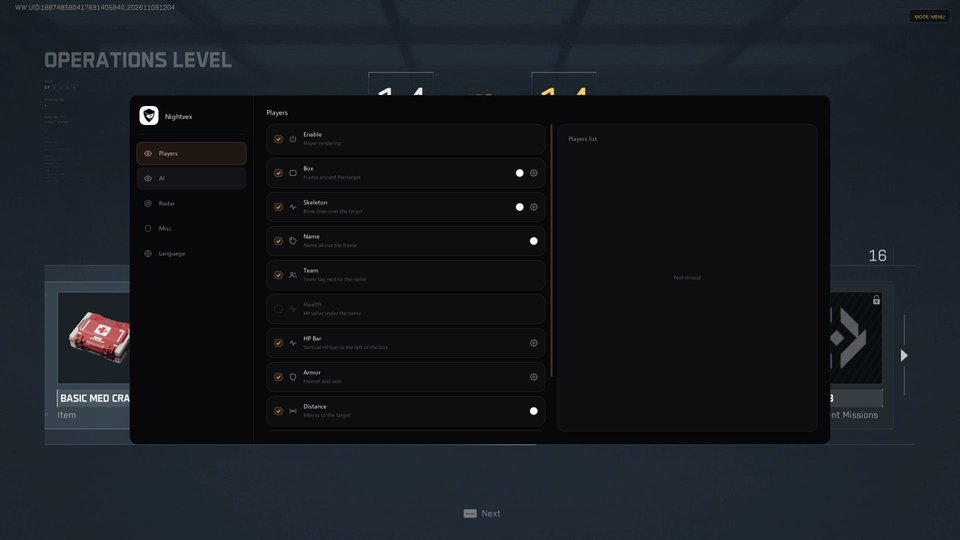
- Enable player overlays (Enable)
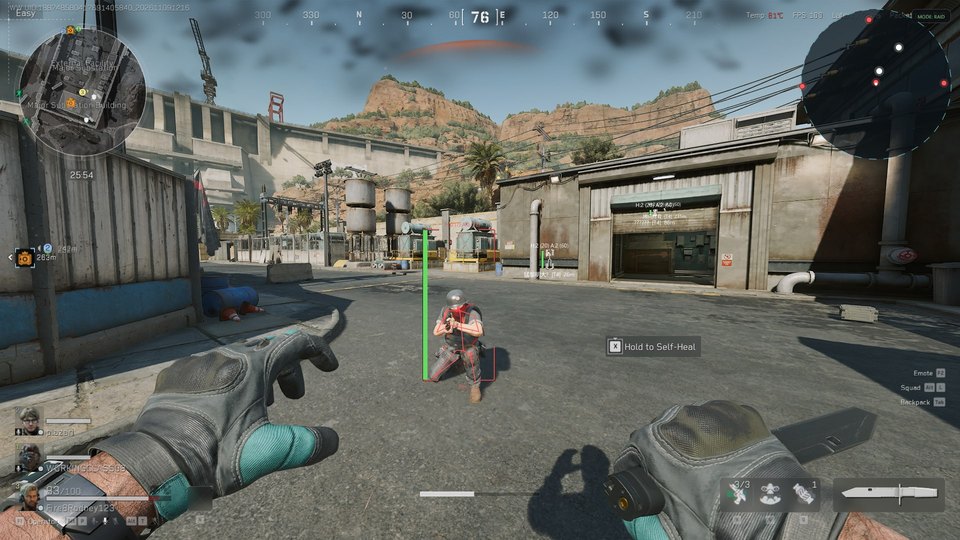
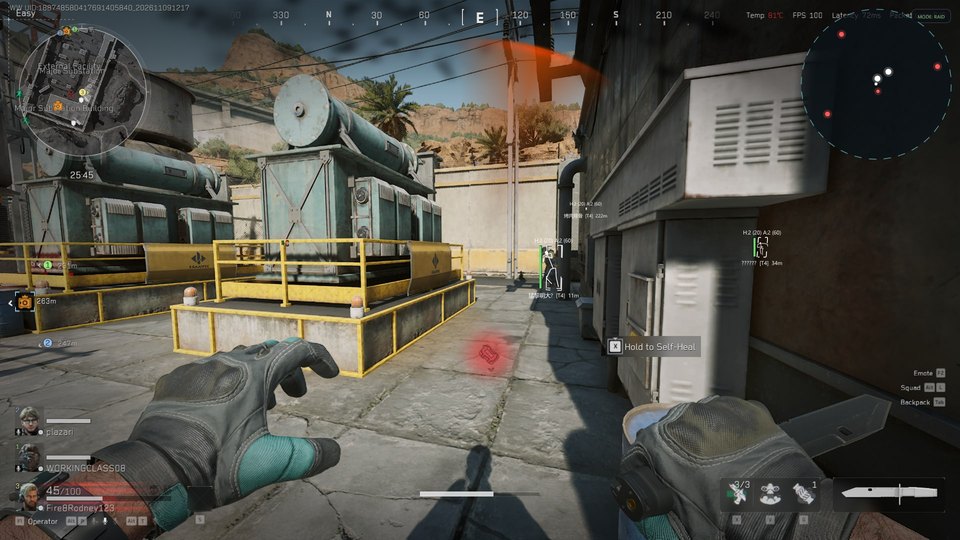
- Box around the target (Box)
- Bone lines over the model (Skeleton)
- Nickname above the box (Name)
- Team tag beside the nickname (Team)
- Numeric health value (Health)
- Vertical health bar to the left of the box (HP Bar)
- Helmet and vest icons (Armor)
- Target distance in meters (Distance)
Bots
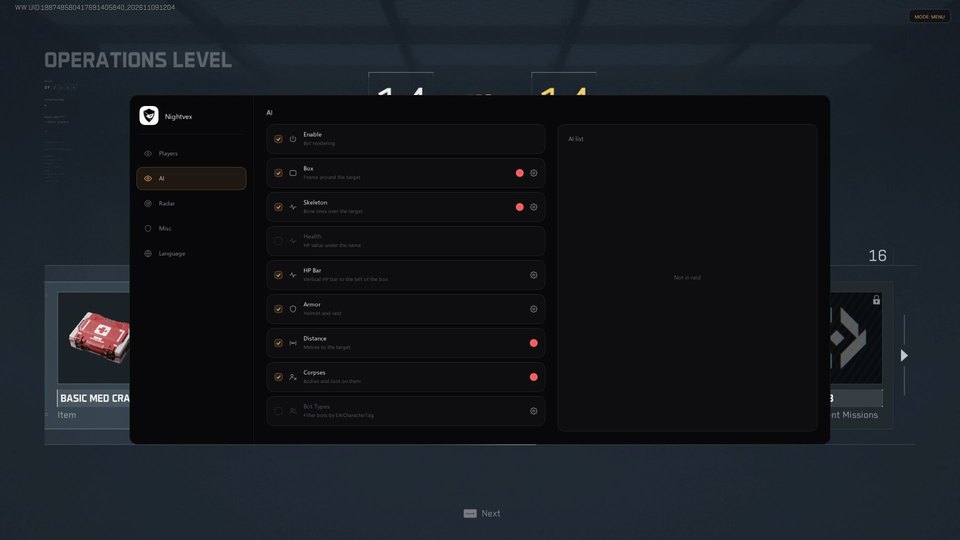
- Enable bot overlays separately (Enable)
- Bot boxes (Box)
- Bot skeletons (Skeleton)
- Numeric bot health (Health)
- Bot health bar (HP Bar)
- Bot armor icons (Armor)
- Distance to bots (Distance)
- Highlight corpses with loot (Corpses)
- Filter bots by NPC type (Bot Types)
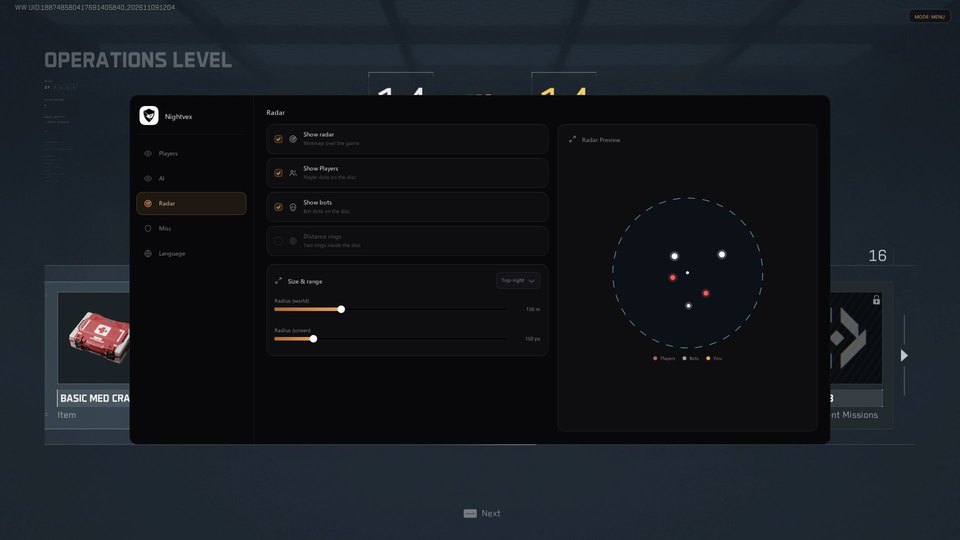
Mini radar
- Radar overlay over the game (Show radar)
- Live player dots (Show Players)
- Bot dots (Show bots)
- Your own position
- Distance rings
- Choose a screen corner
- World radius up to 150+ meters
- Adjust radar size in pixels
Interface and recording
- Russian and English interface, switchable on the fly
- Change settings during gameplay
- Press Home to open or close the settings panel
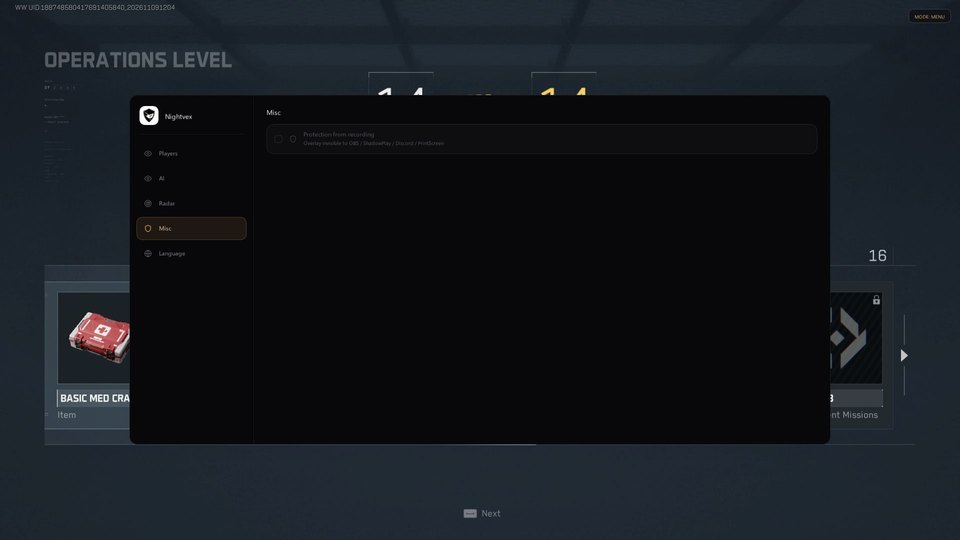
- According to the developer, Protection from recording hides the overlay from OBS, ShadowPlay, Discord and PrintScreen when enabled
Safety
Changing Windows protection settings reduces computer security. Third-party software can also lead to a game account ban. Confirm compatibility before paying.
System requirements
| Operating systems | Windows 10 / Windows 11, x64 |
|---|---|
| Game | Current Delta Force client version |
| Activation | Key in KoenFlow Launcher |
Set up the player overlay
The Players tab combines boxes and skeletons with names and team tags. Read health as a number or a vertical bar, check helmet and vest icons, and display distance in meters. Individual switches let you reduce the number of labels on screen.
Filter NPCs and adjust radar
AI has its own boxes, skeletons, health, armor and distance controls. Bot Types selects NPC categories, while Corpses marks bodies carrying loot. The radar includes players, bots and your position. Set world range, on-screen size, placement corner and optional distance rings separately.
Change settings during a match
Home toggles the overlay panel, and Language switches Russian and English without restarting. The developer advertises Protection from recording for OBS, ShadowPlay, Discord and PrintScreen; the result depends on the capture mode.
Check Windows and choose a duration
This version is for Windows 10/11 x64. Payment delivers one key for 1, 7 or 30 days. Activation uses KoenFlow Launcher. Review the dedicated guide first, including its Windows security requirements.
What to know before buying
How payment and delivery work
Checkout happens on the seller's side: for most cheats that is Digiseller, where the key appears on the order page as soon as the payment clears and is mirrored to your email. Some cheats are delivered manually — the key arrives once the seller confirms the order, and that is almost always the only reason for a delay. The licence countdown starts when the key is activated, not when you pay.
Ban risk, plainly
There is no safe cheat — only different odds of being caught in the next wave. Nobody compensates a lost game account: the key pays for access to software, not for an outcome.
Why cheats get detectedBefore the first launch
A radar renders on a second screen or phone and never touches the game itself — that is what makes it calmer than internal cheats. The phone link needs both devices on one network, so set it up before the match, not in the lobby.
Safe launch checklistSetup guide
Delta Force has a dedicated guide. Follow its launch order rather than the steps for another KoenFlow product.
FAQ
How do I open settings?
Do players and bots have separate settings?
Where can I find the guide?
Other cheats for Delta Force
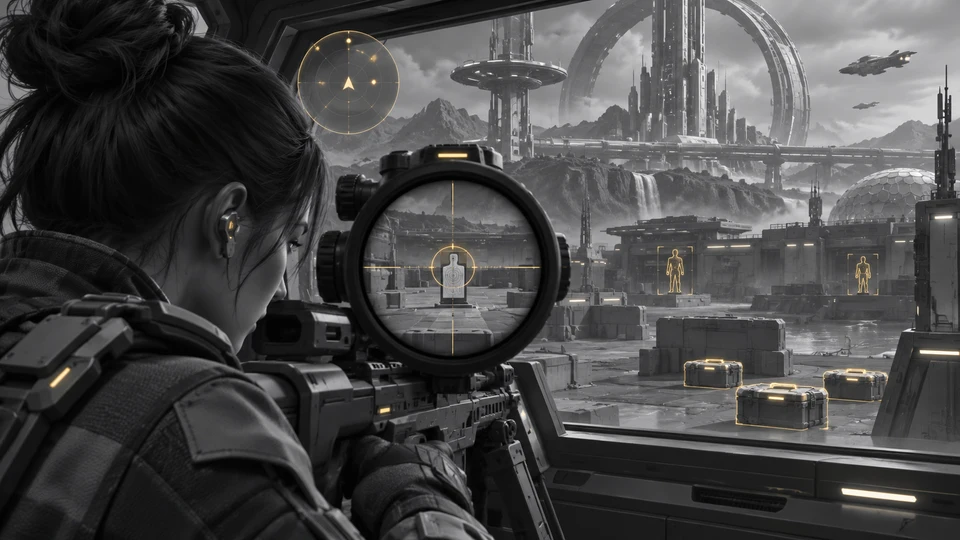
Crooked Arms for Delta Force: ESP, Radar and Aimbot
Crooked ArmsCrooked Arms gives Delta Force players separate controls for characters, bots, items and vehicles. Access is offered for one day, one week or 30 days. The feature table lists the individual controls for each module.
Ghost DF Full: full cheat for Delta Force
GhostGhost DF Full is an all-in-one cheat for Delta Force, from crosshair assistance to map markers. Supported client: Steam.
Ghost DF Chams hack for Delta Force
GhostThe reworked Ghost DF Chams for Delta Force uses red models for players and blue models for bots. Supported client: Steam.
Fecurity hack for Delta Force
FecurityThe full package for Delta Force: Fecurity puts combat and visual modules in one menu.