Umbrella hack for Dota 2
A visuals-only cheat for Dota 2: Umbrella Dota 2 tells you what is around, the shooting stays manual. The menu is large — 83 entries.
Choose period
Umbrella
If payment does not go through
A second checkout at eliteseller.ru in case the option above does not go through. Same seller; the price may differ — it is set there separately.
Payment and delivery via Digiseller. The key arrives by email right after payment.
This is a digital product: there is no physical shipping or separate shipping charge.
Screenshots
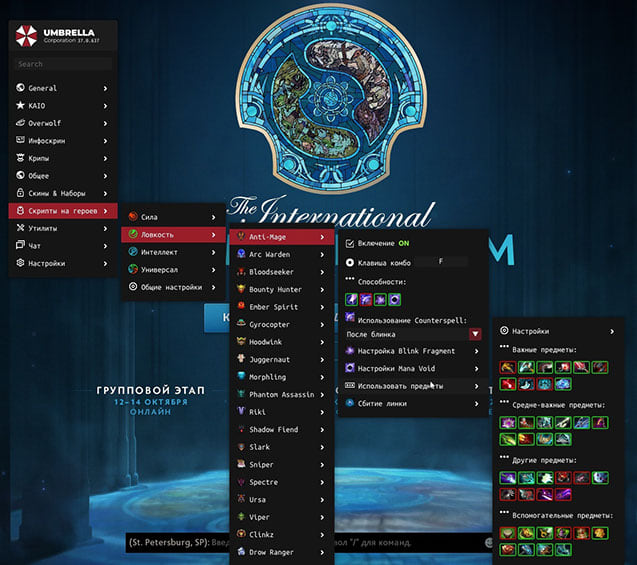
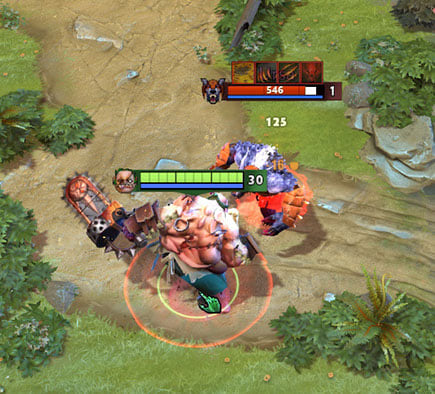
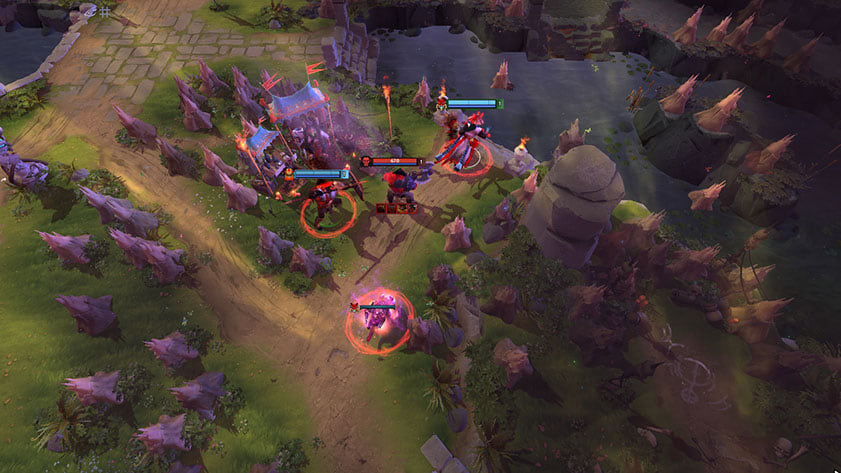
Video demo
The player needs scripts, and they are currently off: Watch onYouTube →
The player needs scripts, and they are currently off: Watch onYouTube →
The player needs scripts, and they are currently off: Watch onKinescope →
Features
83Camera
- Smooth Zoom — smooth camera zoom out
- Smoothness Duration — smoothness duration setting
- Zoom Type — camera zoom type
- Zoom Step — zoom steps
- Camera Distance — camera distance slider
Automation
- Items Manager — automatic item usage (ally heal, Midas, etc.)
- Auto Disabler — automatically interrupts enemy initiation (Hex, Orchid, etc.)
- Dodger — automatically dodges abilities using items/abilities
- Kill Stealer — automatically finishes off enemy heroes with abilities/items
- Snatcher — auto-pickup of items and bounty runes (99% chance to grab the rune)
- Anti Illusion — redirects targeted abilities to the real hero, bypassing illusions
- Illusion Controller — illusion management
- Armlet Abuse — automatic armlet toggle abuse
- MP/HP Abuse — quick item drop/pickup for maximum mana/hp restoration
- Auto Accept — automatically accepts found match
- Auto Pick-Ban-Lane — auto-pick, auto-ban and lane selection
- Courier — simplified courier management
Creeps
- Auto Stack — automatic creep stacking with controlled units
- Creep Blocker — automatic creep blocking
- Auto Lasthit — automatic creep last hitting
- Lasthit Markers — visual markers for last hitting
- Agro / Deagro — automatic creep and tower deaggro
- Creep Wave — displays creeps moving along lanes
ESP / Info Screen
- Visible by Enemy — visibility indicator (enemies/wards see you, works on heroes and creeps)
- Modifiers — duration of important effects (Hex, Orchid, BKB, etc.)
- Cooldown Display — shows readiness and upgrade level of enemy abilities
- Items — visual display of ally and enemy items
- Bars — enemy HP and mana display
- Extra Customization — visual scripts customization
Top Display
- Show HP/MP Bars — HP/MP bars on the top panel
- Show on Allies — display on allies
- Ultimate Bar — ultimate display (Bar / Image modes)
- Show Rune Timer — picked up rune
- Show Creep Stat — last hit counter
- Remove Top Panel (LALT) — hide top panel with Alt
Side Panels
- Item Panel — enemy items panel
- Networth Panel — net worth of enemy and allied heroes
Ward Tracker
- Render in World — ward display in the world
- Ward Render Type — display type (2D Image / 3D Model / both)
- Render Range Particle — placed ward radius
- Visible by Sentry — enemy sentry ward zone display
Notifications
- Item Purchase — notification of important enemy item purchases
- Enemy Spells — notification of dangerous skill usage (Mirana, Nyx ultimate, etc.)
- Smoke of Deceit — smoke usage notification
- Bounty — bounty rune spawn notification
- Side Runes — power-up rune spawn notification
- Camp Stack — creep camp stack reminder
Roshan
- Roshan HP on Screen — Roshan information on screen
- Roshan HP in World — Roshan information in the world
Map Hack
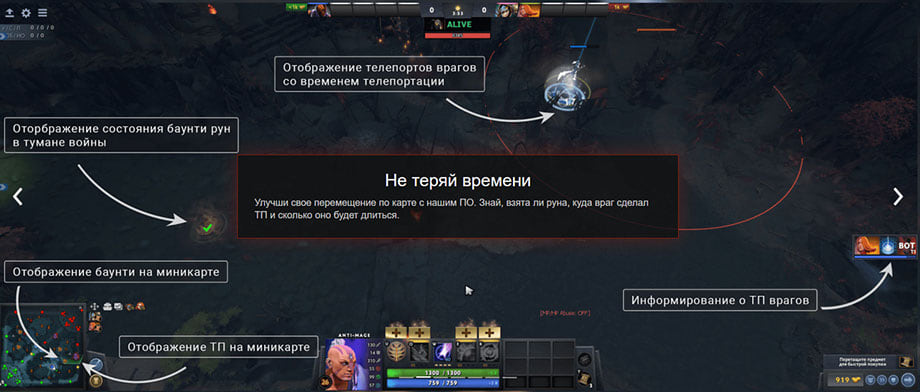
- Teleports — enemy teleport visibility through fog of war
- Draw Arrows on Minimap — arrow drawing on the minimap
- Jungle MapHack — enemy visibility while farming jungle in fog of war (with HP display)
- Ability Alert — notifications about ability usage in the fog of war
- Show Illusion — enemy illusion display (hero color / illusion color)
- Show Hidden Spells — hidden abilities in the fog of war
- Show Linear Projectiles — linear abilities
- Show Glyph and Scan CD — enemy scan and fortification cooldowns
- Dangerous Ability Timers — dangerous ability duration timers
- Show Units Lifetime — enemy controlled unit duration
- Bounty Runes in World — bounty runes through the fog of war
- Tower Radius — tower radii (enemy / all)
- Show Linken — Linken Sphere effect information (text / particle)
Minimap
- Power-up runes, wards, bounty runes displayed on the minimap
- Show on Minimap — icon display on the minimap with size settings
Skinchanger
- Skin Changer — all game skins in your inventory
- Effects — effects from all TIs (replaced attack, red Shiva, etc.)
- River — colorful river selection
- Tree Changer — tree replacement
Unlocks
- Unlock DotaPlus — unlock Dota Plus
- Unlock Emotions — unlock all emoticons
- Unlock Labyrinth — display labyrinth passages
- Unlock Training Rewards — complete beginner training in one click
Utility
- Radius — displays all radii in the game (including enemy)
- MMR Tracker — MMR tracking after games
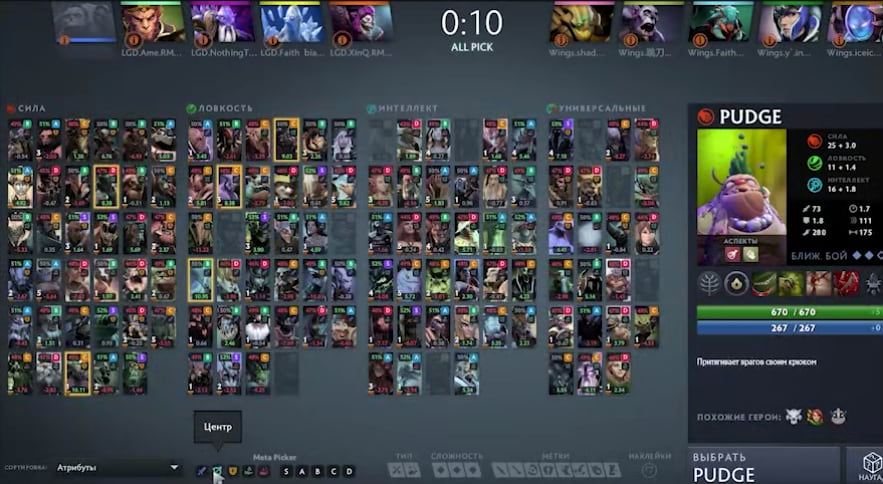
- Show Roles — displays roles of all enemies during picks
Settings
- Scripts List — enable/disable built-in scripts
- Menu Key — change cheat menu open key
- Reload Key — script reload key
- Save Menu State — save menu tab state
- Block Dota Click — block game clicks when cheat menu is open
- Scripts Language — change cheat language
- Safe Mode — disables camera zoom and blocks actions outside camera
- Hide ScriptsUI Key — hide cheat visual part by keybind
Safety
The fewer overlay elements you keep enabled, the fewer questions your opponents ask.
System requirements
| Operating system | Windows 10 / Windows 11 |
|---|---|
| Cpus | Intel / AMD |
| Game client | Steam |
Umbrella Dota 2 is a visuals-only cheat for Dota 2. It comes from Umbrella. The published feature list runs to 83 items. Menu sections: Camera, Automation, Creeps, ESP / Info Screen, Top Display and Side Panels.
Before you buy
Declared requirements: OS: Windows 10 / Windows 11; client: Steam; CPU: Intel / AMD.
Inside the menu
In capability terms this cheat offers: opponents drawn on top of the map geometry, movement modifiers, in-game restriction unlocks, a flat radar with live positions, markers for items, containers and stashes and cosmetic swaps.
Access periods
The seller offers 4 periods: 1 day, 7 days, 14 days and 30 days.
Against the neighbouring cheats
This is the largest menu in the section — 83 entries against 7 in the most compact build.
What to know before buying
How payment and delivery work
Checkout happens on the seller's side: for most cheats that is Digiseller, where the key appears on the order page as soon as the payment clears and is mirrored to your email. Some cheats are delivered manually — the key arrives once the seller confirms the order, and that is almost always the only reason for a delay. The licence countdown starts when the key is activated, not when you pay.
Ban risk, plainly
There is no safe cheat — only different odds of being caught in the next wave. Nobody compensates a lost game account: the key pays for access to software, not for an outcome.
Why cheats get detectedBefore the first launch
The routine is always the same: set the window mode from the requirements, start the software before entering a match, and do not switch everything on at once. The most dangerous window is the first days after a game or anti-cheat patch.
Safe launch checklistFAQ
What is included in Umbrella Dota 2?
How long can I buy Umbrella Dota 2 for?
Which system and client are supported?
How does Umbrella Dota 2 differ from the other cheats here?
Other cheats for Dota 2
Dota hack for Dota 2
DotaDota Overwolf skips aim automation and focuses on what you can see in Dota 2. Supported client: Steam.
Melonity hack for Dota 2
MelonityMelonity Dota 2 skips aim automation and focuses on what you can see in Dota 2. A spoofer is bundled, so no separate purchase is needed.
Skinchanger hack for Dota 2
SkinchangerA visuals-only cheat for Dota 2: Skinchanger tells you what is around, the shooting stays manual. A spoofer is bundled, so no separate purchase is needed.