Ghost for Escape from Tarkov — aim controls, ESP and loot
Choose the information you want during a raid: player positions, their equipment, useful items and exits. Configure aiming and visual indicators separately.
- Platform Escape from Tarkov
- Developer Ghost
- By software type Radars
Choose period
Ghost
Before you buy
- Operating systems
- Windows 10 | 11
- Processors
- Intel | AMD
- Platform
- PC
- USB drive
- No
- Game mode
- Windowed | Borderless
This is a summary. Check all requirements and ask the seller about unknown conditions.
If payment does not go through
A second checkout at eliteseller.ru in case the option above does not go through. Same seller; the price may differ — it is set there separately.
Payment and delivery via Digiseller. The key arrives by email right after payment.
This is a digital product: there is no physical shipping or separate shipping charge.
Screenshots
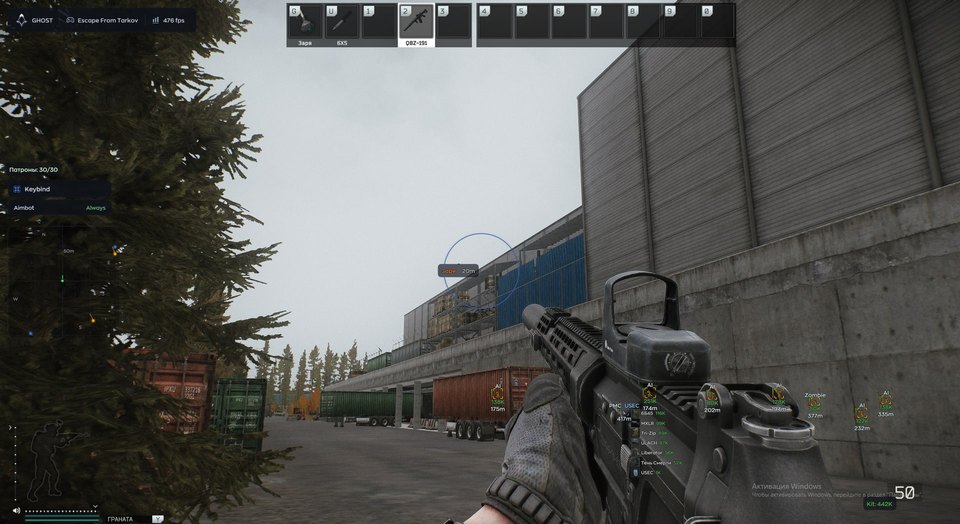
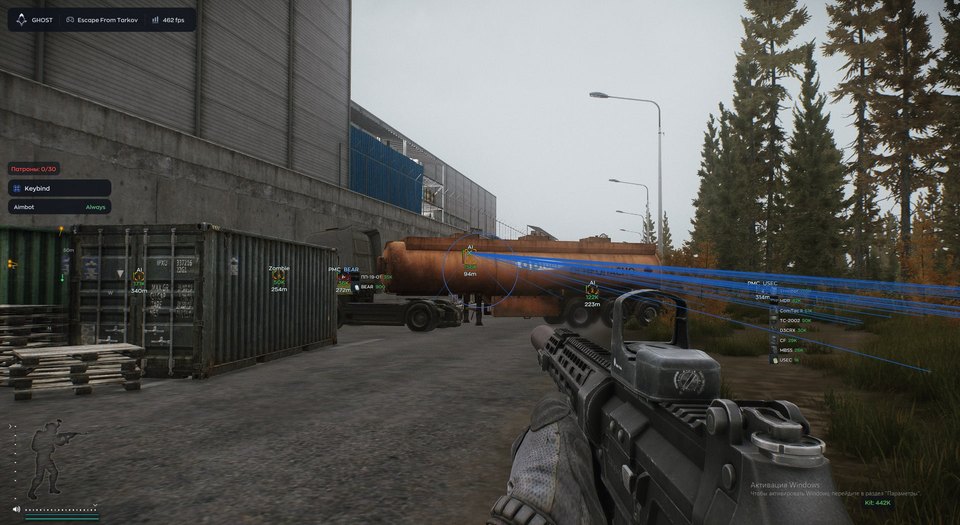
Features
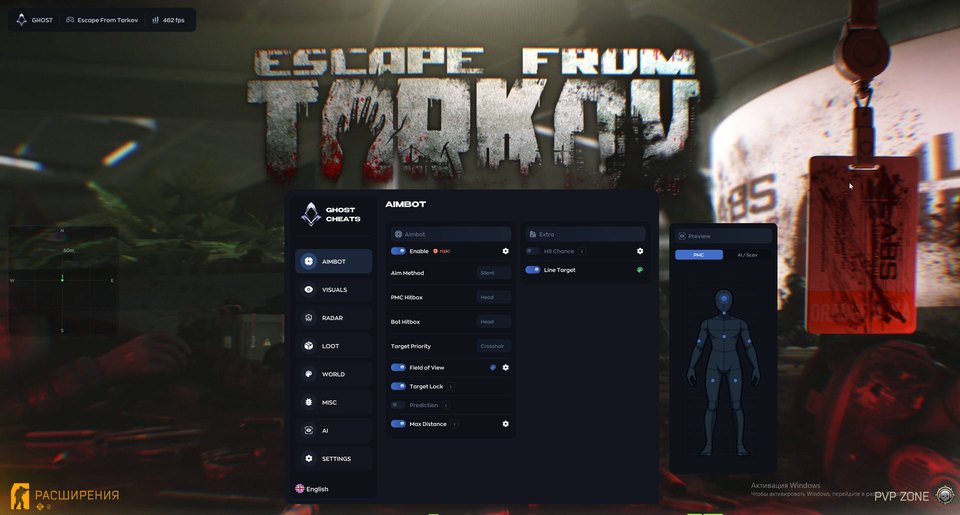
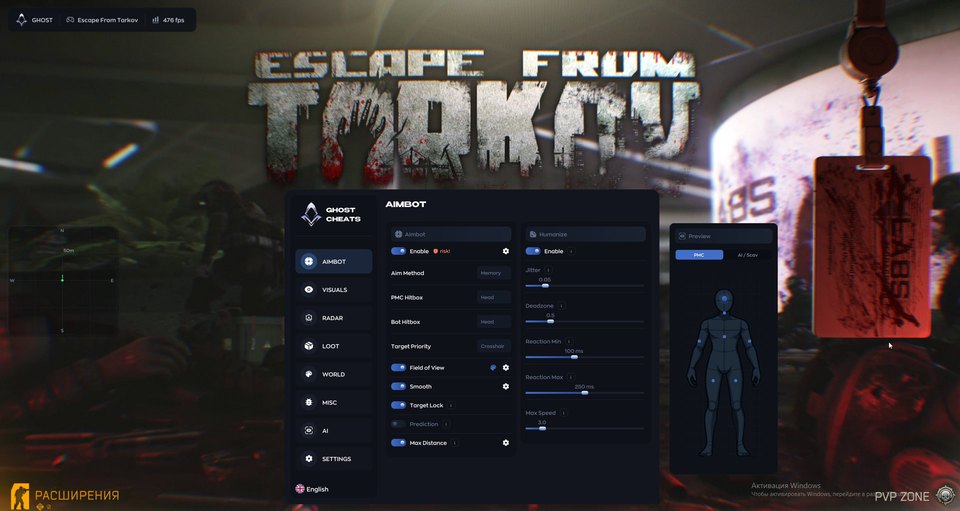
80Aimbot and targeting
- Enable the function (Enable)
- Silent or Memory aiming method (Aim Method)
- PMC target hitbox (PMC Hitbox)
- Bot target hitbox (Bot Hitbox)
- Target priority (Target Priority)
- Aiming radius (Field of View)
Aiming settings
- Aim smoothing (Smooth)
- Target lock (Target Lock)
- Movement prediction (Prediction)
- Maximum distance (Max Distance)
- Activation probability (Hit Chance)
- Selected target line (Line Target)
- Hitbox preview (Preview)
Aim humanization
- Aim micro-jitter (Jitter)
- Aim deadzone (Deadzone)
- Minimum and maximum reaction delay (Reaction Min / Max)
- Maximum aiming speed (Max Speed)
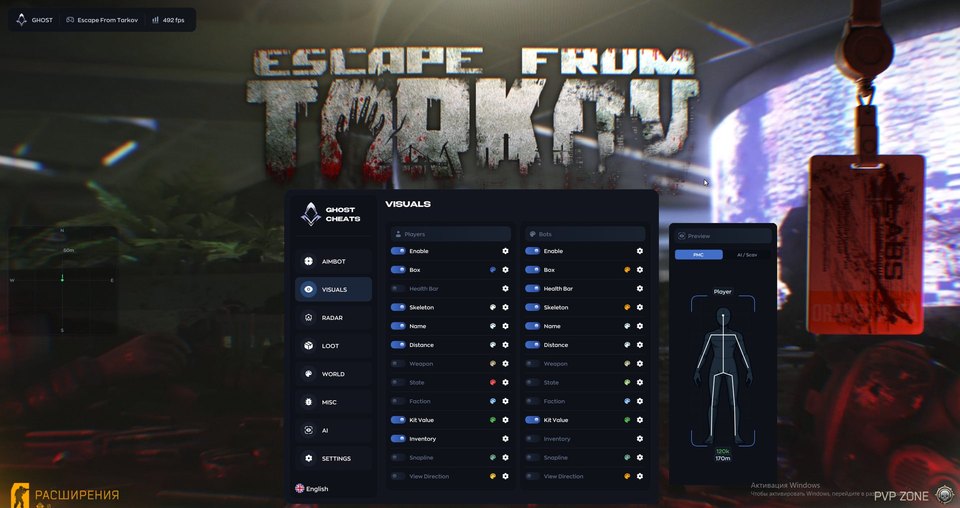
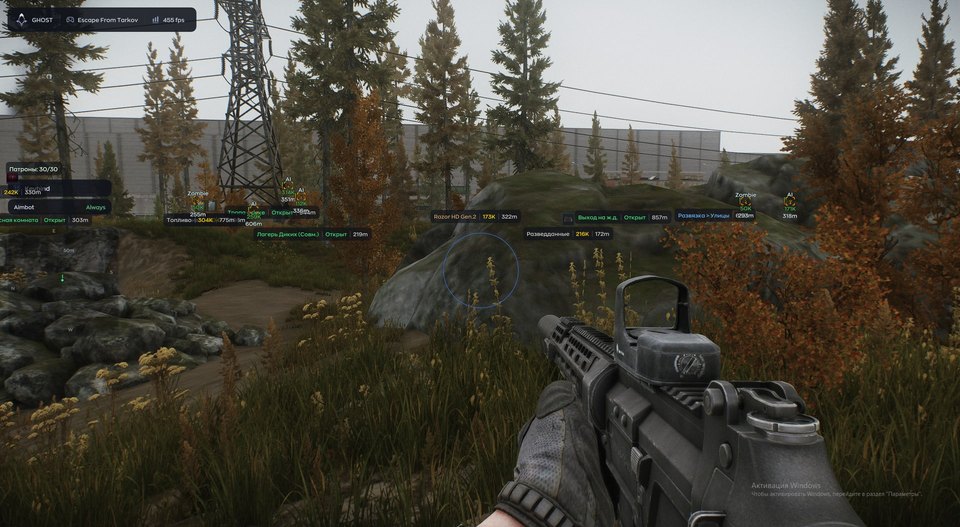
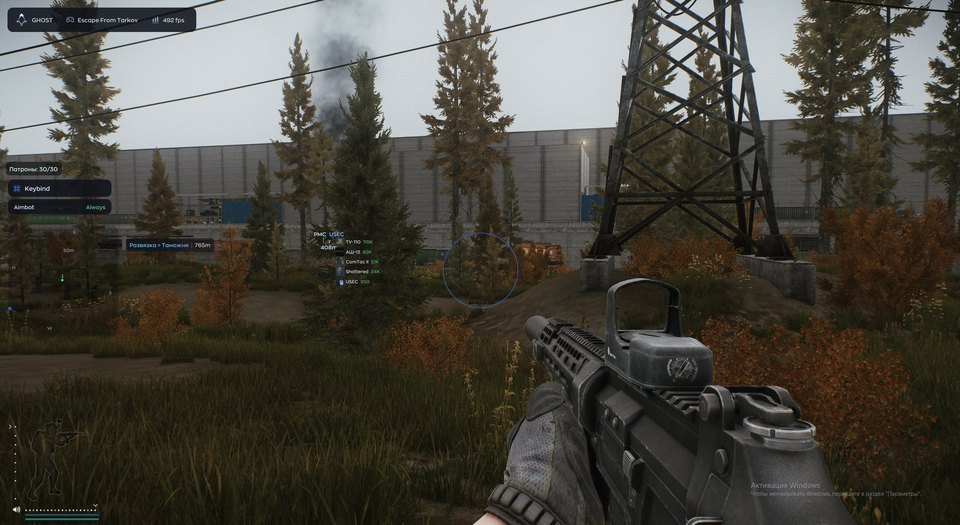
Player ESP
- Enable the function (Enable)
- Player boxes (Box)
- Player health (Health Bar)
- Player skeleton (Skeleton)
- Player name (Name)
- Player distance (Distance)
- Player weapon (Weapon)
Player information
- Player state (State)
- Player faction (Faction)
- Estimated equipment value (Kit Value)
- Inventory contents (Inventory)
- Line to the player (Snapline)
- Viewing direction (View Direction)
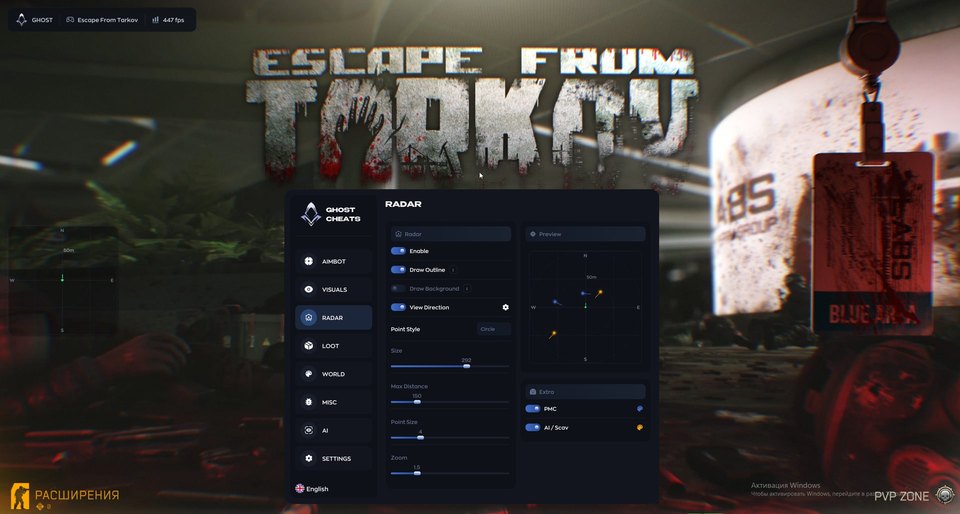
Radar
- Enable the function (Enable)
- Radar outline (Draw Outline)
- Radar background (Draw Background)
- Viewing direction (View Direction)
- Marker style (Point Style)
Radar settings
- Radar size (Size)
- Maximum distance (Max Distance)
- Point size (Point Size)
- Radar zoom (Zoom)
- PMC and bot filters (Extra)
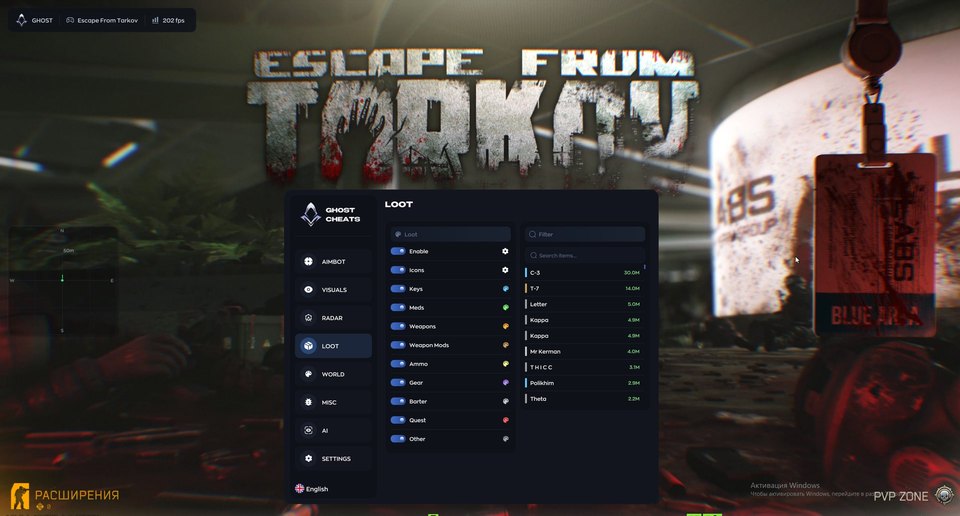
Loot search
- Enable the function (Enable)
- Item icons (Icons)
- Highlight keys (Keys)
- Highlight medicine (Meds)
- Highlight weapons (Weapons)
- Highlight attachments (Weapon Mods)
Item filters
- Highlight ammunition (Ammo)
- Highlight equipment (Gear)
- Barter items (Barter)
- Quest items (Quest)
- Other items (Other)
- Item list with distances (Item list)
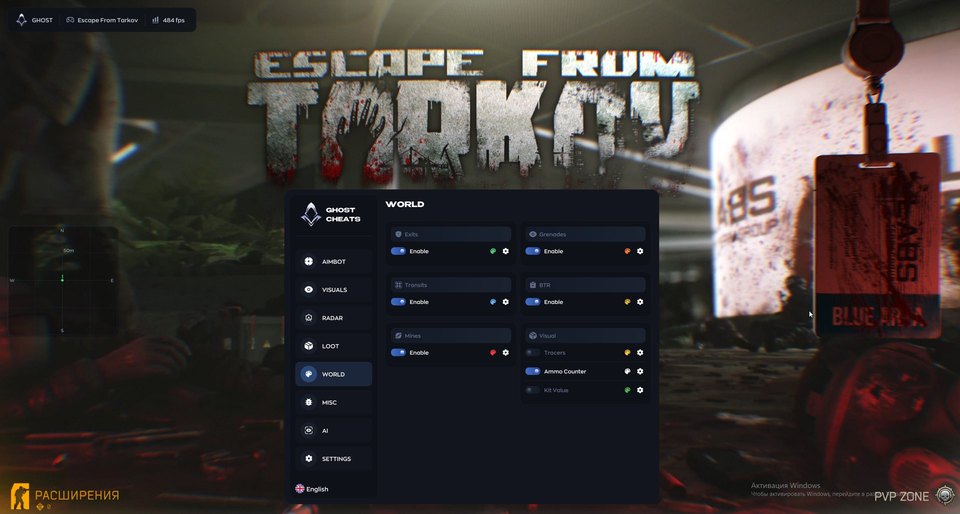
World objects
- Map exits (Exits)
- Transitions between locations (Transits)
- Minefields (Mines)
- Grenades (Grenades)
- Armored vehicle on the map (BTR)
- Bullet trajectories (Tracers)
- Ammunition count (Ammo Counter)
- Estimated equipment value (Kit Value)
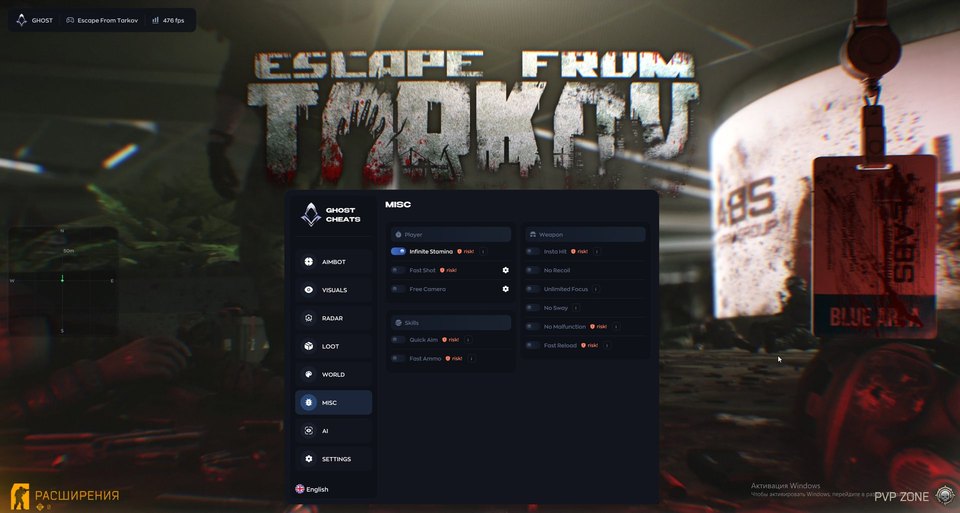
Player, skills and weapons
- Infinite stamina (Infinite Stamina)
- Faster shooting (Fast Shot)
- Free camera (Free Camera)
- Quick aiming (Quick Aim)
- Faster magazine loading (Fast Ammo)
Weapons
- Instant hit (Insta Hit)
- Disable recoil (No Recoil)
- Unlimited focus (Unlimited Focus)
- Disable weapon sway (No Sway)
- Disable malfunctions (No Malfunction)
- Fast reload (Fast Reload)
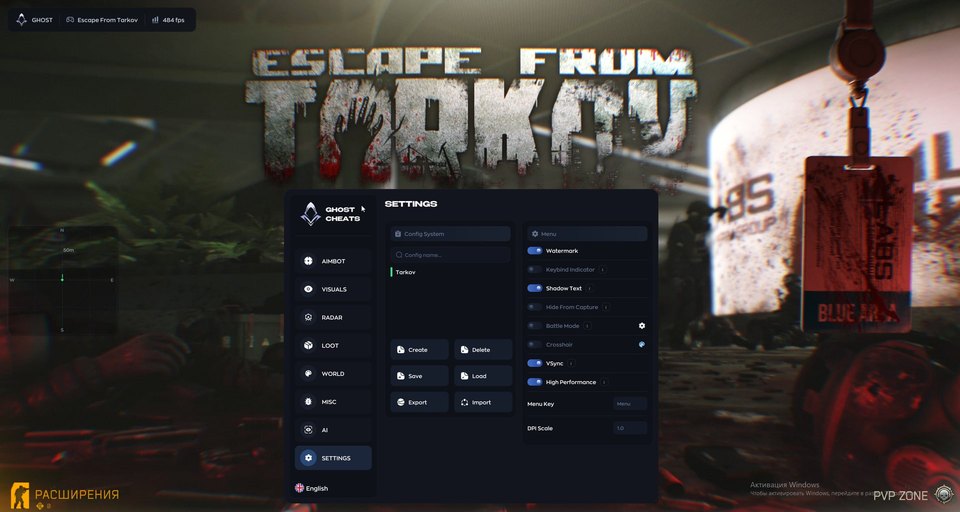
Configurations and interface
- Configuration management (Config System)
- Bound-key indicator (Keybind Indicator)
- Hide menu from capture (Hide From Capture)
- Battle mode (Battle Mode)
- Custom crosshair (Crosshair)
- Vertical synchronization (VSync)
- Performance mode (High Performance)
- Menu key (Menu Key)
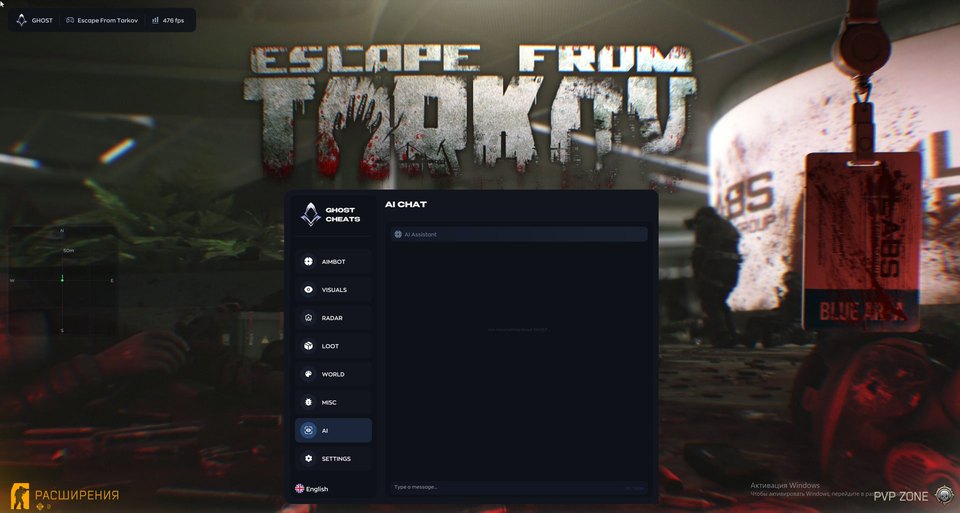
AI Chat
- Settings and game assistant (AI Assistant)
Safety
The developer menu marks the aimbot as a higher-risk feature. Third-party software can lead to a game account ban. Check current status and compatibility before payment.
System requirements
| Processors | Intel | AMD |
|---|---|
| Operating systems | Windows 10 | 11 |
| Graphics card | NVIDIA | AMD |
| Game mode | Windowed | Borderless |
| Platform | PC |
| Built in spoofer | No |
| Usb drive | No |
Choose targets and tune aim movement
Ghost offers Silent and Memory aiming methods. Select separate hitboxes for PMCs and bots, then set priority, FOV, smoothing, distance, target lock and activation chance. Movement prediction, a target line and a model preview provide further controls. Humanize has jitter, a deadzone, reaction delays and a camera speed limit.
Inspect player indicators
ESP can show boxes, skeletons, health, nicknames, distance and weapons. Additional indicators include character state, faction, viewing direction, an estimated kit value and inventory contents. The radar has separate PMC and AI / Scav filters, with settings for zoom, widget size, marker size, distance, background and outline.
Find items and map landmarks
Loot categories cover keys, medicine, weapons, attachments, ammunition, equipment, barter and quest items. The item list includes names and distance. World indicators identify exits, transits, mines, grenades and the BTR. Other options include tracers, an ammunition counter and equipment value.
Additional tools and saved configurations
The developer lists Infinite Stamina, Fast Shot, Free Camera, Quick Aim, Fast Ammo, Insta Hit, No Recoil, Unlimited Focus, No Sway, No Malfunction and Fast Reload. A listed feature is not proof of functionality after every game update. Configuration controls let you save and transfer settings. The interface also includes a keybind indicator, menu capture hiding, Battle Mode, a crosshair, VSync, High Performance, a menu-key setting and AI Assistant.
License and setup
Select 1, 7 or 30 days. Payment delivers one key for your chosen duration and the Ghost guide. The developer specifies external software for Windows 10/11, Intel/AMD processors, NVIDIA/AMD graphics and windowed or borderless mode. Confirm support for your exact Windows build before buying. No USB drive is required and no spoofer is included. EFT Arena, SPT and support for a particular PVE mode have not been independently confirmed.
What to know before buying
How payment and delivery work
Checkout happens on the seller's side: for most cheats that is Digiseller, where the key appears on the order page as soon as the payment clears and is mirrored to your email. Some cheats are delivered manually — the key arrives once the seller confirms the order, and that is almost always the only reason for a delay. The licence countdown starts when the key is activated, not when you pay.
Ban risk, plainly
There is no safe cheat — only different odds of being caught in the next wave. Nobody compensates a lost game account: the key pays for access to software, not for an outcome.
Why cheats get detectedBefore the first launch
A radar renders on a second screen or phone and never touches the game itself — that is what makes it calmer than internal cheats. The phone link needs both devices on one network, so set it up before the match, not in the lobby.
Safe launch checklistFAQ
Can I configure PMC and bot aiming separately?
Can I select only the loot categories I need?
What is delivered after payment?
Do I need a USB drive?
Other cheats for Escape from Tarkov
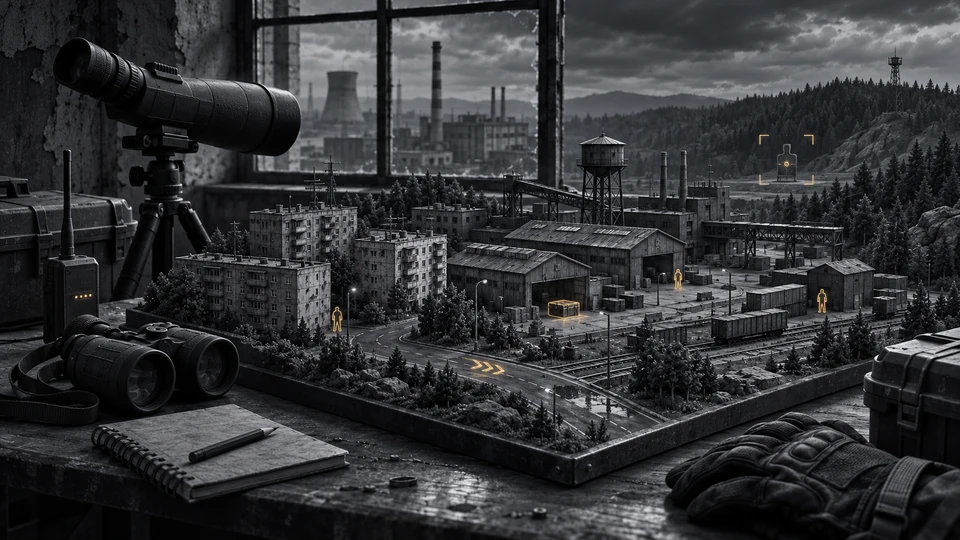
Fecurity hack for Escape from Tarkov
FecurityFecurity is an all-in-one cheat for Escape from Tarkov, from crosshair assistance to map markers. A spoofer is bundled, so no separate purchase is needed.
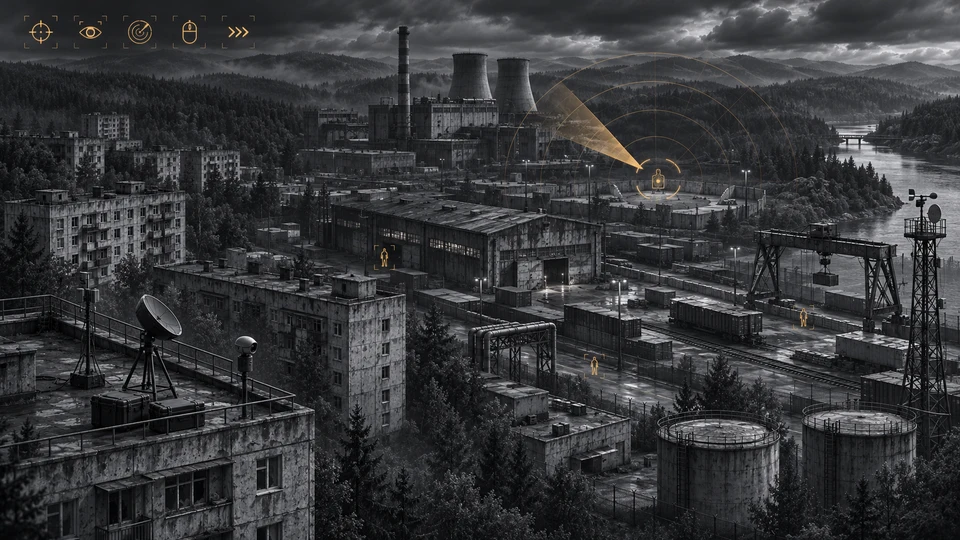
Medusa Lite for Escape from Tarkov
MedusaLite refreshes menu navigation, loot controls and raid information windows. The newly announced PvE expansion is reserved for Full/Rage.
Authority hack for Escape from Tarkov
AuthorityThe full package for Escape from Tarkov: Authority Eft puts combat and visual modules in one menu. Screen capture bypass is declared, so the overlay stays out of recordings.
ESP cheat Authority Esp Trainer for Escape from Tarkov
AuthorityAuthority Esp Trainer layers information over Escape from Tarkov — targets, loot, distances — without touching your aim. The menu is large — 80 entries.