Medusa Full / Rage for Escape from Tarkov
A fresh interface and a dedicated PvE expansion define this Full/Rage update, including item creation and forced offline maps. Check the version differences and feature list below.
- Platform Escape from Tarkov
- Developer Medusa
- By software type Radars · Bots and farming
Choose period
Medusa
Before you buy
- Operating system
- Windows 10 (all versions), Windows 11 (21h2-23h2)
- Processor
- Xeon and Fx processors with Intel and AMD support
- Video card / Game mode
- Video card: Nvidia and AMD; Game mode: Windowed / Borderless
This is a summary. Check all requirements and ask the seller about unknown conditions.
If payment does not go through
A second checkout at eliteseller.ru in case the option above does not go through. Same seller; the price may differ — it is set there separately.
Payment and delivery via Digiseller. The key arrives by email right after payment.
This is a digital product: there is no physical shipping or separate shipping charge.
Screenshots
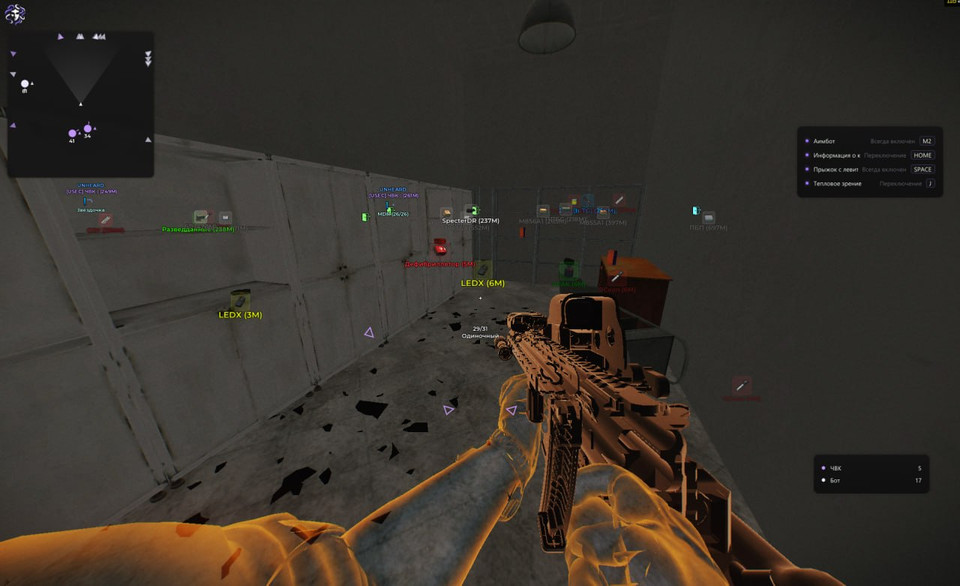
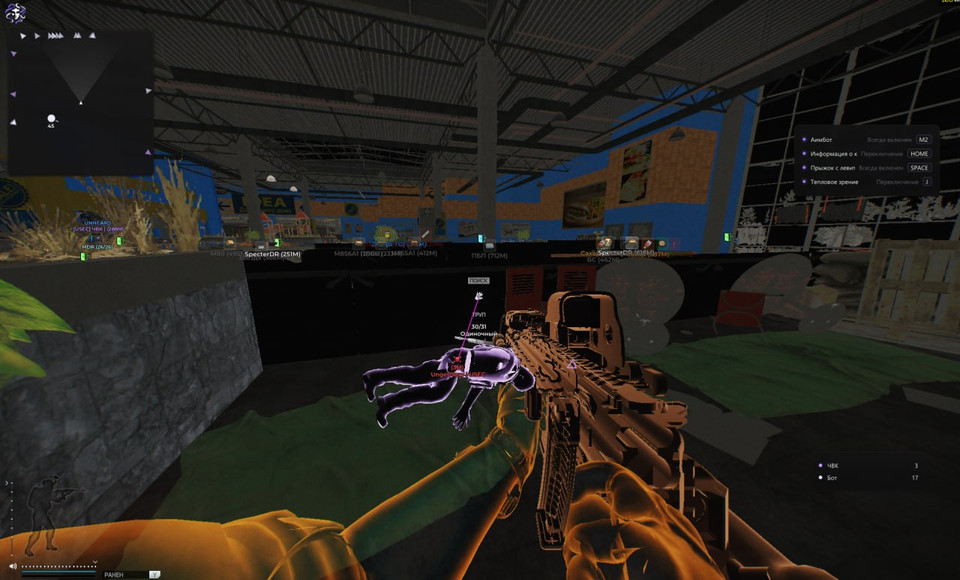
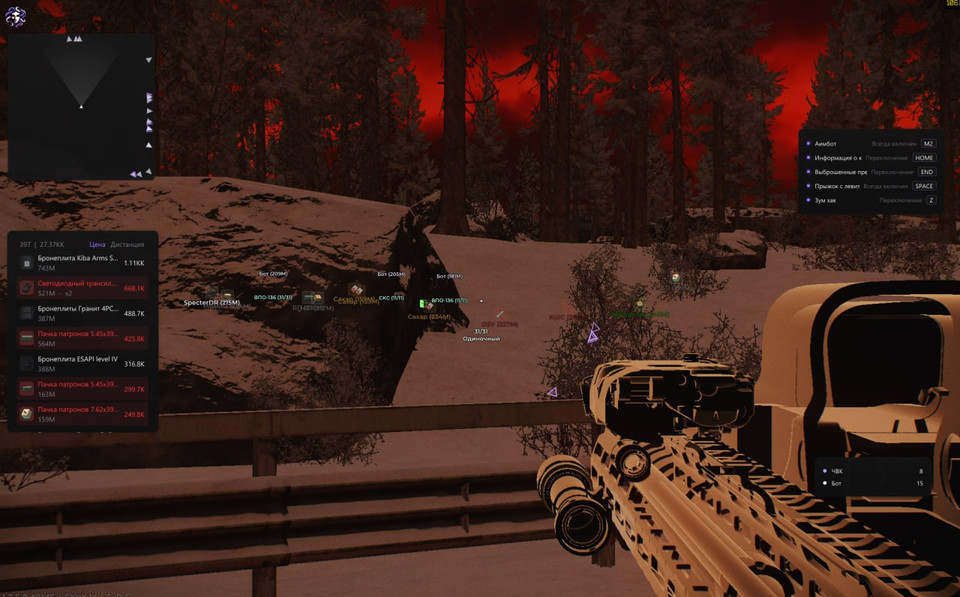
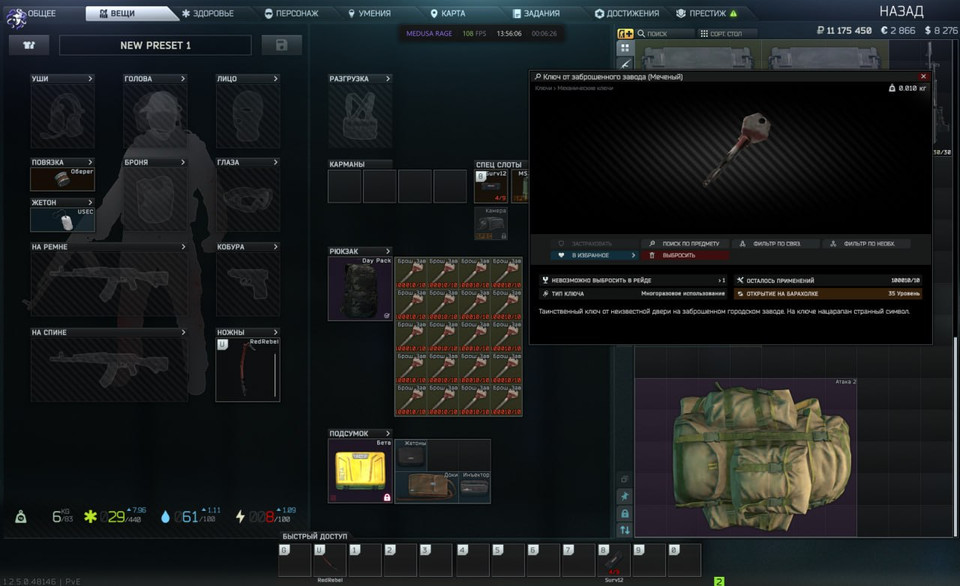
Video demo
The player needs scripts, and they are currently off: Watch onKinescope →
Features
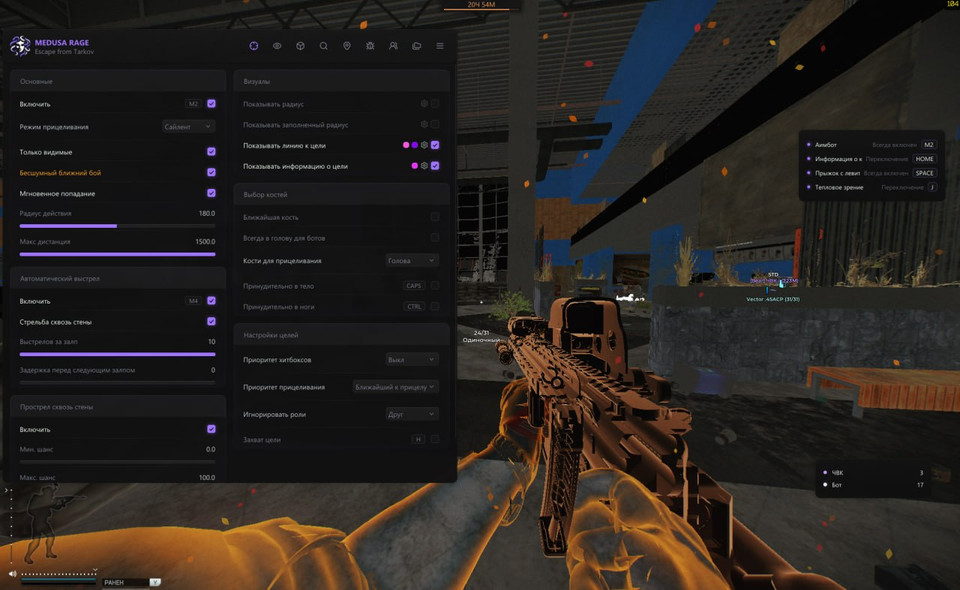
82Aimbot
- Enable, Body shot, Leg shot, Silent melee, Instant hit
- Radius, Max distance
- Nearest bone, Bone selection (Head/Neck/Pelvis)
- Ignore roles (PMC/Friend/Scav/Streamer/Bot/Guards/Boss)
- Target info (Above target/Center of screen), Line to target (color, Solid/Gradient)
- Show radius (color, Solid/Gradient, Static/Animated)
- Filled radius (color, Solid/Gradient, Static/Animated)
Visuals (Enemies)
- Separate settings for players and bots
- Radar, Box (Corners/Outline/Box, color), Filled box, Skeleton
- Look direction (color, Solid/Gradient, line thickness)
- Chams: Latex, Glowing, Glass glow, Wireframe glow
- Extra styles: X-Ray, Amogus glow, Deep/Light/Dark/Solid/Wireframe glow
- Effect power, Intensity, Color and additional chams color
- Health bar (color, Solid/Gradient)
- Info: Name, Distance, Faction, Team ID, R/D Level, Time in raid, Survival streak
- Player/Scav/Streamer/Friend colors, Scav nickname
- Weapon, Inventory, Total price, Min inventory price, Lines, Max distance
Visuals (World)
- Grenades: Frag/Flash/Smoke (color, Text/Icon)
- Grenade settings: Distance, Timer, Trajectory, Sphere, Radius
- Stationary weapons (color, max distance)
- Danger zones: Mines, Snipers (color, Text/Icon)
- Exits, APC (color, Text/Icon, hover text)
- Bullet lines (color, Solid/Gradient, fade delay)
- Hit point, Hit sound
- Map info: Players (Total/PMC/Scavs/Bots/Bosses)
- Items: Over 100K/250K/500K/1M, Selected (On ground/In corpses/In containers)
Local Player
- Chams: X-Ray, Amogus glow, Light/Dark/Solid/Wireframe glow
- Effect power, Intensity, Additional colors
- Weapon info: Ammo count, Fire mode (color)
- Crosshair (color)
Loot
- Short item names
- 20 categories: Weapons, Ammo, Magazines, Sights, Suppressors, Weapon parts and more
- Quest items (color), Active quests only
- Items: Price, Distance, Price filter, Hide in scope/in combat mode
- Corpses: Player info (Name/Faction), Text/Icon, Price filter
- Containers: 24 types (Jacket, Safe, Weapon box, PC block and more)
- Hide opened containers, Customizable colors for each category
Item Filter
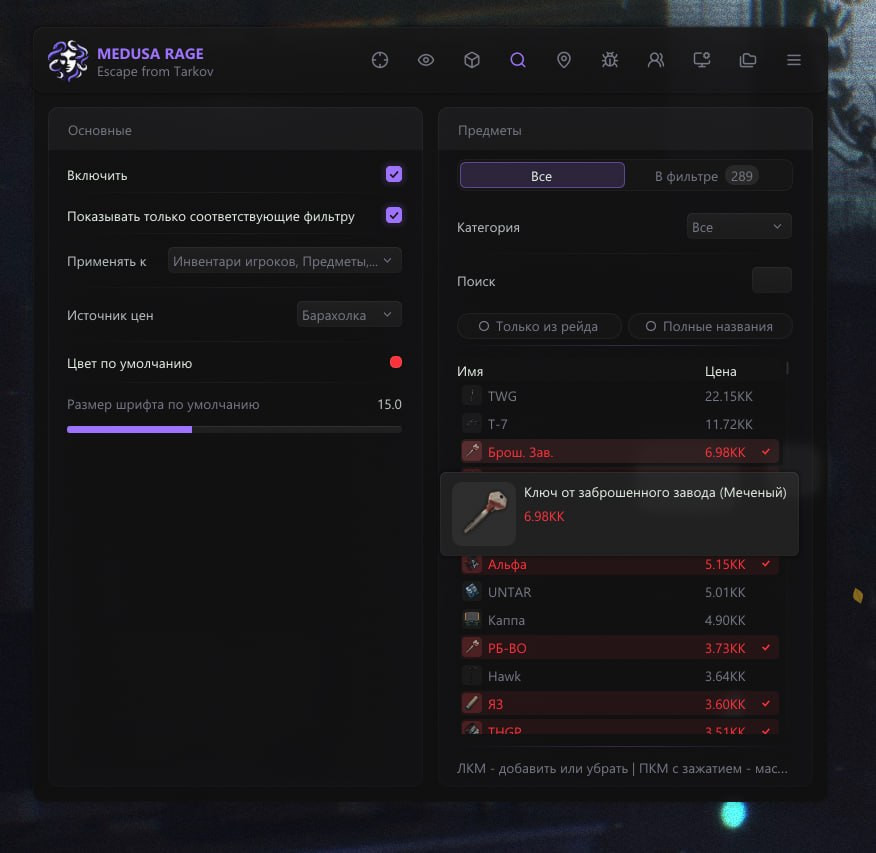
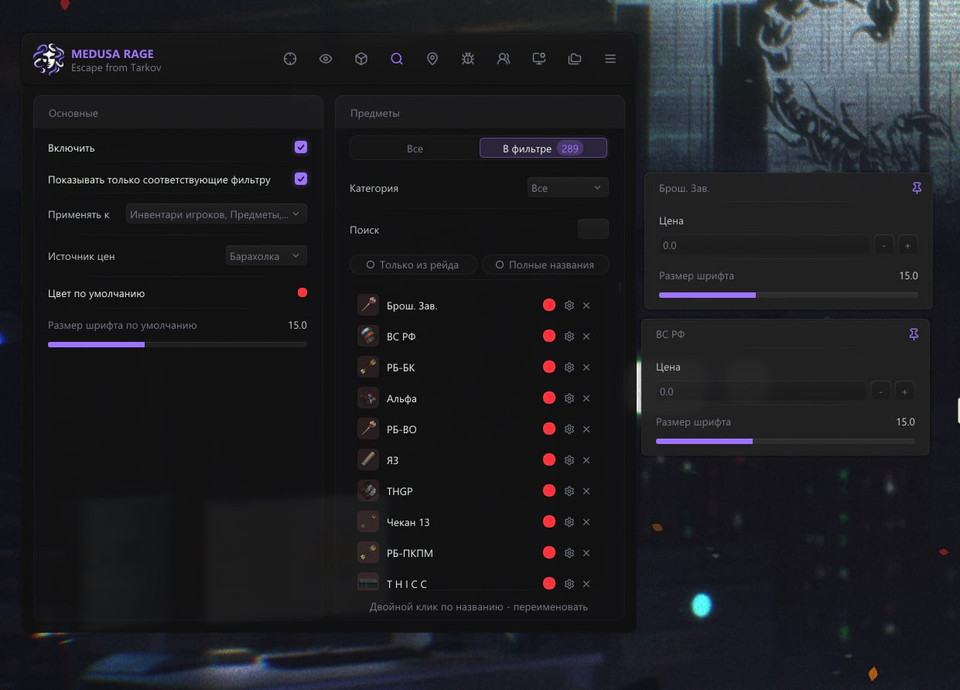
- Enable, Show selected only, Same settings for all items
- Custom color, Font size
- Filter by category (20 categories), Search
Quest Helper
- Active quests only, Completed requirements
- Max distance, Hide in scope/in combat mode
- Quest filter, Search, Full quest list
Looting & Inventory
- Silent loot (color, Solid/Gradient, Static/Animated)
- Auto-loot items
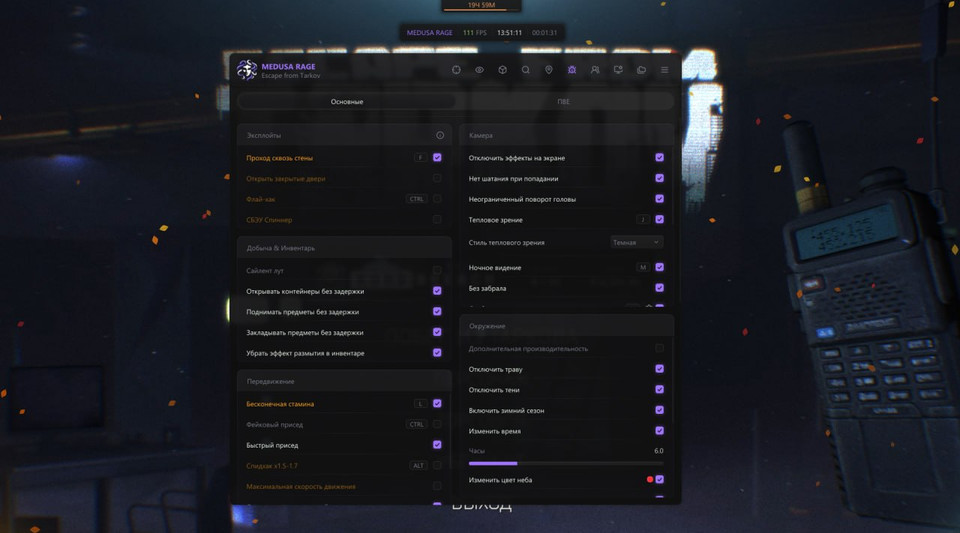
- Open containers without delay, Pick up items without delay
- Remove inventory blur effect
- Fast magazine load/unload
Movement
- Infinite stamina, Speedhack x1.5
- High jump, Levitation jump
- Run and shoot, No obstacle restrictions, Hover in air
Weapon
- No malfunctions, No recoil & No spread, No sway
- Instant aim, Instant reload, Instant switch
- Instant knife attack, Rapid fire, Long arms
Miscellaneous
- Always successful training, Auto captcha, Streamer mode
Camera
- Disable screen effects, Change lighting (color, Solid/Gradient, intensity)
- Thermal vision (Light/Dark), Night vision, No visor
- Free camera, Third person, Zoom hack
- Ignore collisions, Change FOV, Change aspect ratio
Environment
- Change sky color (color, Solid/Gradient, intensity)
- Change fog intensity, Change rain intensity
Configuration & Settings
- Save, Load, Rename, Delete, Auto-load default
- Export/Import configs (partial or full)
- Menu key, Panic key, Combat mode key
- Theme (Dark/Light), DPI scale (100-150%)
- Language (English/Russian/Chinese), Watermark (Icon/Text)
- Update game item names
Interface update — 26 October 2026
- Redesigned menu: toggle features anywhere on their row; disabling the main feature locks its settings. Orange warnings explain the relevant caution in tooltips.
- Smoother tooltips, extra options behind gear buttons, pinned subpages and unrestricted scrolling. HEX colour copy/paste and separate opacity display.
- Loot filter: game icons, search, categories, full names and found-in-raid filtering for all items or the selected list. Easier renaming and reset; the developer reports fixing the FPS drop on this page.
- Quests: inspect individual objectives, completed and remaining tasks and overall progress, with quick state toggles.
- Configurations and settings open from the main menu: create, reload, rename, reset and duplicate. Imports create separate configs; Ctrl+S saves only while the interface is open. Menu, panic, combat mode and appearance settings open in a popup.
- Player list: name, BEAR/USEC, distance, held item, inventory value and searchable items using the loot filter. The players-looking-at-you window shows name, duration and distance, with separate time thresholds for bots and players and an ESP indicator.
- Items under the crosshair: player, corpse and container contents with item count, total value, icons, unit and stack prices; sort by unit price or total using the loot filter.
- Keybind list with clearer state highlighting. Map information shows colour-coded enemy types, can hide absent types and includes a count with a coloured scale.
- Radar keeps distant targets at the edge in their relative direction; height indicators show enemies above or below. Every window supports opacity, title visibility and optional hiding while the game inventory is open.
- Visuals: Labyrinth traps, in-game item icons, font sizes for World objects, chams by role and visibility, and separate corpse chams settings.
- The developer reports fixes for scope ESP after 1.2.0.0, game clicks passing through the menu, boss and guard names, weapon chams colouring scope lenses, stamina keybind deactivation, PvP tripwires and PvE player scavs. KD/Dropper has been removed for rework.
Full/Rage fixes
- The developer reports fixes for passing through certain walls, automatic-fire hit registration with Run and Shoot disabled, and wall penetration with Visible Only disabled. Magic Grenade settings have moved to Miscellaneous.
Full/Rage only — new PvE features
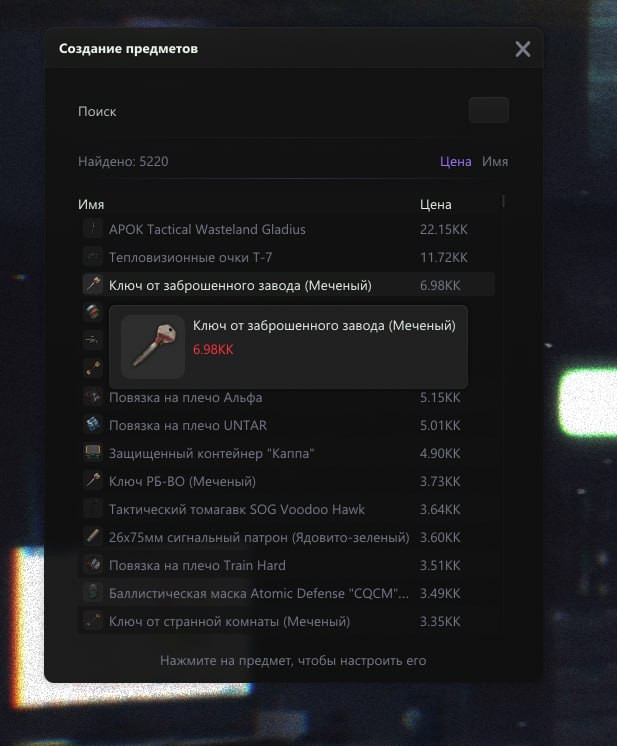
- Create any item in PvE. The developer warns that using item creation carries an account ban risk.
- Access locations without a keycard and open the Labyrinth from the game menu — PvE only.
- Always receive Survived status regardless of the raid outcome; force online-only maps into offline mode — PvE only.
Safety
Run the first session with a minimal set of modules and in the required window mode.
The required window mode is Windowed / Borderless; set it before entering a match. The declared bypass covers software capture only, not a camera pointed at the screen.
System requirements
| Cpu | Xeon and Fx processors with Intel and AMD support |
|---|---|
| Video card | Nvidia and AMD |
| Operating system | Windows 10 (all versions), Windows 11 (21h2-23h2) |
| Game mode | Windowed / Borderless |
| Spoofer | No |
| Streaming bypass | Present (OBS + Discord) |
The 26 October 2026 Medusa release changes how the menu is used during a raid. Clicking a setting row toggles it, warning tooltips explain marked options, and gear buttons hold the less frequently used controls.
Reading the raid
Item icons and found-in-raid controls make the loot list easier to scan. Quest objectives can be inspected individually. Separate windows cover player inventories, enemies looking towards you and the contents of a target under the crosshair. Each window can disappear while your game inventory is open.
Keeping a configuration
Config management moves into the main menu. Duplicate a setup or import it as a separate entry; Ctrl+S works while the interface is open. The radar also retains distant targets along its border and indicates relative height.
Dedicated Full/Rage additions
The PvE-only additions cover item creation, keycard-free location access, opening the Labyrinth through the menu, Survived status for any raid outcome and forcing online maps offline. The developer explicitly warns of an account ban risk when using item creation.
Fixes and licence periods
The release notes report fixes to scope ESP, chams and enemy information. KD/Dropper is unavailable while it is being reworked.
Choose 1, 3, 7 or 30 days.
What to know before buying
How payment and delivery work
Checkout happens on the seller's side: for most cheats that is Digiseller, where the key appears on the order page as soon as the payment clears and is mirrored to your email. Some cheats are delivered manually — the key arrives once the seller confirms the order, and that is almost always the only reason for a delay. The licence countdown starts when the key is activated, not when you pay.
Ban risk, plainly
There is no safe cheat — only different odds of being caught in the next wave. Nobody compensates a lost game account: the key pays for access to software, not for an outcome.
Why cheats get detectedBefore the first launch
A radar renders on a second screen or phone and never touches the game itself — that is what makes it calmer than internal cheats. The phone link needs both devices on one network, so set it up before the match, not in the lobby.
Safe launch checklistFAQ
What changed in this version?
Which system and client are supported?
Will the overlay show up in recordings?
How does Medusa differ from the other cheats here?
What is included in Medusa?
Is KD/Dropper available?
Does Lite include the new PvE features?
Other cheats for Escape from Tarkov
Soft Hub hack for Escape from Tarkov
Soft HubSoft HUB EFT layers information over Escape from Tarkov — targets, loot, distances — without touching your aim. A spoofer is bundled, so no separate purchase is needed.
Mason hack for Escape from Tarkov
MasonThe full package for Escape from Tarkov: Mason puts combat and visual modules in one menu. A spoofer is bundled, so no separate purchase is needed.
Chams Eft: model highlight for Escape from Tarkov
ChamsChams Eft is chams only — you see the targets in Escape from Tarkov, the gunplay stays yours.
Fecurity hack for Escape from Tarkov
FecurityFecurity is an all-in-one cheat for Escape from Tarkov, from crosshair assistance to map markers. A spoofer is bundled, so no separate purchase is needed.