Unicore hack for Genshin Impact
Unicore Genshin Impact skips aim automation and focuses on what you can see in Genshin Impact. Screen capture bypass is declared, so the overlay stays out of recordings.
- Platform Genshin Impact
- Developer Unicore
- By software type Radars · Bots and farming
Choose period
Unicore
Payment goes through the seller’s own storefront (eliteseller.ru). Delivery and order support are handled there — the terms are shown on the payment page before you confirm.
This is a digital product: there is no physical shipping or separate shipping charge.
Screenshots
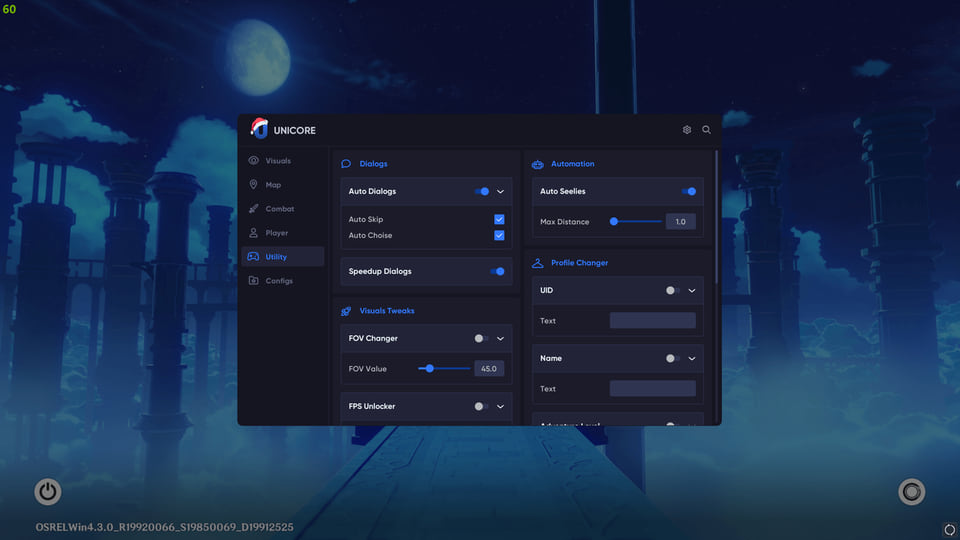
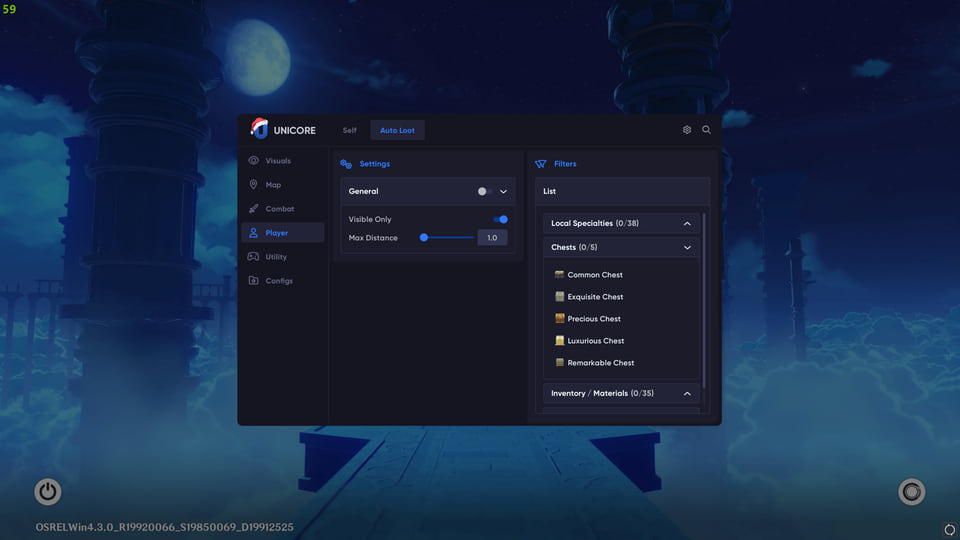
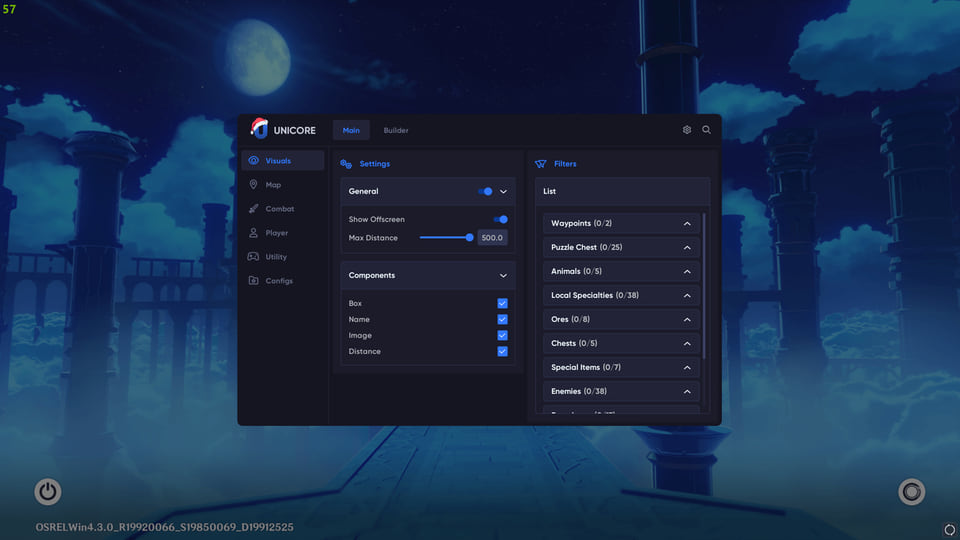
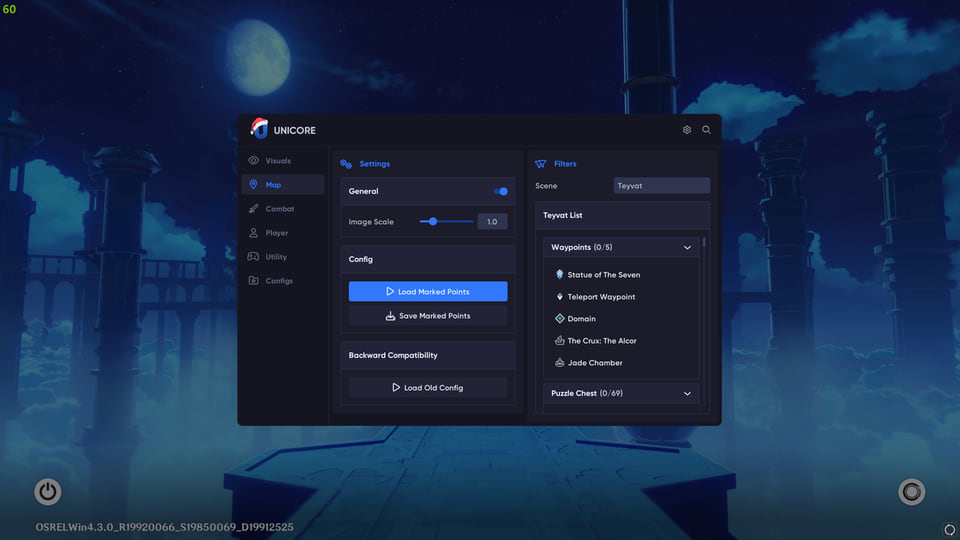
Features
16ESP & Map (Treasure Map of Teyvat)
- Main ESP & Radar — See all chests, Anemoculi and curiosities through mountains. 2D radar reveals hidden caves not visible on the minimap.
- Interactive Map Teleport — Instant travel. Click on the interactive map in the cheat and teleport to any point — be it a dungeon or rare ore.
- Builder & Debug Names — Build your own scanner. See hidden object names and add to search only what you need: from crystal butterflies to specific elites.
- Filters List — Smart search. Filter out the clutter. Search only puzzle chests, local curiosities for leveling or artifact spawn points.
Attack Modifiers
- Kill Aura & Rapid-Fire — AFK clearing. Aura hits enemies around you, rapid-fire turns normal attacks into a machine gun. Perfect for dailies.
- Infinite Ultimate & CD Reducer — Spam elemental bursts non-stop.
Enemy Mods
- Magnetizer & Freeze — Pull all mobs and ore to one point or freeze enemies into helpless statues.
- Enemy Won't Attack — Enemies simply ignore you. Gather resources right under Mitachurls' noses.
Movement
- Noclip & Infinite Stamina — Fly like Paimon. Walk through rocks and dungeon walls. Infinite stamina for sprinting and climbing without rest.
- No Fall Damage — Leap of faith. Fall from Dragon spine peak without a scratch.
Teleport & Auto Loot
- Auto Loot & Seelies — Cheat picks up drops and even leads the Seelie to the statue. Saves hours of real time.
- Mouse & Quest Teleport — Click and you're there. Teleport by cursor or straight to quest objective.
- Custom Routes — Auto-farm routes. Create a path for artifacts or ore and the character flies through all points automatically.
Dialogs & Cutscenes
- Auto Dialogs & Skip Cutscenes — Auto-skip dialogs and cutscenes. Blast through quests at full speed and claim rewards.
Visuals & Profile
- FPS Unlocker & Remove Fog — Remove 60 FPS cap and clear fog for perfect visibility.
- Profile Changer — Override UID and nickname on screen for safe streams or screenshots.
Safety
The fewer overlay elements you keep enabled, the fewer questions your opponents ask.
The declared bypass covers software capture only, not a camera pointed at the screen.
We list Unicore Genshin Impact as a visuals-only cheat built for Genshin Impact. The developer behind it is Unicore. 16 entries in 7 groups are declared, and the table above lists them verbatim. Menu sections: ESP & Map (Treasure Map of Teyvat), Attack Modifiers, Enemy Mods, Movement, Teleport & Auto Loot and Dialogs & Cutscenes.
Before you buy
Screen capture bypass is declared.
Inside the menu
In capability terms this cheat offers: a flat radar with live positions, opponents drawn on top of the map geometry, movement modifiers, in-game restriction unlocks, hit and damage counters and markers for items, containers and stashes.
Licence lengths
The seller offers 3 periods: 1 day, 7 days and 30 days.
What to know before buying
How payment and delivery work
Checkout happens on the seller's side: for most cheats that is Digiseller, where the key appears on the order page as soon as the payment clears and is mirrored to your email. Some cheats are delivered manually — the key arrives once the seller confirms the order, and that is almost always the only reason for a delay. The licence countdown starts when the key is activated, not when you pay.
Ban risk, plainly
There is no safe cheat — only different odds of being caught in the next wave. Nobody compensates a lost game account: the key pays for access to software, not for an outcome.
Why cheats get detectedBefore the first launch
A radar renders on a second screen or phone and never touches the game itself — that is what makes it calmer than internal cheats. The phone link needs both devices on one network, so set it up before the match, not in the lobby.
Safe launch checklist