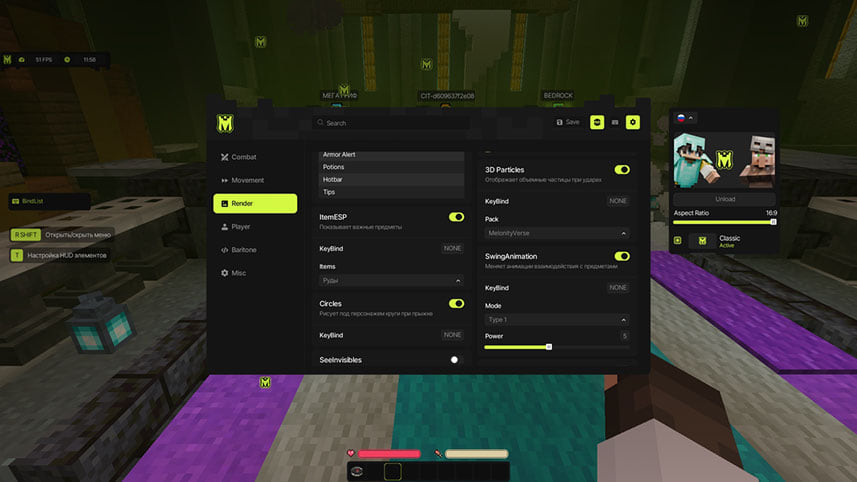
Elysion hack for Minecraft
Elysion skips aim automation and focuses on what you can see in Minecraft. A lifetime licence is on the list.
Choose period
Elysion
Payment and delivery via Digiseller. The key arrives by email right after payment.
This is a digital product: there is no physical shipping or separate shipping charge.
Screenshots
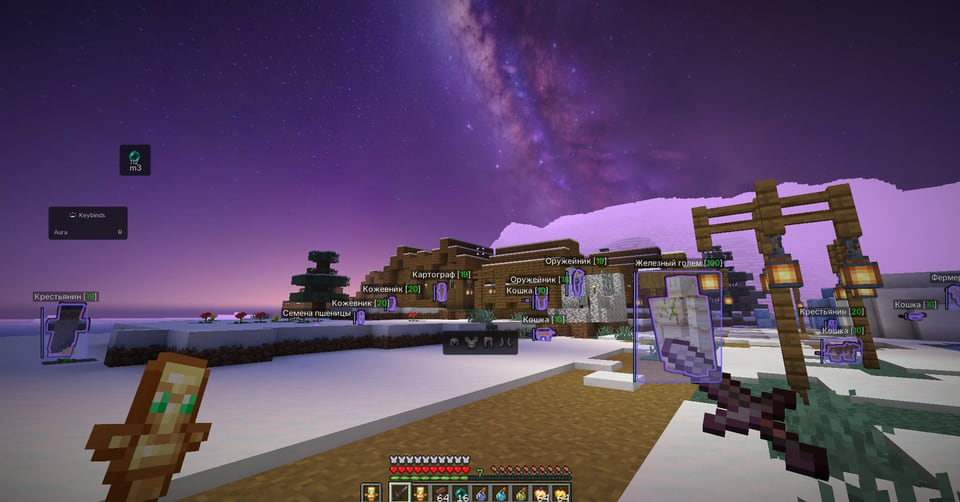
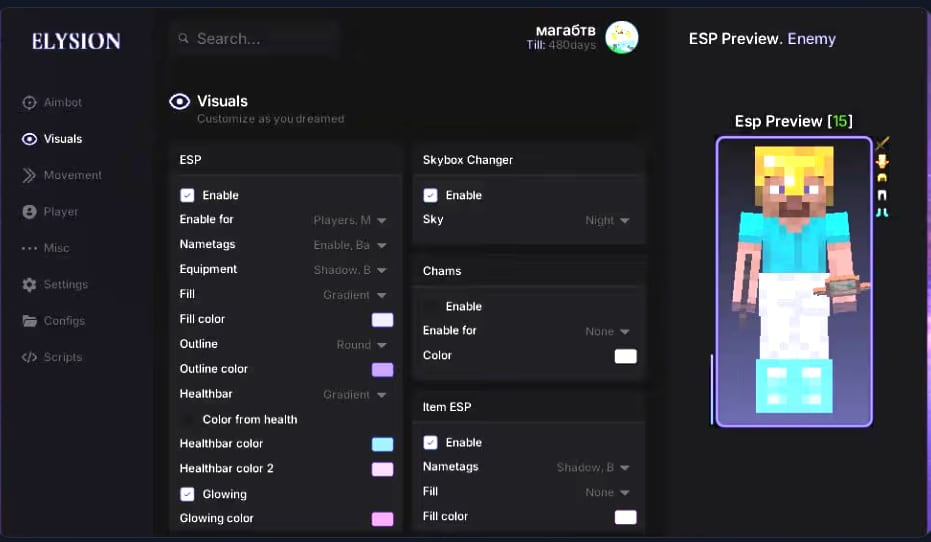
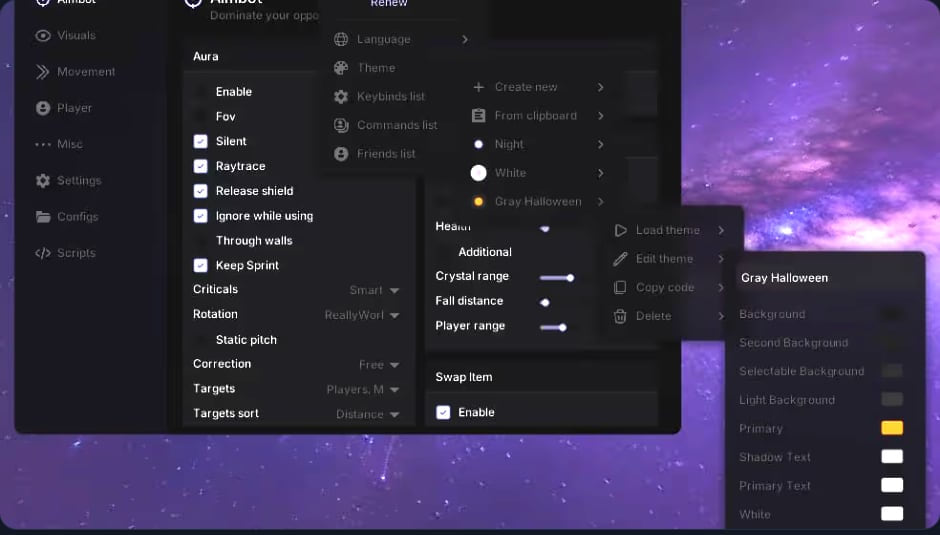
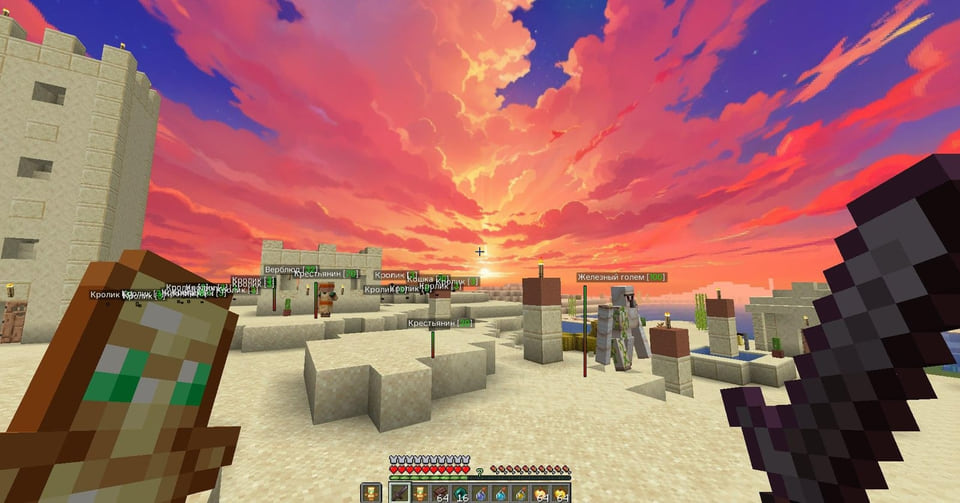
Video demo
The player needs scripts, and they are currently off: Watch onYouTube →
Features
72Combat
- KillAura - Automatically attacks targets with crits; raises a shield on hit, breaks enemy shields, corrects movement and increases attack range
- TriggerBot - Automatic attack of an enemy in the field of view
- ElytraAura - Auto attack while flying on elytra
- AutoCrystal - Automatically places end crystals on obsidian
- AutoTotem - Automatically uses a totem of undying before death
- AutoDodge - Dodges incoming damaging projectiles
- AutoGapple - Auto-eats a golden apple when the health limit is reached
- ProjectileHelper - Targeting flying objects with range adjustment and visual rotation
- BowSpammer - Spams arrows from a bow
- ElytraHelper - Firework and swap by keybind, plus autopilot via the.gps x y z command
- PearlTarget - Throws an ender pearl at the enemy position
- Hitbox - Expands player hitboxes
- Surround - Places cobweb under the enemy to slow them down
- AntiMiss - Blocks hits that would miss the enemy
- NoFriendDamage - Blocks damage to players on your friend list
- NoVelocity - Removes knockback
Movement
- WaterSpeed - Speeds up the character in water
- Spider - Faster climbing of vertical surfaces with a water bucket
- ElytraRecast - Elytra abuse that speeds up the character
- Sprint - Automatic sprinting
- NoSlowDown - Cancels slowdown from items
Render
- ESP - Player info (nickname, health, distance)
- GlowESP - Glowing outline of players
- ShaderESP - Applies a shader to player models
- ItemESP - Labels items and ores on the ground
- BlockESP - Highlights selected ores through blocks
- HUD - Auxiliary interface elements
- SeeInvisibles - See players in spectator or invisibility mode
- Predictions - Predicts the trajectory of flying objects
- Circles - Draws circles under the character on jump
- 3D Particles - Renders volumetric particles on hit
- Nimbus - Draws a volumetric halo above the head
- SwingAnimation - Makes item interaction animations smoother
- ViewModel - Changes hand position
- WorldTime - Lets you change the time of day in the game
- FogColor - Lets you change the fog color
- TNTTimer - Shows the time until TNT explodes
- NoRender - Removes excess visual effects (fire, totem, chat background, boss bar, thunder, potion effects)
- Schedules - Tracks events on FunTime
Player
- AncientXRay - Shows ancient debris through walls
- Nuker - Automatically breaks blocks with a configurable priority
- AutoWindCharge - Automatically uses a wind charge for a mace hit
- AirDropStealer - Collects items from airdrops
- AutoRespawn - Automatically respawns you after death
- AutoSave - Automatically saves the character from falling
- SafeWalk - Prevents falling when running along block edges
- FreeCam - Lets you fly in spectator mode
- GuiMove - Lets you move with the inventory open
- AutoTool - Automatically switches to the right tool
- AutoBuy - Auto-buys items at auctions (custom items are set up via right-click)
- AuctionHelper - Highlights cheap items at the auction
- CreeperFarm - Automatic creeper farming
- ClanUpgrade - Automatic clan leveling
- ServerAssist - Helps on popular servers: server items by keybind and more
- PotionBot - Automatic potion brewing
- ItemScroller - Faster item movement in the inventory
- ItemSwapFix - Protects against item desync on the server
- MiddleClickPearl - Throws an ender pearl on mouse-wheel click
- AutoAccept - Automatically accepts teleport requests
- AutoAuth - Automatic authorization on the server
- AutoLeave - Leaves the server or goes to hub when a player enters a set radius
- AntiAFK - Protection from AFK kicks
- NameProtect - Replaces your nickname on servers
- NoServerRotation - Removes the head-rotation flag from anti-cheat
- NoJumpDelay - Removes the jump cooldown
- NoPush - Removes knockback from players and items
- NoPlayerTrace - Sets other players hitboxes to zero
- Nointeract - Forbids interaction with specified blocks
- RegionViewer - Displays the region radius
- GappleTimer - Visual timer for the golden apple
- DeathCoord - Outputs your death coordinates
- ToggleSound - Module on/off sounds
Safety
The fewer overlay elements you keep enabled, the fewer questions your opponents ask.
System requirements
| Os | Windows 10 / Windows 11 (all builds) |
|---|---|
| Cpu | Intel Core i3-3210 level or higher |
| Ram | 4 GB or more |
| Gpu | OpenGL support |
| Game client | Minecraft Java Edition 1.21.4 |
We list Elysion as a visuals-only cheat built for Minecraft. It comes from Elysion. 72 entries in 4 groups are declared, and the table above lists them verbatim. Menu sections: Combat, Movement, Render and Player.
Check this first
The developer states the following: OS: Windows 10 / Windows 11 (all builds); client: Minecraft Java Edition 1.21.4; CPU: Intel Core i3-3210 level or higher; GPU: OpenGL support; RAM: 4 GB or more.
Capabilities
Grouped by purpose, you get: an automatic shot the moment a target crosses the crosshair, recoil and spread smoothing, markers for items, containers and stashes, hit and damage counters, unattended automation of repetitive actions and opponents drawn on top of the map geometry. Settings live in config profiles.
Licence lengths
You can take it for 1 day, 14 days, 30 days, 3 months or lifetime.
How it compares in this section
This is the largest menu in the section — 72 entries against 70 in the most compact build. It is the only build in the section with a lifetime licence.
What to know before buying
How payment and delivery work
Checkout happens on the seller's side: for most cheats that is Digiseller, where the key appears on the order page as soon as the payment clears and is mirrored to your email. Some cheats are delivered manually — the key arrives once the seller confirms the order, and that is almost always the only reason for a delay. The licence countdown starts when the key is activated, not when you pay.
Ban risk, plainly
There is no safe cheat — only different odds of being caught in the next wave. Nobody compensates a lost game account: the key pays for access to software, not for an outcome.
Why cheats get detectedBefore the first launch
The routine is always the same: set the window mode from the requirements, start the software before entering a match, and do not switch everything on at once. The most dangerous window is the first days after a game or anti-cheat patch.
Safe launch checklist