BYSTER hack for Mistfall Hunter
BYSTER is an all-in-one cheat for Mistfall Hunter, from crosshair assistance to map markers. The menu is large — 152 entries.
- Platform Mistfall Hunter
- Developer BYSTER
- By software type Bots and farming
Choose period
BYSTER
Payment goes through the seller’s own storefront (eliteseller.ru). Delivery and order support are handled there — the terms are shown on the payment page before you confirm.
This is a digital product: there is no physical shipping or separate shipping charge.
Screenshots
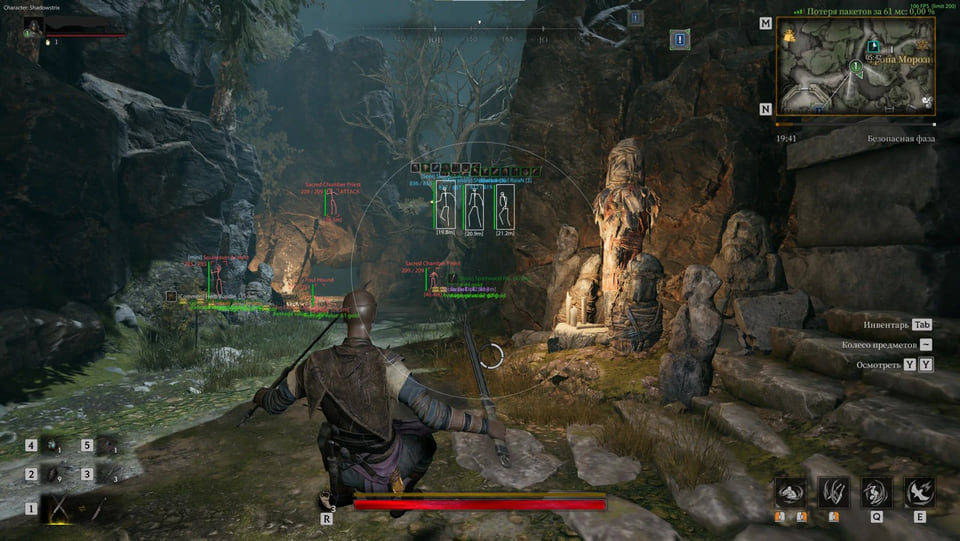
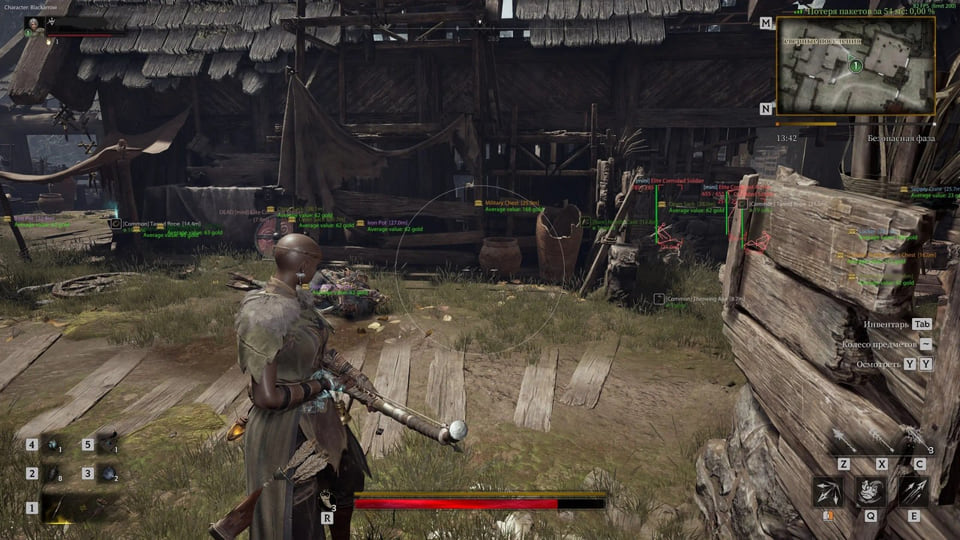
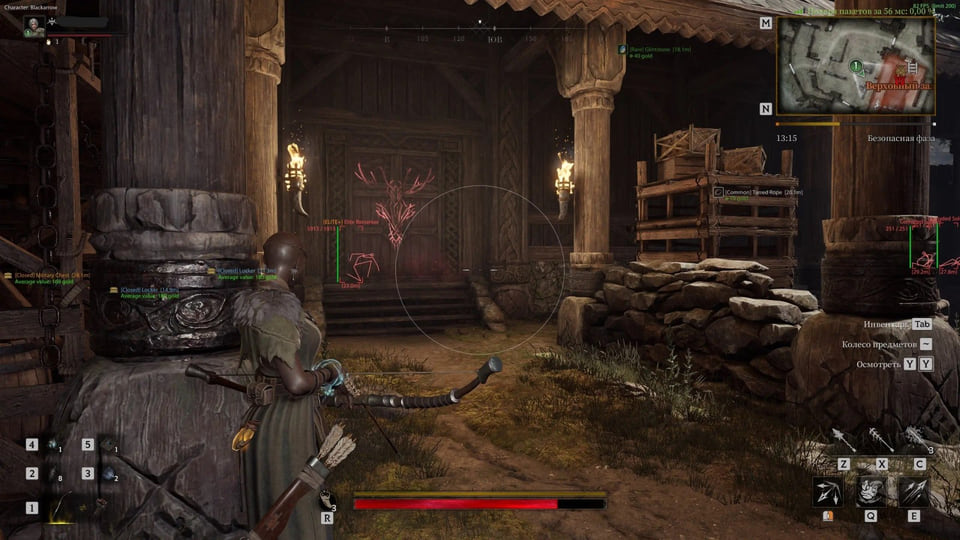
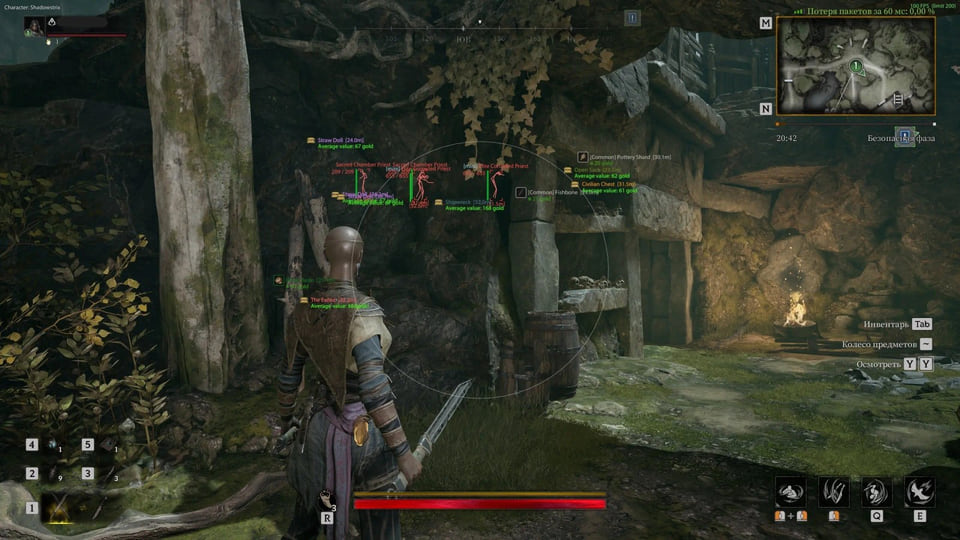
Features
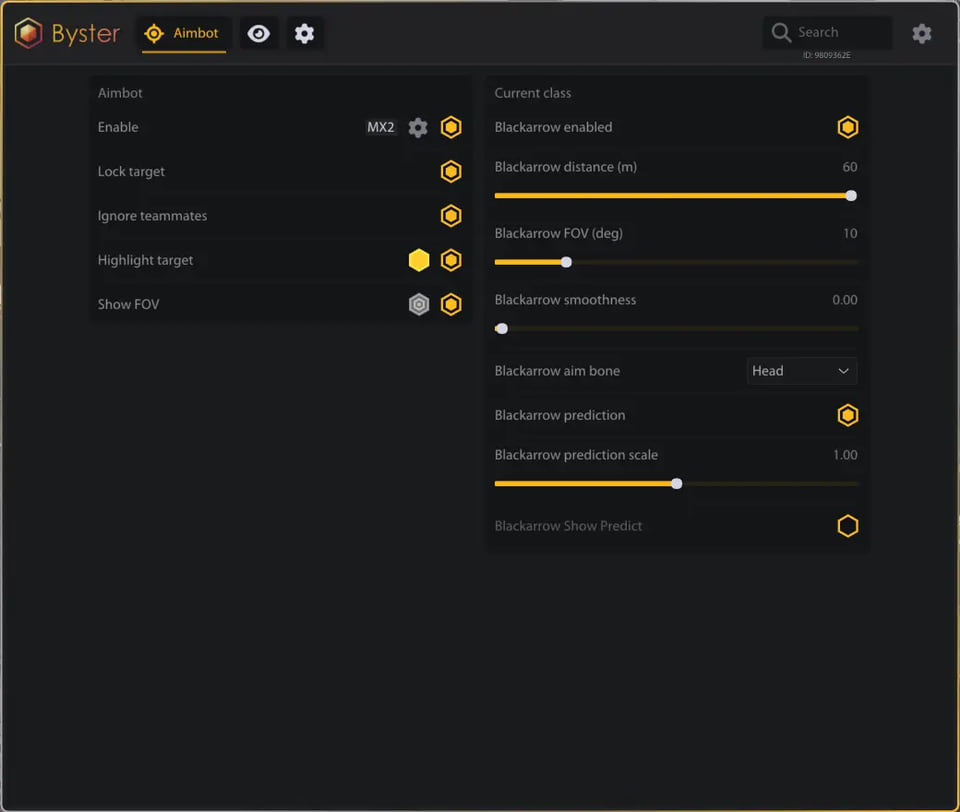
152AIMBOT
- Enable — Enable the aimbot
- Aim Keybind — Aim key
- Target Lock — Lock onto the target
- Ignore Teammates — Ignore teammates
- Target Highlight — Highlight the target
- Target Highlight Color — Target highlight color
- Aim FOV Circle — Aim FOV circle
- FOV Circle Color — FOV circle color
- Head Aim — Aim at the head
- Body Aim — Aim at the body
- Nearest Bone Aim — Aim at the nearest bone
- Aim Smoothness — Aim smoothness
- Aim Distance — Aim distance
- Aim FOV — Aim FOV
- Weapon-Based Prediction — Weapon-based movement prediction
- Prediction Scale — Prediction scale
- Strafe Prediction Filtering — Filter prediction while strafing
- Jump Prediction Filtering — Filter prediction while jumping
- Mercenary Profile — Mercenary class profile
- Sorcerer Profile — Sorcerer class profile
- Blackarrow Profile — Blackarrow class profile
- Shadowstrix Profile — Shadowstrix class profile
- Seer Profile — Seer class profile
- Withered Knight Profile — Withered Knight class profile
- Local Character Detection — Local character detection
- Local Character Indicator — Local character indicator
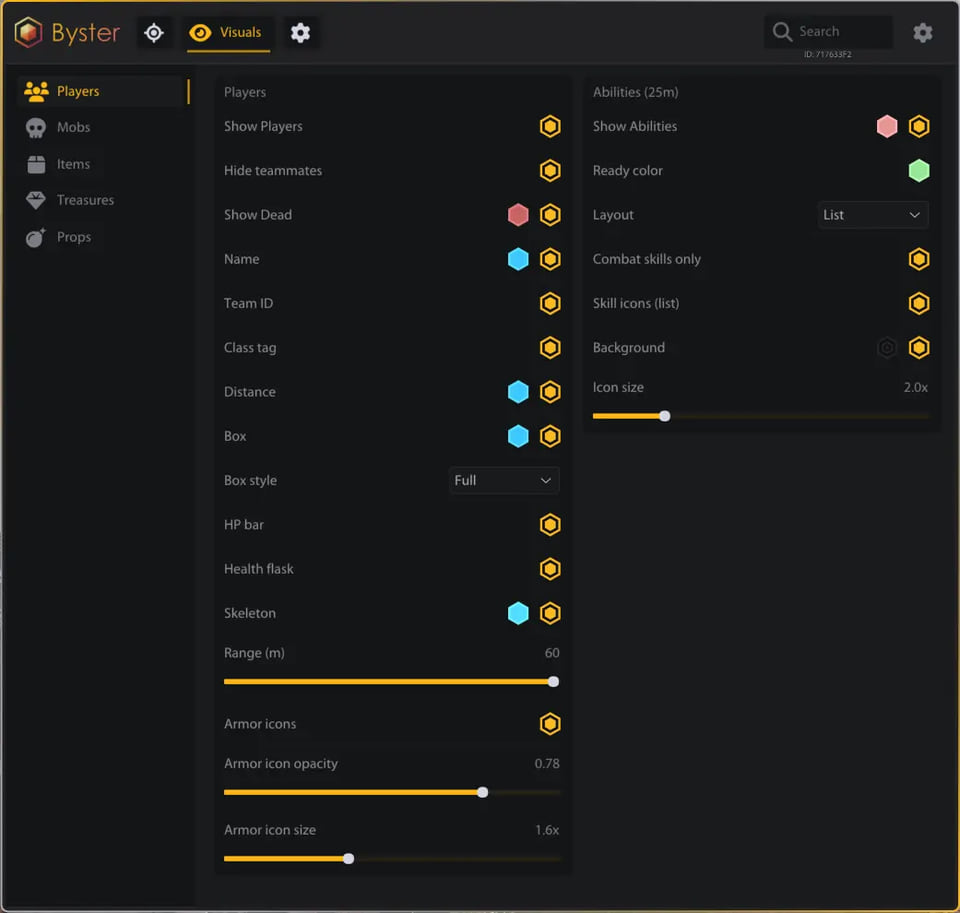
PLAYERS ESP
- Enable — Enable player ESP
- Bot ESP — Bot ESP
- Name — Name
- Class Tag — Class tag
- Team ID — Team ID
- Distance — Distance
- Full Box — Full box
- Corner Box — Corner box
- HP Bar — HP bar
- Skeleton — Skeleton
- Dead Players — Dead players
- Hide Teammates — Hide teammates
- Armor Icons — Armor icons
- Armor Rarity Borders — Armor rarity borders
- Armor Icon Size — Armor icon size
- Armor Icon Opacity — Armor icon opacity
- Player ESP Colors — Player ESP colors
- Target Box Highlight — Target box highlight
- Target Skeleton Highlight — Target skeleton highlight
- Player ESP Range — Player ESP range
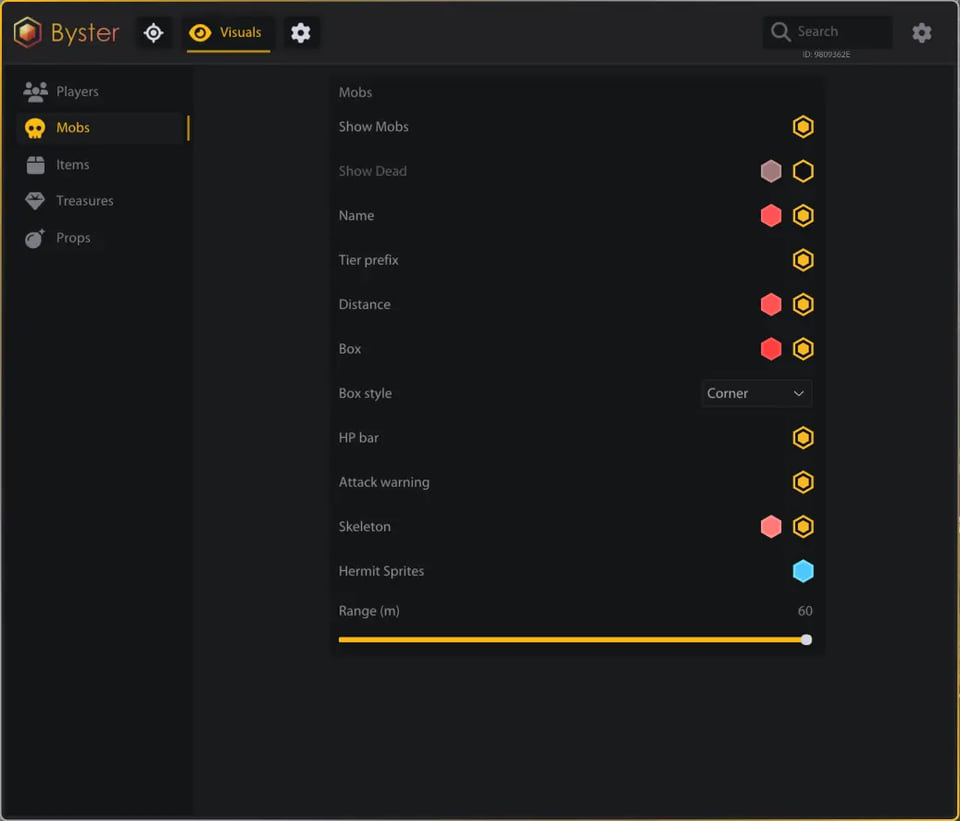
MOBS ESP
- Enable — Enable mob ESP
- Localized Mob Names — Localized mob names
- Distance — Distance
- Full Box — Full box
- Corner Box — Corner box
- HP Bar — HP bar
- Skeleton — Skeleton
- Dead Mobs — Dead mobs
- Boss Tier — Boss tier tag
- Elite Tier — Elite tier tag
- Mini-Boss Tier — Mini-boss tier tag
- Attack Warning — Attack warning
- Hermit Sprites Detection — Hermit Sprites detection
- Hermit Sprites Color — Hermit Sprites color
- Mob ESP Colors — Mob ESP colors
- Target Box Highlight — Target box highlight
- Target Skeleton Highlight — Target skeleton highlight
- Mob ESP Range — Mob ESP range
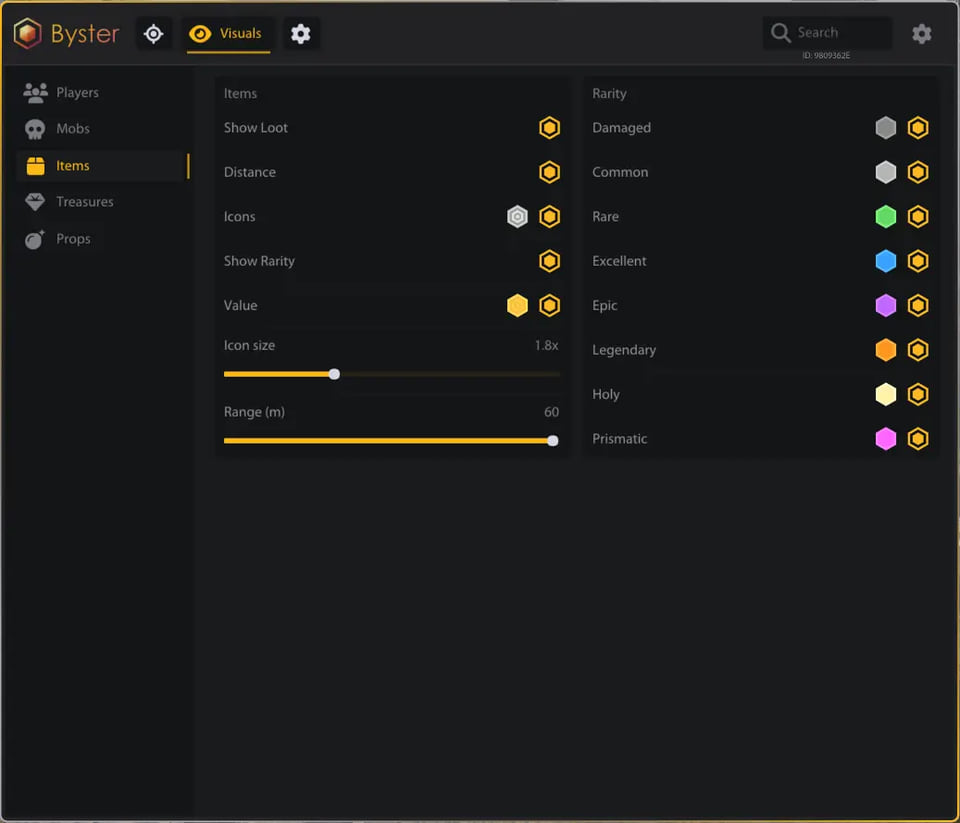
LOOT ESP
- Enable — Enable loot ESP
- Localized Item Names — Localized item names
- Lootable Box Detection — Lootable box detection
- Item Icons — Item icons
- Item Icon Size — Item icon size
- Item Icon Opacity — Item icon opacity
- Item Quantity — Stack quantity
- Item Distance — Distance to the item
- Item Rarity — Item rarity
- Item Value — Item value
- Stack Value — Stack value
- Value Color — Value color
- Rarity Filters — Rarity filters
- Rarity Colors — Rarity colors
- Damaged Filter — Damaged items filter
- Common Filter — Common items filter
- Rare Filter — Rare items filter
- Excellent Filter — Excellent items filter
- Epic Filter — Epic items filter
- Legendary Filter — Legendary items filter
- Holy Filter — Holy items filter
- Prismatic Filter — Prismatic items filter
- Loot ESP Range — Loot ESP range
TREASURES ESP
- Enable — Enable treasure ESP
- Localized Treasure Names — Localized treasure names
- Treasure Icons — Treasure icons
- Treasure Icon Size — Treasure icon size
- Treasure Icon Opacity — Treasure icon opacity
- Treasure Distance — Distance to the treasure
- Hide Opened Treasures — Hide opened treasures
- Opened Treasure Tint — Opened treasure tint
- Key-Locked Chest Detection — Key-locked chest detection
- Closed Chest Prefix — Closed chest prefix
- Average Treasure Value — Average treasure value
- Average Value Color — Average value color
- Chest Filter — Chest filter
- Ore Pile Filter — Ore pile filter
- Nature Filter — Nature filter
- Container Filter — Container filter
- Equipment Filter — Equipment filter
- Ritual Filter — Ritual filter
- Forge Filter — Forge filter
- Shipwreck Filter — Shipwreck filter
- The Exiled Filter — The Exiled filter
- Other Treasure Filter — Other treasures filter
- Treasure Category Colors — Treasure category colors
- Treasure ESP Range — Treasure ESP range
ABILITIES ESP
- Enable — Enable ability ESP
- Ability Names — Ability names
- Ability Icons — Ability icons
- Ability Cooldowns — Ability cooldowns
- Unknown Cooldown State — Unknown cooldown state
- Combat Skills Filter — Combat skills filter
- Ability List Layout — List layout
- Ability Bar Layout — Bar layout
- Ready Ability Color — Ready ability color
- Cooldown Ability Color — Cooldown ability color
- Ability Background — Ability background
- Ability Background Color — Ability background color
- Ability Icon Size — Ability icon size
- Teammate Ability Filter — Teammate ability filter
- 25-Meter Ability Range — Show abilities within 25 meters
PROPS ESP
- Enable — Enable prop ESP
- DoomTrap Detection — DoomTrap detection
- DoomTrap Marker — DoomTrap marker
- DoomTrap Color — DoomTrap color
- Prop Distance — Distance to the prop
- Prop ESP Range — Prop ESP range
MISC
- FOV Changer — Change the field of view
- Battle Mode — Battle mode
- Battle Mode Keybind — Battle mode key
- Hide Items in Battle Mode — Hide items in battle mode
- Hide Treasures in Battle Mode — Hide treasures in battle mode
- Hide Dead Actors in Battle Mode — Hide dead actors in battle mode
- VSync — Vertical sync
- FPS Limit — FPS limit
- FPS Counter — FPS counter
- Refresh Rate Indicator — Refresh rate indicator
- ESP Text Size — ESP text size
- Automatic English Localization — Automatic English localization
- Automatic Russian Localization — Automatic Russian localization
- Automatic Chinese Localization — Automatic Chinese localization
- Embedded Icons — Embedded icons
- Embedded Localization Data — Embedded localization data
- Automatic Game Detection — Automatic game detection
- Automatic Game Window Detection — Automatic game window detection
- Overlay Window Tracking — Overlay window tracking
- Click-Through Overlay — Click-through overlay
Safety
Run the first session with a minimal set of modules and in the required window mode.
System requirements
| Supported game version | Steam |
|---|---|
| Additional requirements | External overlay: automatic game window detection, click-through mode; automatic menu localization — English, Russian, Chinese |
BYSTER is a full cheat for Mistfall Hunter. BYSTER maintains it. 152 entries in 8 groups are declared, and the table above lists them verbatim. Menu sections: Aimbot, Players esp, Mobs esp, Loot esp, Treasures esp and Abilities esp.
Check this first
The compatibility list reads: game version: Steam.
Capabilities
Grouped by purpose, you get: a custom crosshair and view settings, opponents drawn on top of the map geometry, player models filled with a contrasting colour, markers for items, containers and stashes, aim assistance that pulls the crosshair onto a target and movement modifiers.
Access periods
The seller offers 3 periods: 1 day, 7 days and 30 days.
How it compares in this section
This is the largest menu in the section — 152 entries against 54 in the most compact build.
What to know before buying
How payment and delivery work
Checkout happens on the seller's side: for most cheats that is Digiseller, where the key appears on the order page as soon as the payment clears and is mirrored to your email. Some cheats are delivered manually — the key arrives once the seller confirms the order, and that is almost always the only reason for a delay. The licence countdown starts when the key is activated, not when you pay.
Ban risk, plainly
There is no safe cheat — only different odds of being caught in the next wave. Nobody compensates a lost game account: the key pays for access to software, not for an outcome.
Why cheats get detectedBefore the first launch
The routine is always the same: set the window mode from the requirements, start the software before entering a match, and do not switch everything on at once. The most dangerous window is the first days after a game or anti-cheat patch.
Safe launch checklistFAQ
How does BYSTER differ from the other cheats here?
How long can I buy BYSTER for?
What is included in BYSTER?
Other cheats for Mistfall Hunter
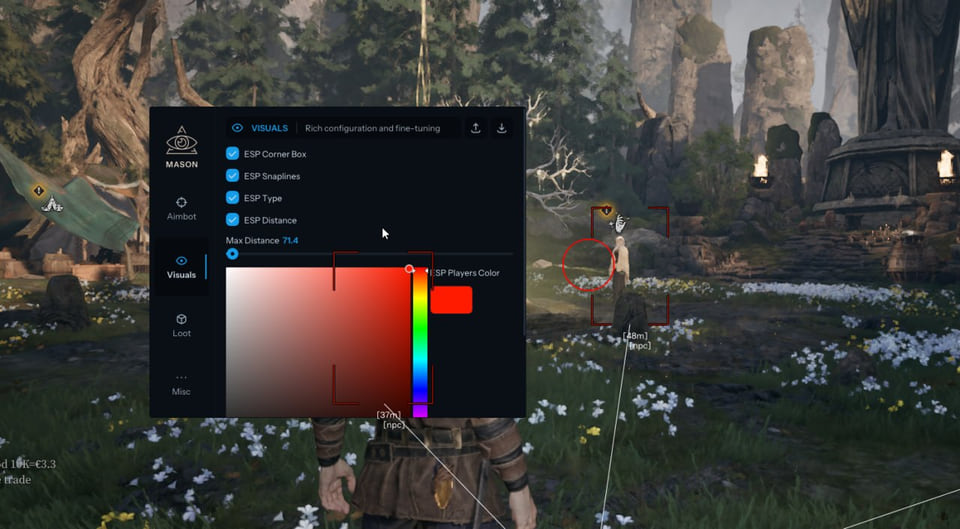
Mason hack for Mistfall Hunter
MasonMason covers both sides of Mistfall Hunter — aim modules and on-screen data — across 17 menu entries. 4 licence lengths to choose from.
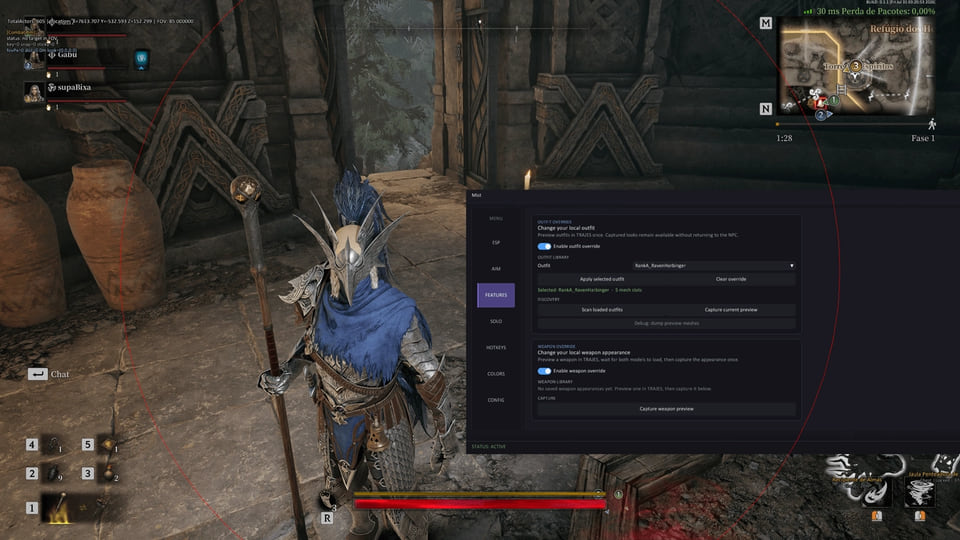
Shack hack for Mistfall Hunter
ShackShack is an all-in-one cheat for Mistfall Hunter, from crosshair assistance to map markers. 6 licence lengths to choose from.
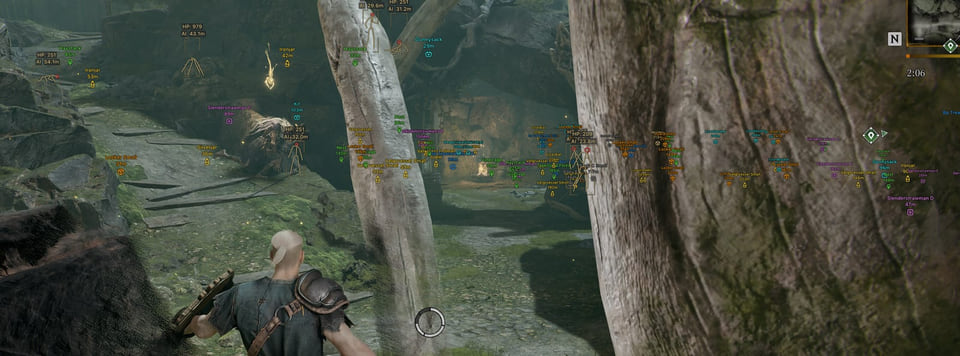
Arcane hack for Mistfall Hunter
ArcaneArcane is an all-in-one cheat for Mistfall Hunter, from crosshair assistance to map markers. The menu is large — 70 entries.