Mason Internal: full cheat for Rust
Mason Internal is an all-in-one cheat for Rust, from crosshair assistance to map markers. The menu is large — 138 entries.
Sales of this cheat are temporarily paused by the developer. Purchase options will return here automatically once delivery resumes.
Screenshots
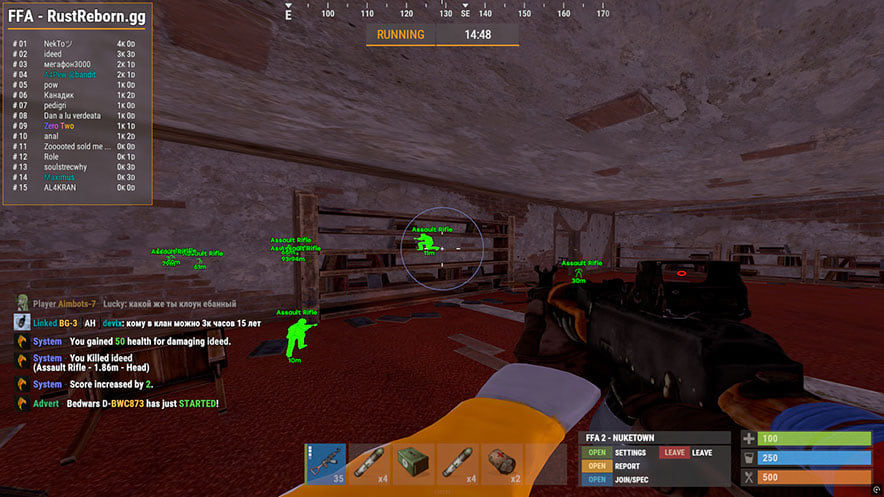
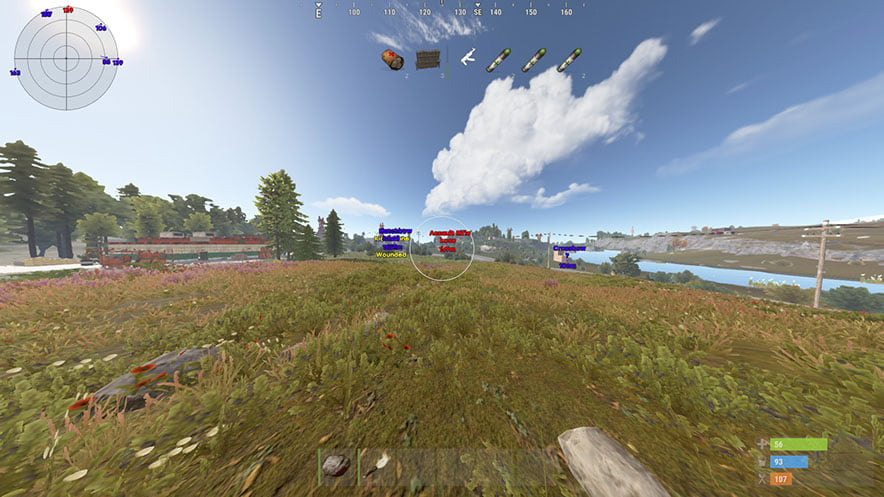
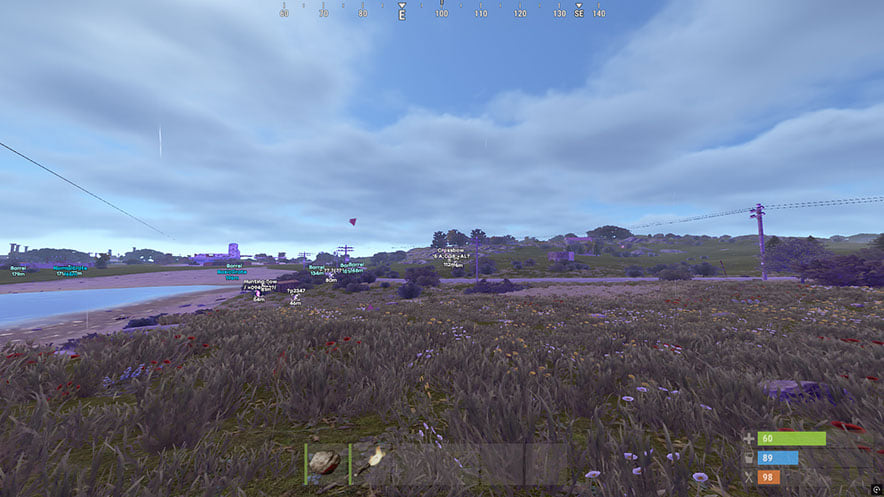
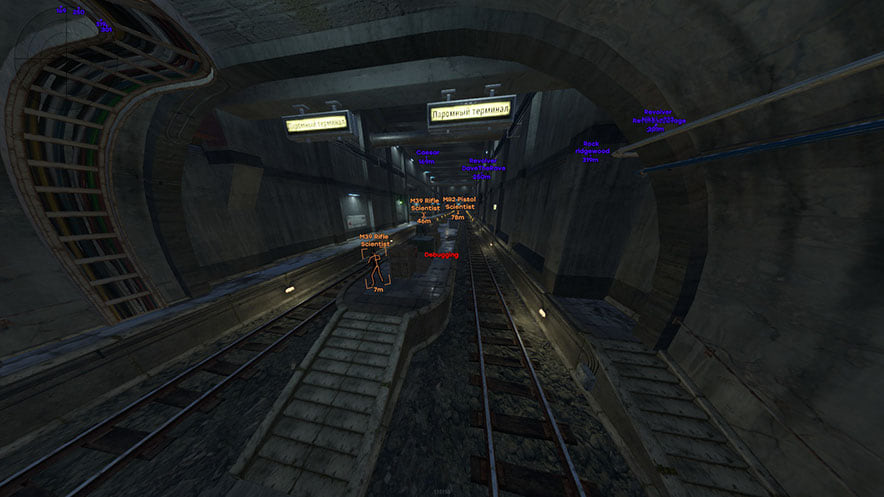
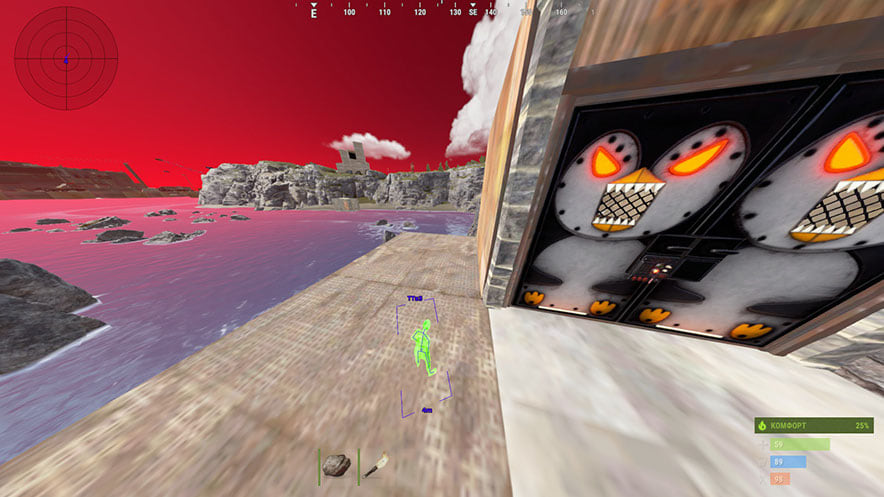
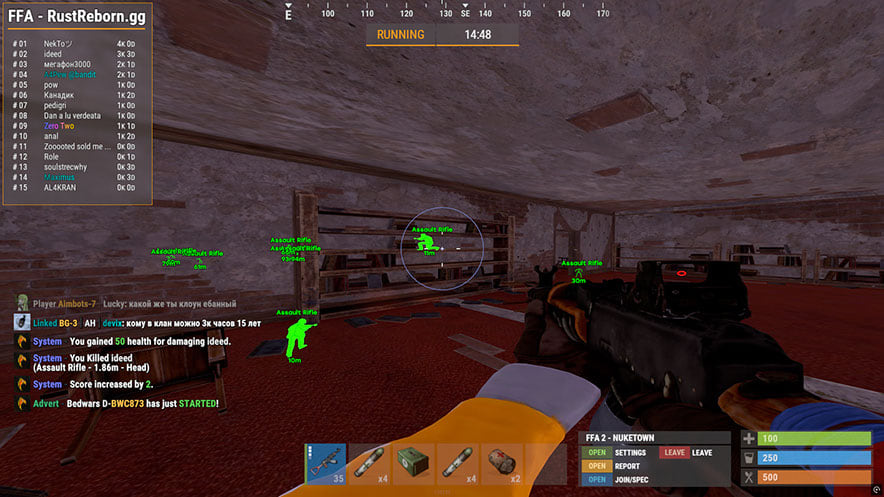
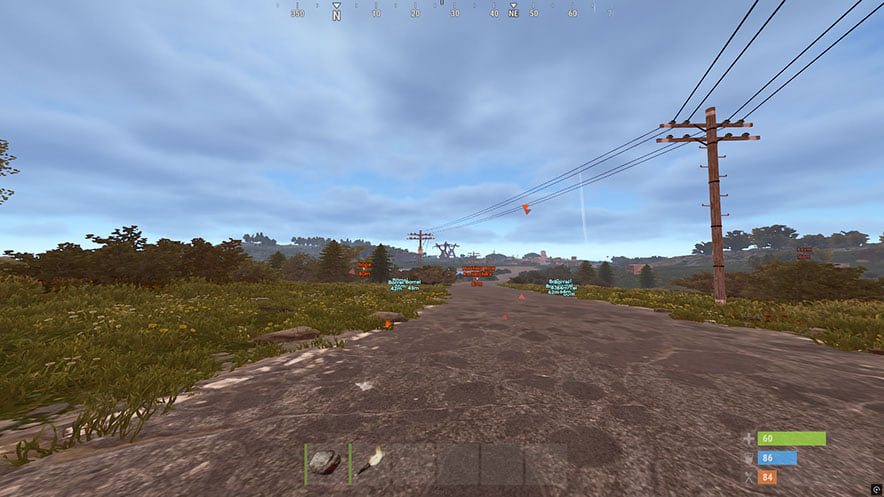
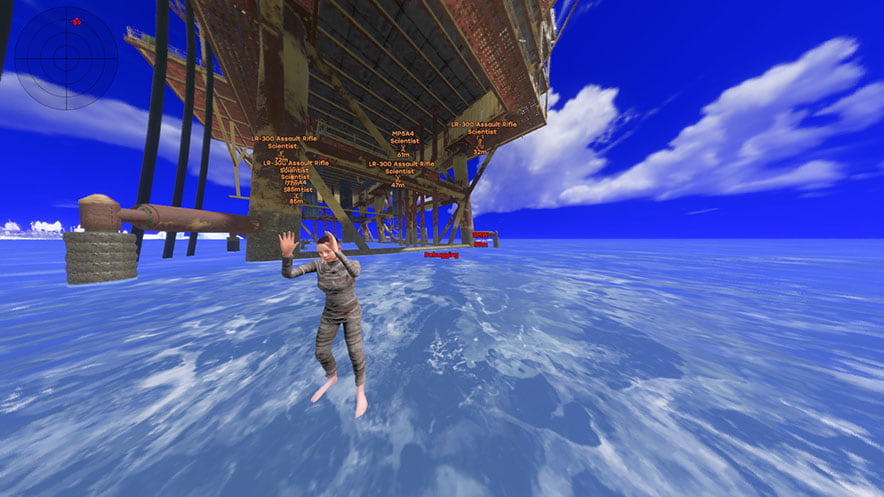
Video demo
The player needs scripts, and they are currently off: Watch onYouTube →
The player needs scripts, and they are currently off: Watch onYouTube →
The player needs scripts, and they are currently off: Watch onYouTube →
Features
138Aimbot
- Aimbot — snaps onto your target (custom hotkey)
- PSilent — curves projectiles towards the target (custom hotkey)
- High Grenade Prediction — forces prediction to find a valid hit point from a higher angle
- Target Saved Position — targets your current saved position on the map
- Use Smoothing — humanizes the aimbot for natural behavior
- Use Vischeck — only targets visible players
- AutoFire — automatically shoots when the target is hittable
- Hit Chance — makes some shots miss (PSilent only, slider for %)
- Keep Target — keeps the target locked even if out of FOV
- Smooth — customizable smoothing value
- Aimbone — choose bones to aim at (Head, Neck, Spine, Lower Spine, Pelvis, Hitscan Priority)
- Secondary Aimbone — secondary bone for aiming with priority settings
- Custom Projectiles — projectiles hit if near target (larger on mounted players)
- Legit Bullet TP — decreases projectile size for legitimacy
- Behind Wall Calculations — auto-calculates where PSilent should target behind objects
- Heli Magic — expands helicopter hitbox
- Desync On Keypress — activates desync while pressing aim key
- Bone Override, Heli Rotor Override — overrides hitbone targeting
- Pierce Hitbone — choose hitbone for projectiles (Head, Chest, Hand, Foot, Rand, etc.)
- Hit Material — select projectile material (Generic, Glass, Metal, Wood, Flesh, Dirt, Snow)
- Crosshair — customizable crosshair (Cross, Thick Cross, Dot) with color options
- FOV — adjustable field of view for aimbot with size and color settings
- Simulate Projectile — draws where the projectile will land
- Predicted Marker — draws where you need to aim to hit the target
- Target Snapline — draws a line from crosshair to target
Recoil & Shooting
- Recoil X / Y — adjust recoil in X and Y axes
- No Sway — removes weapon sway
- Spread — modifies projectile spread (0 for none, 100 for max)
- No Weapon Bob — removes weapon bob
- No Bolt Cycle — shoot without bolt cycle in bolt action rifles
- Unlock Angles — turn while mounted (via hotkey)
- No Melee Punch / Slowdown — removes melee recoil and slowdown
- Fast Bow — instant bow shot on left mouse button press
- Instant Charge — instantly charges compound bow
- No Movement Penalty — walk/run while charging compound bow
- Full Auto — makes any gun fully automatic
- Projectile Speed — changes projectile speed
- Can Shoot — shoot while swimming, climbing, etc.
- Aim in Mountable — aiming in mounted vehicles
Player ESP
- Player and Scientist (NPC) ESP with customizable colors
- Name, Distance, TeamID — player names, distance, team IDs
- Box — corner box around players
- View Direction — draws the direction player is looking
- Skeleton — player skeleton with adjustable thickness
- HeldItem — shows held item, Hotbar — inventory, clothing
- Team/Enemy — ESP for teammates and enemies with color customization and hotkey
- Wounded/Dead/Sleeping — ESP for wounded, dead, sleeping players
- Online Sleeper — only draws sleeping player if connected to server
- Safezone, Outside, OOF — safezone and out-of-FOV indicators
- Viscolor — customize visibility color
- Player Chams — player model highlighting (Lightning, Fire, etc.)
- Disable Player Culling — disables culling for players
- Adjustable draw distance for players and NPCs, text spacing
World ESP
- Disable ESP Map — disables all ESP when map is open
- Battlemode — disables every item ESP on keypress
- Point Of Interest — generates marker on map at saved position
- Raids — enables ESP for raids from any distance, adjustable time
- Save Position / Save House — ESP for saved position and house
Vehicles
- Patrol Helicopter, Bradley, Drones, Cargo Ship
- Minicopter, Scrap Heli, Rowboat, Submarine
- Attack Helicopter, Tug Boat, Pedal Bikes, Motor Bikes
- Vehicle Chams — chams for vehicles with material selection
- Adjustable draw distance for vehicles
Deployables
- Recycler, Cupboard (HealthBar, Upkeep, ShowID)
- Stashes (Unhidden/Local), Sleeping Bag
- RF Receiver / Broadcaster, HBHF / Seismic Sensor
- Large Battery, Workbench Tier 2/3
- SamSite ESP (cached positions saved to config)
- Deployable Chams — chams for deployables
ESP Loot
- Ore Chams — chams for ores (Lightning, LightGlow, Flame, etc.)
- Node Path — draws line to closest ore, adjustable distance
- Hemp, Stone, Metal, Sulfur, Wood, Diesel
- Berries (BlackBerry, BlueBerry, etc.), Corn, Mushroom, Pumpkin, Potato
- Food Chams — chams for food with material selection
- Bear, Boar, Stag, Wolf, Horse, Shark
- Animal Chams — chams for animals, health display (HealthBar/HealthText)
- Airdrop, Locked/Normal/Military/Elite Crate
- Tool, Advanced Water, Basic Water, Medical, Food, Basic Crate
- Normal Barrel, Oil Barrel, Container Chams
- Player/Scientist/Animal Corpse, Backpacks, Dropped Items
- Item categories for dropped items (Weapon, Construction, Resources, etc.)
Radar
- Mini-radar: players, scientists, other entities with color customization
- Cross, background, range circles, text, direction display
- In-game radar — players and scientists on map
- Local stashes and raids on map
- Adjustable sizes: radar, marker length/thickness, circle sizes
MISC
- Debug Camera — free camera position (custom hotkey)
- Instant Loot / Pickup — instantly loots items from boxes and ground
- Replace Door — replaces door with one in your hand
- Fast Place — decreases placement time for high walls
- Instant Revive — instantly revives players (Everyone or Friends Only)
- Suicide — breaks legs to suicide (custom hotkey)
- Open Crates — opens unopened crates
- No Spike/Landmine Collision — walk on traps without damage
- Anti Violations — prevents generating violations (Flyhack, Noclip, Speed, etc.)
- Anti AFK — prevents AFK kick
- Flyhack — fly with WASD keys (adjustable speed)
- Disable Collisions / Interactive Noclip — clip through objects
- Teleport — teleports 5 meters up/down
- Omni Sprint — sprint in any direction
- Dick Mode — invisible (character buried in ground)
- Walk on Water, Infinite Jump, Spinbot
- No Fall — no fall damage, No Collision — walk through players
- No Drag — walk through spikes/fire without slowdown
- No Minigun Spinup — shoot minigun instantly
- Weapon Spammer — spam shooting animation (hotkey)
Melee Combat
- Melee Players — auto strikes on players (Head, Chest, Hand, Foot, etc.)
- Melee Trees / Ores — auto tree cutting and ore mining
- Melee Helicopter — hits helicopter with extended range
- Auto Strike — automatically strikes when near target
- BruteForce Codelocks — brute forces code locks for code raiding
- Silent Mode — silent melee mode
- Custom Melee Effects — change hit effects (Glass, Water, Tree, Metal, etc.)
- Fast Auto Heal — fast healing animation
- Eoka Modifications — Eoka mode (Legit, Rage, NeverHit, adjustable %)
Automation
- Auto Upgrade — automatically upgrades buildings (from/to grade selection)
- Auto Reel Fish / Auto Cast Rod — automatic fishing
- Legit Mode — slower, more legitimate fishing
- Visualize Tension — displays fishing line tension
- Auto Deposit Fish / Broke Rods — deposits fish and broken rods into boxes
- Auto Loot Rods / Auto Reload Bait — loots rods and reloads bait from box
- Auto Heal / Auto Drink — auto healing and drinking
- Auto Collect / Auto Eat — auto collect and eat (Hemp, Stone, Metal, etc.)
- Spam Torch — instantly toggle torch on/off
- Auto Reply — auto-responds to chat messages (requires API)
Automation 2
- Stack Items — auto craft selected items (Metal, Wood, Stone)
- Auto Loot / Silent Loot — auto loot containers (Weapons, Resources, Ammo)
- Auto Lock — auto lock nearby code locks, Steal Unlocked — copies code
- Auto Auth — auto authorize on nearby cupboards
- Cancel / Reset Crafting — cancel and reset crafting timers
- Drop Inventory / Drop Container — drop inventory/container items
- Refill Jackhammer — auto refill jackhammer near workbench
- Keep In Handcuffs / Instant Release / Spam Handcuffs — handcuff management
- Steal Players — mounts nearby players to your vehicle
Settings
- Configurations: Rage, Legit, SemiRage, Extra 1/2/3 (Load/Save)
- Font settings: font selection, size for players, entities, warnings
- Menu Key — hotkey for menu, Menu Scale — scale (100–150%)
- Favorites, sliders, dropdowns, panels, toggles
Safety
Run the first session with a minimal set of modules and in the required window mode.
The required window mode is Windowed / Fullscreen in window / Fullscreen; set it before entering a match. A drive is part of the routine: Yes.
System requirements
| Supported game version | Steam |
|---|---|
| Supported processors | Intel and AMD (Xeon and FX support not guaranteed) |
| Supported game mode | Windowed / Fullscreen in window / Fullscreen |
| Supported os windows | 10 & 11 x64, versions (2004 / 20H2 / 21H1 / 21H2 / 22H2 / 23H2 / 24H2 / 25H2 / 26H2), check your build using the instructions <a href="/en/articles/windows-build/">HERE</a> |
| Supported anti cheats | Easy Anti-Cheat |
| Support for invisibility on videos or screenshots | No |
| Usb flash drive required | Yes |
Mason Internal is a full cheat for Rust. The developer behind it is Mason. The menu holds 138 entries across 13 sections. Menu sections: Aimbot, Recoil & Shooting, Player ESP, World ESP, Vehicles and Deployables.
Check this first
The developer states the following: window mode: Windowed / Fullscreen in window / Fullscreen; CPU: Intel and AMD (Xeon and FX support not guaranteed); game version: Steam. The requirements name EAC, so its updates land on this cheat sooner or later. A removable drive is needed: Yes. No screen capture bypass is declared.
Capabilities
Grouped by purpose, you get: hit and damage counters, a custom crosshair and view settings, player models filled with a contrasting colour, aim assistance that pulls the crosshair onto a target, in-game restriction unlocks and a flat radar with live positions. Settings live in config profiles.
Licence lengths
The seller offers 3 periods: 1 day, 7 days and 30 days. Sales are paused at the moment, so the buttons are hidden.
Its place in the section
Mason has 2 more builds in this section, which is what to compare against first. This is the largest menu in the section — 138 entries against 3 in the most compact build.
What to know before buying
How payment and delivery work
Checkout happens on the seller's side: for most cheats that is Digiseller, where the key appears on the order page as soon as the payment clears and is mirrored to your email. Some cheats are delivered manually — the key arrives once the seller confirms the order, and that is almost always the only reason for a delay. The licence countdown starts when the key is activated, not when you pay.
Ban risk, plainly
There is no safe cheat — only different odds of being caught in the next wave. Nobody compensates a lost game account: the key pays for access to software, not for an outcome.
Why cheats get detectedBefore the first launch
A radar renders on a second screen or phone and never touches the game itself — that is what makes it calmer than internal cheats. The phone link needs both devices on one network, so set it up before the match, not in the lobby.
Safe launch checklistSetup guide
This page walks you through starting any Mason cheat: how to prepare the game, download and run the loader, complete the injection, and open the in-game menu. The second part shows how to store your settings in a text file so you can reload them on later sessions.
FAQ
How does Mason Internal differ from the other cheats here?
Will the overlay show up in recordings?
How long can I buy Mason Internal for?
What is included in Mason Internal?
Other cheats for Rust
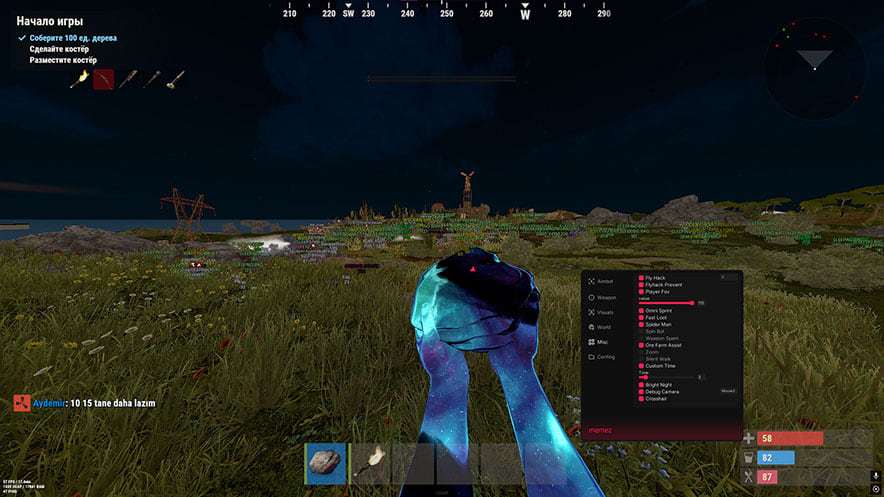
Memez hack for Rust
MemezMemez Internal Rust is an all-in-one cheat for Rust, from crosshair assistance to map markers. Supported client: Steam.
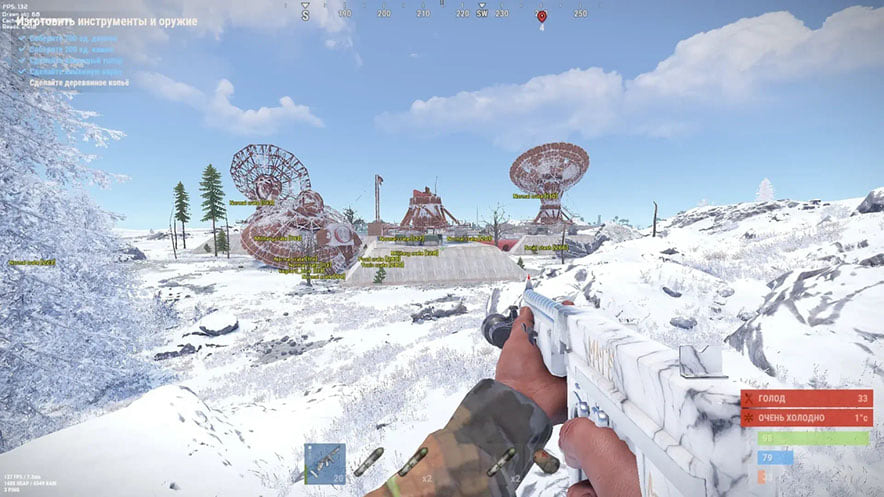
Mh hack for Rust
MhA visuals-only cheat for Rust: Mh Rust tells you what is around, the shooting stays manual. Supported client: Steam.
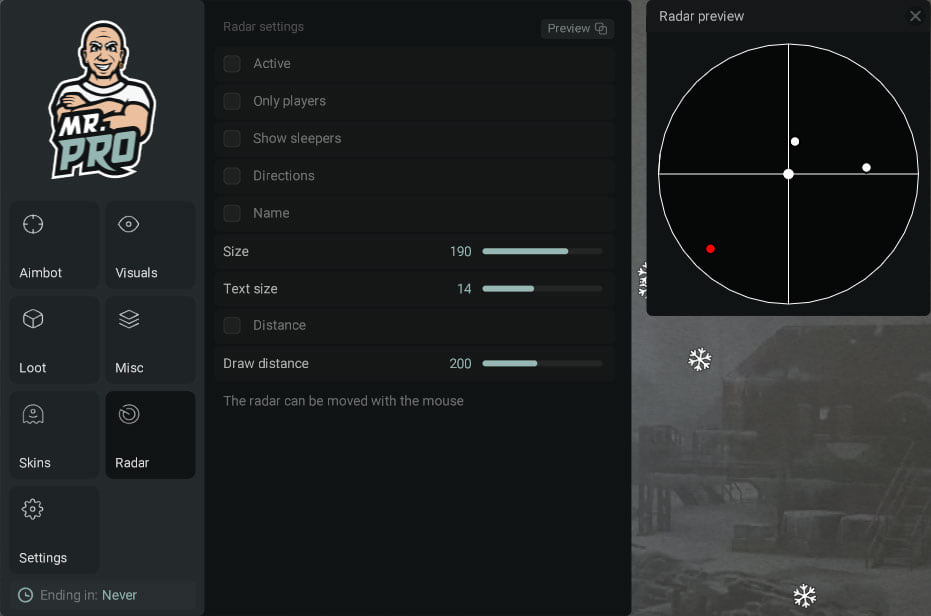
Mr hack for Rust
MrMr Pro Rust is an all-in-one cheat for Rust, from crosshair assistance to map markers. The menu is large — 83 entries.
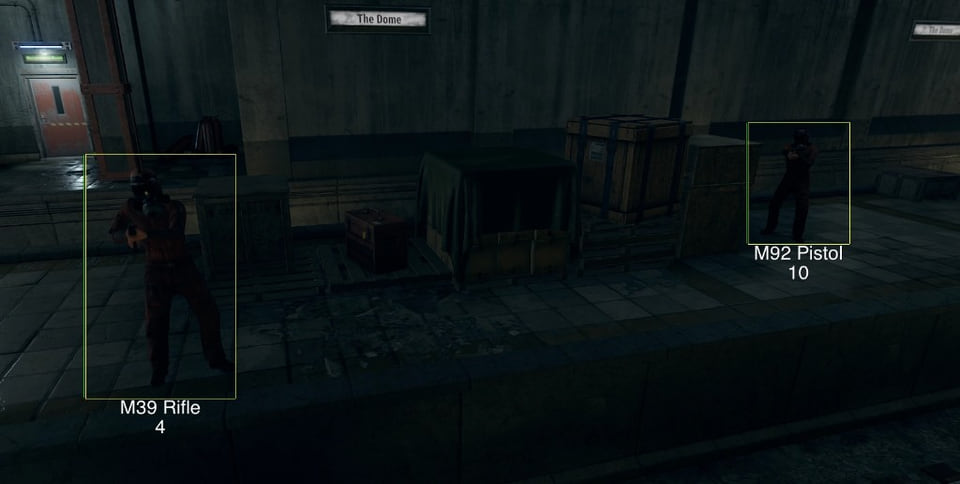
Nightfall hack for Rust
NightfallNightfall runs off a DMA card, so the gaming rig never loads a foreign process — the work happens on a second machine. Screen capture bypass is declared, so the overlay stays out of recordings.