Arcane hack for SCUM
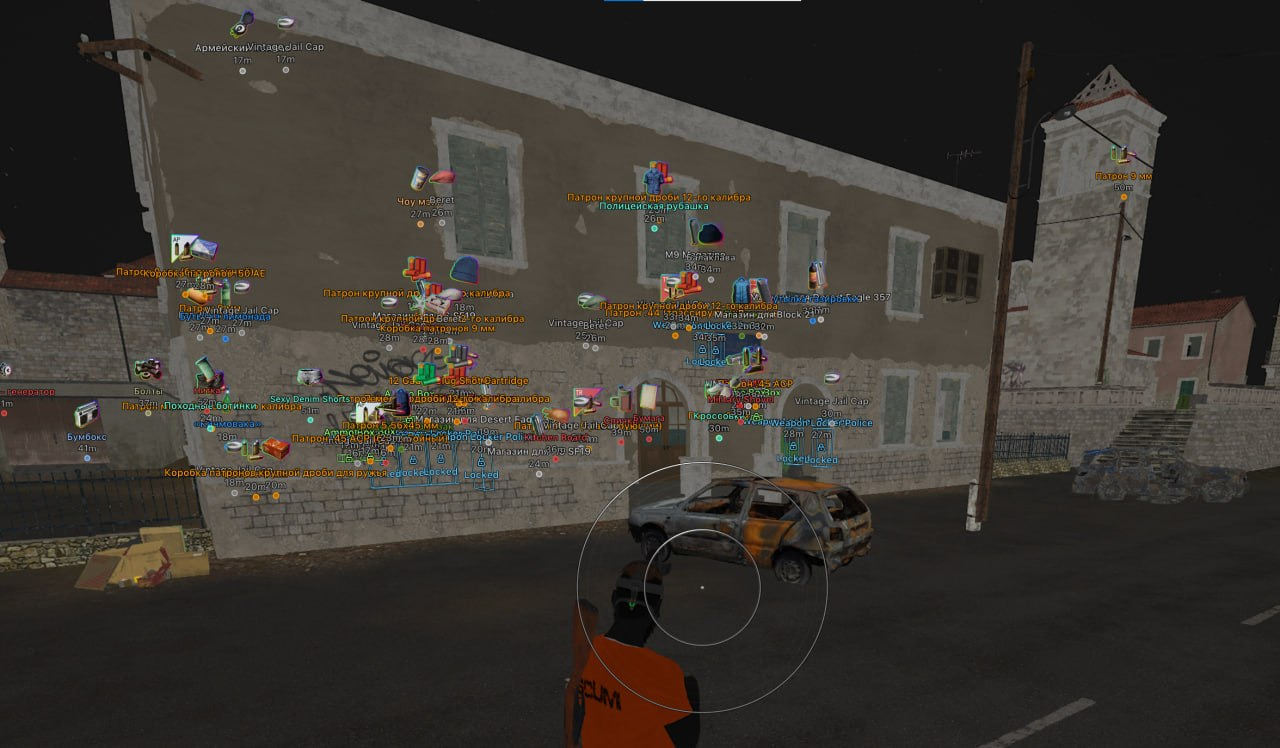
Arcane for SCUM can now show loot as pictures with durability and rarity. The update also brings Autokill, four vehicle types and individual object filters for Battle mode.
Choose period
Arcane
Before you buy
- Operating system
- Windows 10-11 (26H1, 26H2) x64;
- Processors
- Intel and AMD;
- Game version
- Steam;
- Game mode / Gpu
- Game mode: Windowed / Borderless;; Gpu: Nvidia and AMD;
This is a summary. Check all requirements and ask the seller about unknown conditions.
If payment does not go through
A second checkout at eliteseller.ru in case the option above does not go through. Same seller; the price may differ — it is set there separately.
Payment and delivery via Digiseller. The key arrives by email right after payment.
This is a digital product: there is no physical shipping or separate shipping charge.
Screenshots


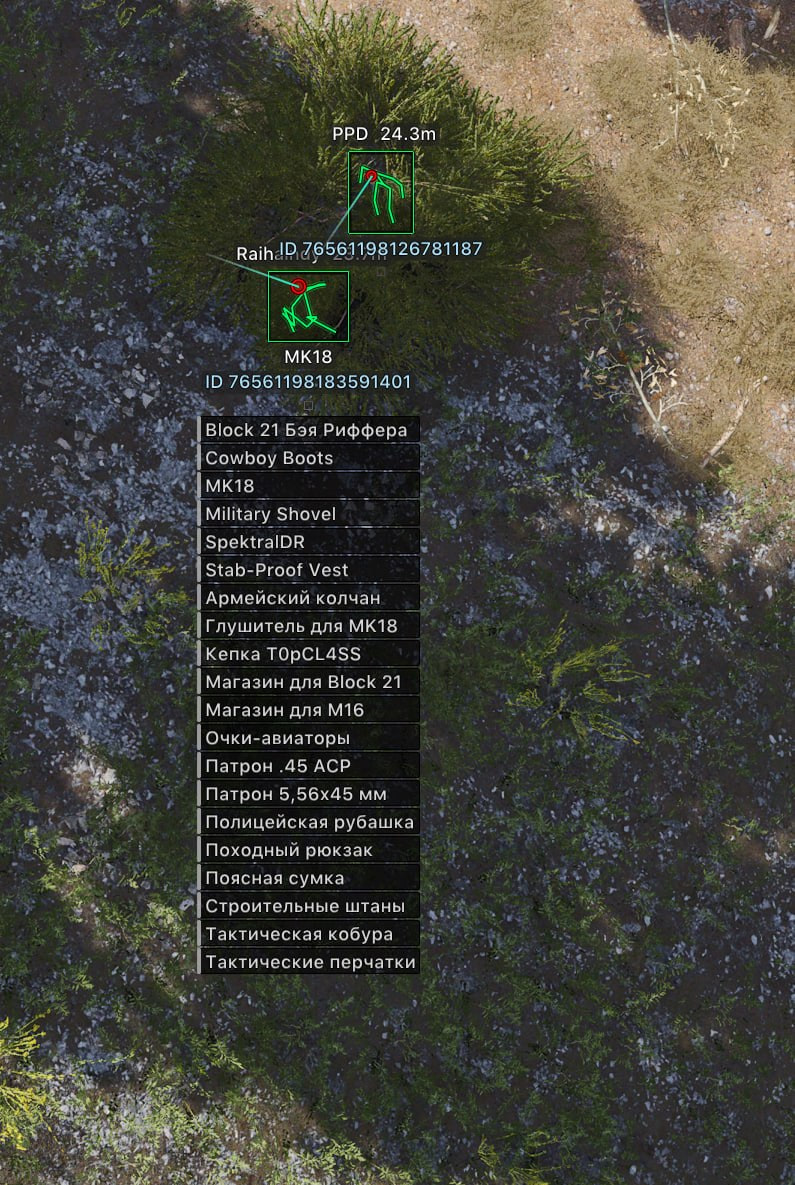
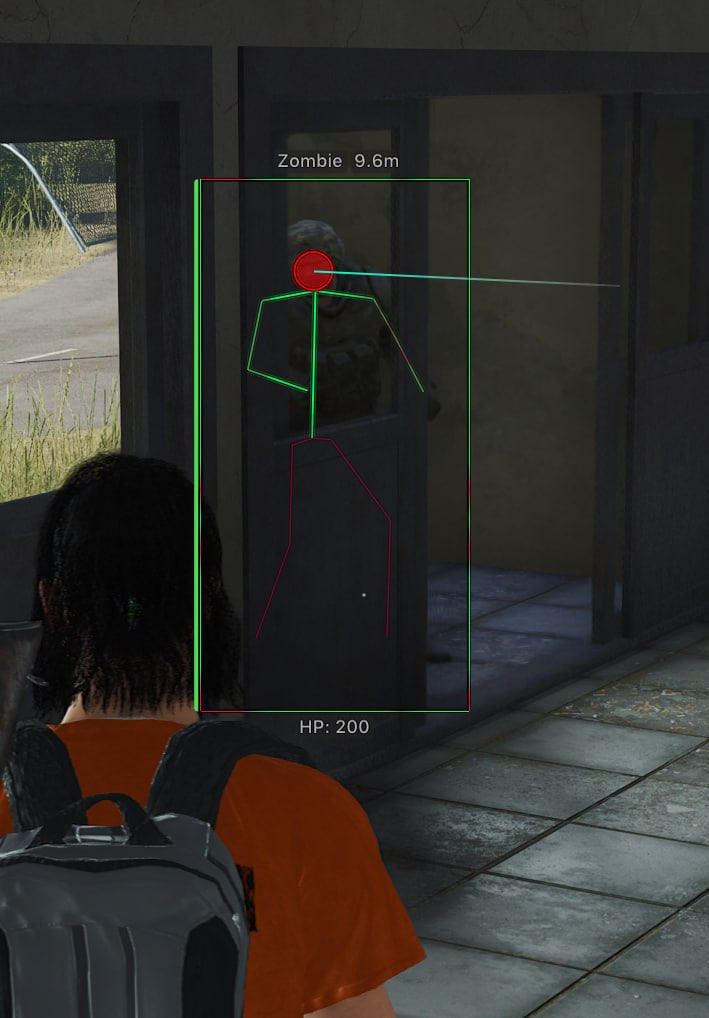
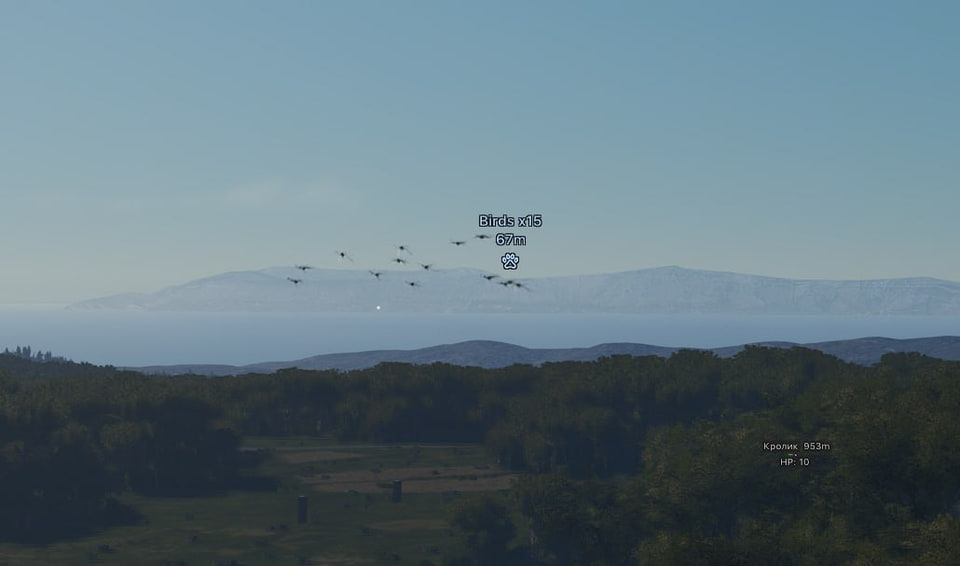
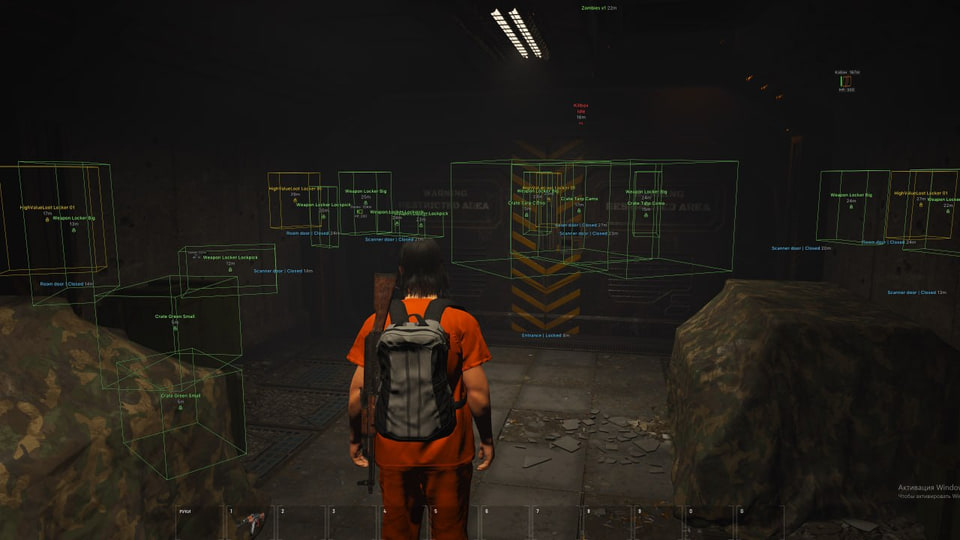
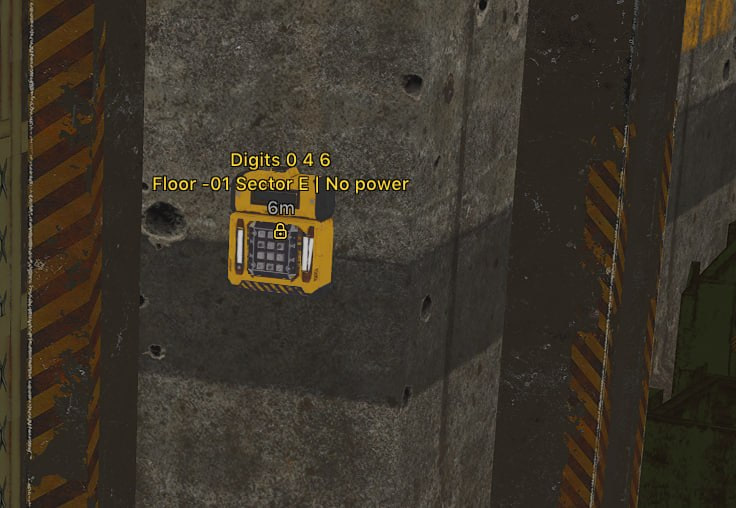
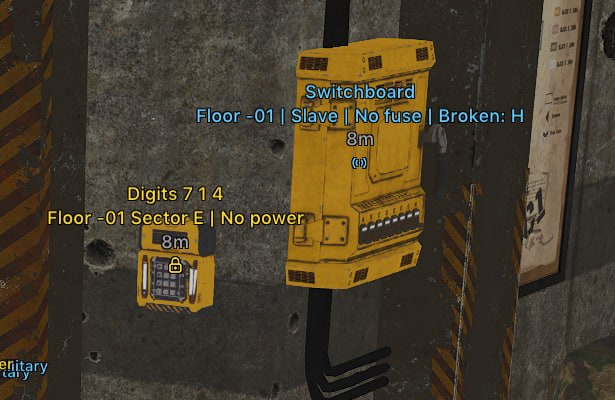
Video demo
The player needs scripts, and they are currently off: Open the video file →
Video demo
The player needs scripts, and they are currently off: Watch onKinescope →
Features
233General updates
- New visibility check system: Ray Cast
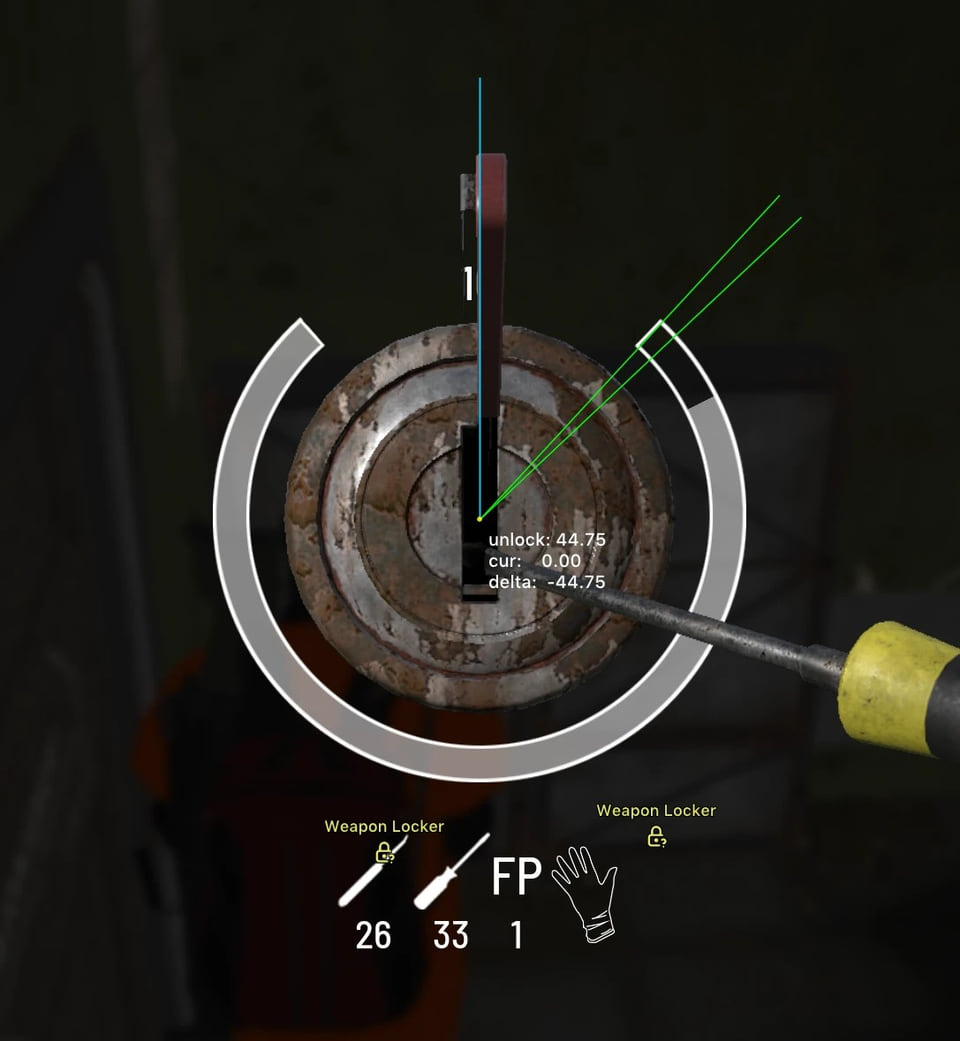
- Lockpicking fixed
- Support for new animals from the latest game update
- Improved stability after game updates
- Auto Lockpick — the key no longer stays held after the lock opens
Aimbot (1)
- Target selection: Players, Friends, NPC, Zombie, Razor, Animal, Sentry
- Type - Type: (Vector, Silent)
- Bone Selection - Bone selection: (Head, Neck, Body, Belly)
- Keybind - Key
- Draw FOV Border - Draw a circle FOV
- Draw FOV Background - Draw the FOV circle background
- FOV Size - FOV circle size
- Smooth - Smoothness
- Visibility check - Visibility check
Aimbot (2)
- Max distance - Maximum distance
- Force Aim Keybind — while held, targets enemies regardless of visibility checks
- Prediction — target movement prediction
- Show Target Bone — display the selected target bone
- Prediction Point — display the predicted aim point
- Target priority: closest by distance or closest to screen center
Players ESP (1)
- Bounding box - Boxing 2D: (Box, In the corners)
- Fill box - Box background: (Static, Gradient)
- Skeleton - Skeletons: (Thickness)
- Nickname - Nicky
- Held item - Held item
- Distance - Distance
- View line - Line of sight
- Line to enemy - Line to the player
- Visibility check - Visibility check: (Visible color, Invisible color, Show on skeletons)
Players ESP (2)
- Max distance - Maximum distance
- Show Drone - Show drones
- Show NPC - Show NPC
- Show Ammo Count — display the player's ammunition count
- In Vehicle / Turret — display the player's vehicle or turret status
- Steam ID — display the player's Steam ID
- Player inventory — display carried items
- Indicator when a player is aiming at you
Zombies ESP (1)
- Bounding box - Boxing 2D: (Box, In the corners)
- Fill box - Box background: (Static, Gradient)
- Health Bar - Health Bar: (Static, Health Based, Gradient)
- Skeleton - Skeletons: (Thickness)
- Health Text - Health text
- Name - Name
- Distance - Distance
- View line - Line of sight
- Line to enemy - Line to the player
Zombies ESP (2)
- Visibility check - Visibility check: (Visible color, Invisible color, Show on skeletons)
- Max distance - Maximum distance
Sentry ESP
- Bounding box - Boxing 2D: (Box, In the corners)
- Fill box - Box background: (Static, Gradient)
- Skeleton - Skeletons: (Thickness)
- Name - Name
- Distance - Distance
- View line - Line of sight
- Line to enemy - Line to the player
- Visibility check - Visibility check: (Visible color, Invisible color, Show on skeletons)
- Max distance - Maximum distance
Animal ESP
- Health - Health
- Distance - Distance
- Max distance - Maximum distance
- Support for new animals added in the latest game update
Birds
- Crow - Crow
- Seagull - Seagull
- Chicken - Chicken
Predators
- Wolf - Wolf
- Bear - Bear
Herbivores
- Boar - Boar
- Deer - Deer
- Donkey - Donkey
- Horse - Horse
- Goat - Goat
- Rabbit - Rabbit
Items ESP (1)
- Type - Type
- Distance - Distance
- Max distance - Maximum distance
- Item pictures: Text, Picture, Text + Picture
- Picture type: Silhouette, Image
- Picture settings: Size, Opacity, Outline
- Outline: Contour / Box, Static / Rainbow, Thickness
- Item durability in the name and on the picture
- Durability fill direction on pictures: Bottom up, Top down, Right to left
Items ESP (2)
- Rarity filter and rarity display
- Crafting resources: Bolts, Duct tape, Nails, Metal scrap, Gun powder and more
- Electronics and miscellaneous items: Radio, Phone, Metal detector, Generator and more
- Traps: Show trigger, Armed only
- Key cards
Consumables
- Medicine - Medicines
- Food - Food
- Drink - Drinks
Combat equipment
- Weapons - Weapons
- Bows - Bows
- Grenades - Grenades
- Attachments - Devices
- Ammo - Ammo
- Melee - Melee
Gear
- Helmet - Helmet
- Vest - Vest
- Backpack - Backpack
- Clothes - Clothes
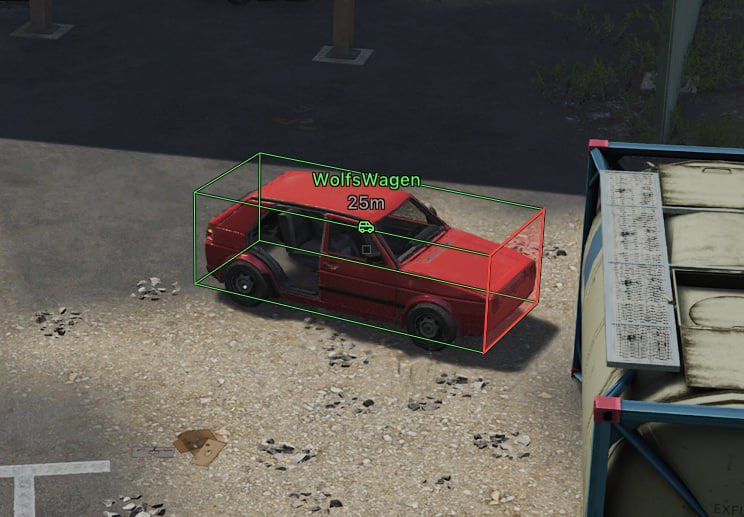
Vehicles ESP (1)
- Category - Category
- Distance - Distance
- Max distance - Maximum distance
- 3D boxes for vehicles
- Vehicle front-side display
- Indicator when someone is inside the vehicle
- Hide destroyed vehicles
- Turret boxes
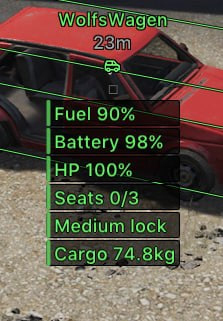
- Fuel information
Vehicles ESP (2)
- Battery information
- Engine information
- Durability information
- Trunk weight
- Vehicle pictures: Icon, Picture, Text + Picture
- New vehicles: Tractor, Cruiser, Sidecar Bike, RIS
Water transport
- Barba
- Wooden Motorboat
- Small Improvised Raft
- Big Improvised Raft
- SUP
- Color water
Ground transport
- Wolfs Wagen
- Laika
- Rager
- Dirt Bike
- Mountain Bike
- City Bicycle
- Wheel Barrow
- Improvised Wheel Barrow
- Color ground
Air transport
- Kinglet Duster
- Color air
Misc
- Battle mode - Battle mode (disables unnecessary ESP to concentrate on the gameplay)
- Crosshair - Static cursor
- Out of Arrows - Arrows outside the screen
- 3D Box - 3D boxes for all entity types
World ESP
- Key Cards - Access cards for killbox / bunker
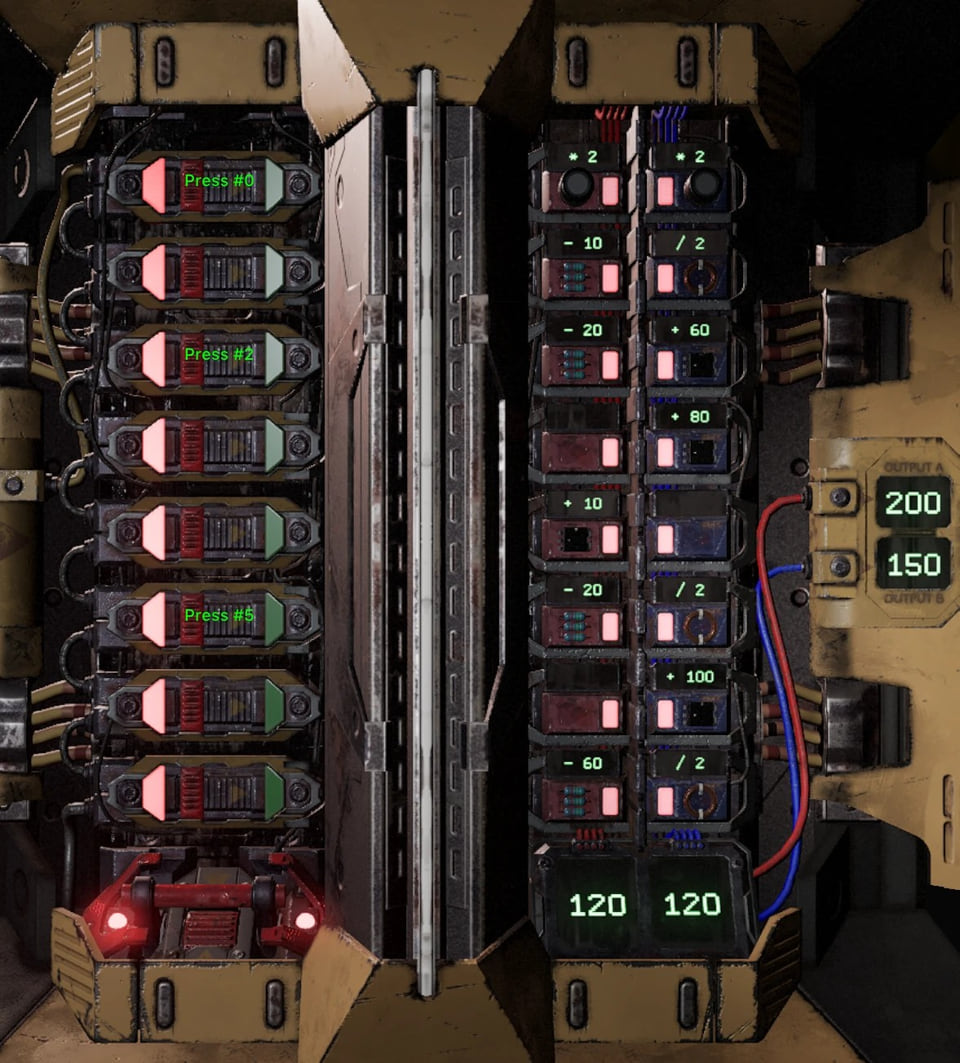
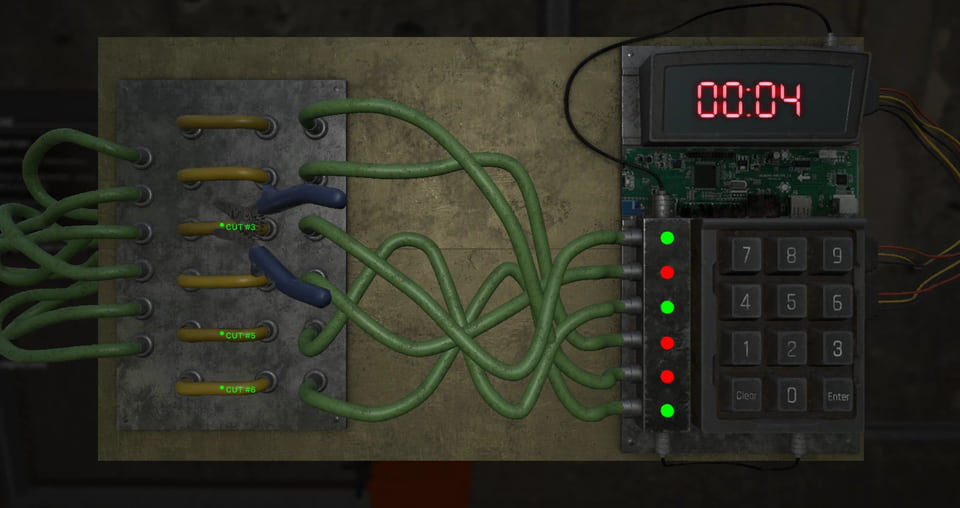
- Bomb Defuse - Bomb defuse marks
- Hack Card Reader - Hack card reader marks
Lockpicking
- Show Position - Show lockpick position
- Auto Lockpick - Automatic lockpick — lockpicking fixed
Settings
- Menu key - Menu activation key
- Unload key - Menu unload key
- DPI Scale - UI size
- VSync - Vertical synchronization (best used in conjunction with in-game)
- Theme - Theme (Dark, Light)
- Watermark - Watermark
- Language - Language (EN, RU, CH)
Configurations
- Create - Create
- Get shared - Get shared access (the ability to download your friend's configuration using a unique key)
- Launch - Launch
- Save - Save
- Edit name - Change name
- Share - Share
- Remove - Remove
Local player
- Ammo panel — number of rounds in the current magazine
- Disable screen effects: Bleeding, Flash effects and other visual effects
- FOV Changer — change the field of view
- No Clip — free movement mode
- Disable zombie damage
- Speed Hack — movement acceleration
- No Melee Stamina
- Speedhack activation: Always, On Hold, Toggle
Weapon
- No Spread — disable weapon spread
- No Recoil — reworked; recoil is completely removed
- Rapid Fire — rapid firing
- Disable weapon sway while moving
- Disable firing animations
- Unlimited Ammo
World
- Disable grass
- Disable bushes and trees
- Always Day — permanent daytime
Chests ESP
- Chest display
- 3D boxes for chests
- Indicator showing whether a chest is inside a base
- Lock type
- Content weight
- Owner ID
- Access level
- Chest display: Icon, Text, Picture, Text + Picture
Cargo ESP
- Cargo ESP in a separate section
- Separate maximum distance setting for Cargo
- Cargo boxes
- Notifications when Cargo spawns
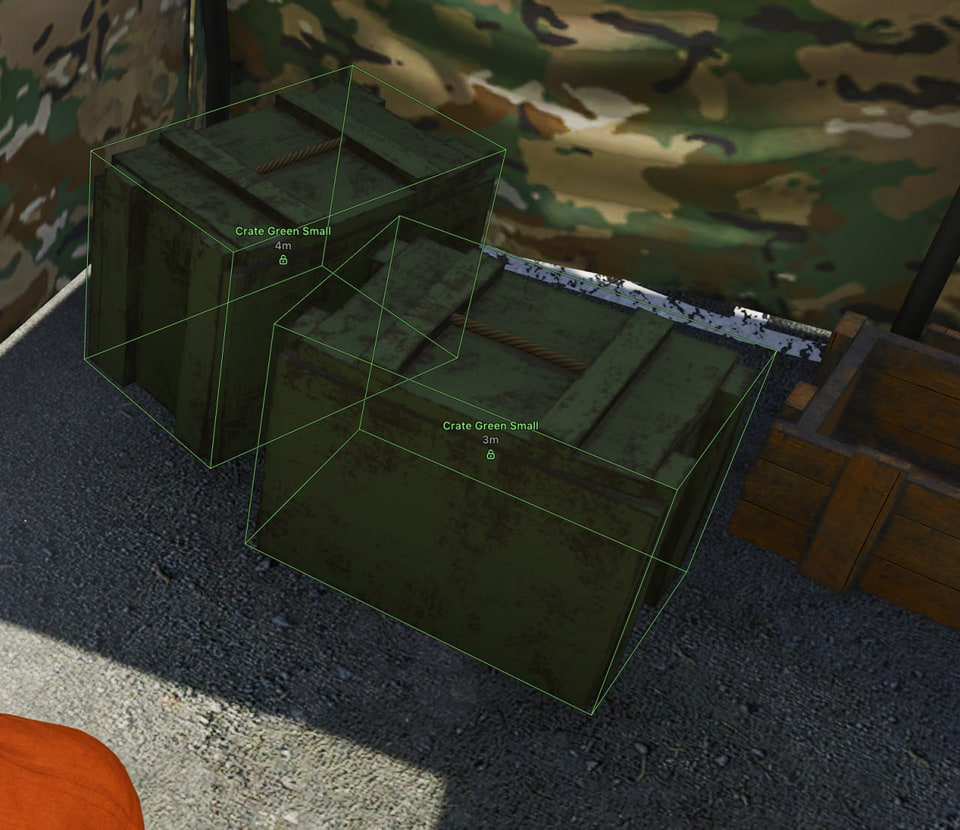
- Weapon crates inside Cargo with Open / Closed status
Lockers
- Lockers in a separate section
- Separate maximum distance setting for lockers
- Open / Closed lock status
- Locker boxes
- Hide looted lockers
- Locker types: Weapon Storage, Medical, Hazmat, Valuable Loot
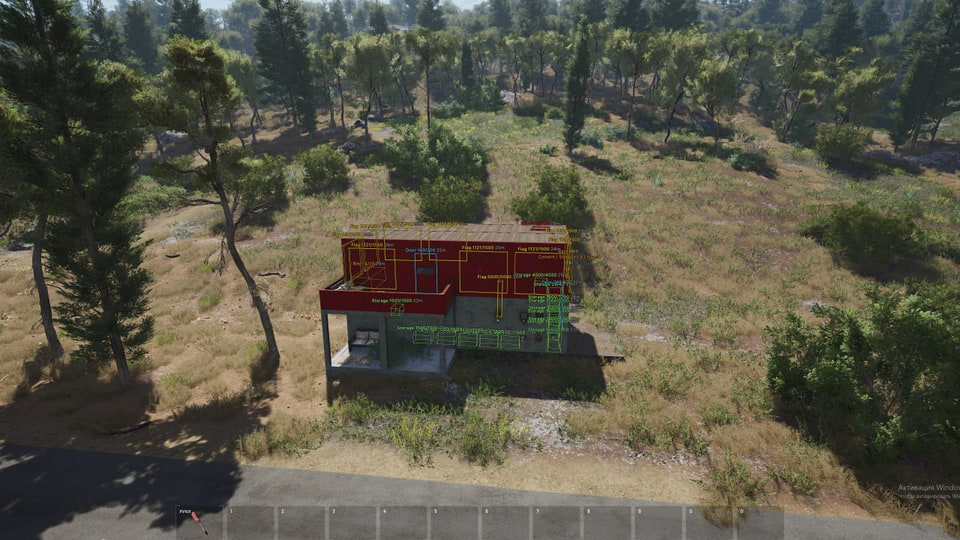
Bases ESP
- Player bases in a new section
- Base distance
- Base material
- Base storage information
- Flags
- Doors
- Storage objects
- Beds
- Weak Points
Killbox ESP
- Killbox display inside bunkers
- Killbox distance
- Killbox label
- Timer Panel
- Killbox notifications
- C4 objects inside Killbox
- Zombie Spawn Points inside Killbox
- Doors inside Killbox
Bunkers ESP
- Bunker infrastructure in a separate section
- Code panels with the current code
- Power-status colors: Powered / Unpowered
- Power Panels
- Fuse Locations
Server events
- On-screen server events: Capture the Flag, Deathmatch and other events
Players list
- List of all players on the server
- Nickname
- Join time
- Ping
- Distance if the player is in range
Autokill (1)
- Automatically attack the nearest target with a melee weapon or bare hands
- Activation: Always, On Hold, Toggle
- Distance setting
- Hit size setting
- Targets: Players, Friends, NPC, Zombies, Animals
- Visibility check
- Target point: Chest, Head, Pelvis
- Target priority: Closest by distance, Closest to screen center
- Target marker: Line to target, Label
Autokill (2)
- Attack speed and auto attack are always at maximum
Battle mode
- Hide each object type separately
- Hide Razor, Drones and Dropships
- Hide loot by group: Weapons, Ammo, Gear, Food & Medicine, Crafting, Traps, Other items
- Hide Chests, Key cards, Lockers and Cargo
- Hide Bases, Bunkers, Killbox, Bird flocks and Event markers
Safety
Run the first session with a minimal set of modules and in the required window mode.
With no capture bypass declared, a screen share or a clip shows the menu in full. The required window mode is Windowed / Borderless; set it before entering a match.
System requirements
| Game version | Steam; |
|---|---|
| Game mode | Windowed / Borderless; |
| Processors | Intel and AMD; |
| Gpu | Nvidia and AMD; |
| Os | Windows 10-11 (26H1, 26H2) x64; |
| Video or screenshot invisibility support | None; |
Arcane for SCUM can now show loot as pictures with durability and rarity. The update also brings Autokill, four vehicle types and individual object filters for Battle mode.
What changed
Picture settings cover silhouettes, size, opacity and outlines. Autokill handles melee attacks with target types, hit points, visibility checks and activation choices. Speedhack supports always-on, hold and toggle activation; No Melee Stamina removes melee stamina use.
What it needs to run
The developer states the following: OS: Windows 10-11 (26H1, 26H2) x64; window mode: Windowed / Borderless; CPU: Intel and AMD; GPU: Nvidia and AMD; game version: Steam. No screen capture bypass is declared.
Access periods
You can take it for 1 day, 7 days or 30 days.
What to know before buying
How payment and delivery work
Checkout happens on the seller's side: for most cheats that is Digiseller, where the key appears on the order page as soon as the payment clears and is mirrored to your email. Some cheats are delivered manually — the key arrives once the seller confirms the order, and that is almost always the only reason for a delay. The licence countdown starts when the key is activated, not when you pay.
Ban risk, plainly
There is no safe cheat — only different odds of being caught in the next wave. Nobody compensates a lost game account: the key pays for access to software, not for an outcome.
Why cheats get detectedBefore the first launch
The routine is always the same: set the window mode from the requirements, start the software before entering a match, and do not switch everything on at once. The most dangerous window is the first days after a game or anti-cheat patch.
Safe launch checklistFAQ
Which system and client are supported?
How does Arcane differ from the other cheats here?
Will the overlay show up in recordings?
What is included in Arcane?
How long can I buy Arcane for?
Other cheats for SCUM
Crooked Arms hack for SCUM
Crooked ArmsCrooked Arms covers both sides of SCUM — aim modules and on-screen data — across 34 menu entries. Supported client: External.
SMG hack for SCUM
SMGThe full package for SCUM: SMG puts combat and visual modules in one menu. The menu is large — 75 entries.
Mason hack for SCUM
MasonThe full package for SCUM: Mason puts combat and visual modules in one menu. 4 licence lengths to choose from.
Phoenix (Wh-Satano) hack for SCUM
Phoenix (Wh-Satano)Phoenix (Satano) is an all-in-one cheat for SCUM, from crosshair assistance to map markers.
Setup guide
Choose the right Arcane edition guide, configure its overlay and activate before opening the game. Includes keys and memory, BIOS and menu-interaction diagnostics.