Ghost Squad: aiming, radar and map objects
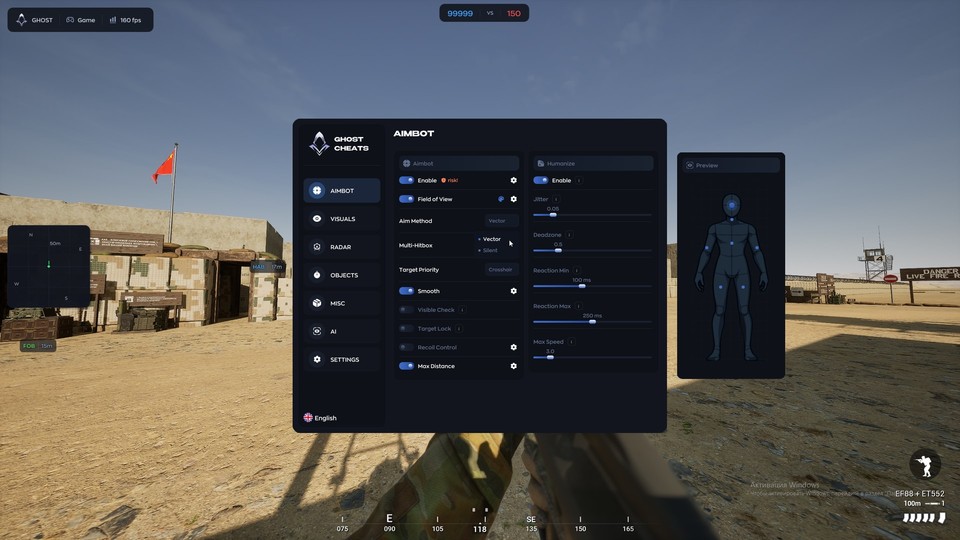
Choose the information you want to see in Squad: players and vehicles, bases, mines or supplies. Vector/Silent aiming has a dedicated Humanize panel.
Sales of this cheat are temporarily paused by the developer. Purchase options will return here automatically once delivery resumes.
Screenshots

Features
53Aimbot
- Enable aiming (Aimbot)
- Vector / Silent methods (Aim Method)
- Field of View and circle color
- Body-part and multiple hitbox selection (Hitbox / Multi-Hitbox)
- Bone selection mode (Bone Mode)
- Target priority including proximity to crosshair (Target Priority)
- Aiming smoothing (Smooth)
- Visibility check (Visible Check)
- Target locking (Target Lock)
- Recoil compensation (Recoil Control)
- Line to target (Target Line)
- Distance limit (Max Distance)
Humanize
- Enable Humanize
- Aiming micro-movements (Jitter)
- Deadzone
- Minimum and maximum reaction delay (Reaction Min / Max)
- Maximum aiming speed (Max Speed)
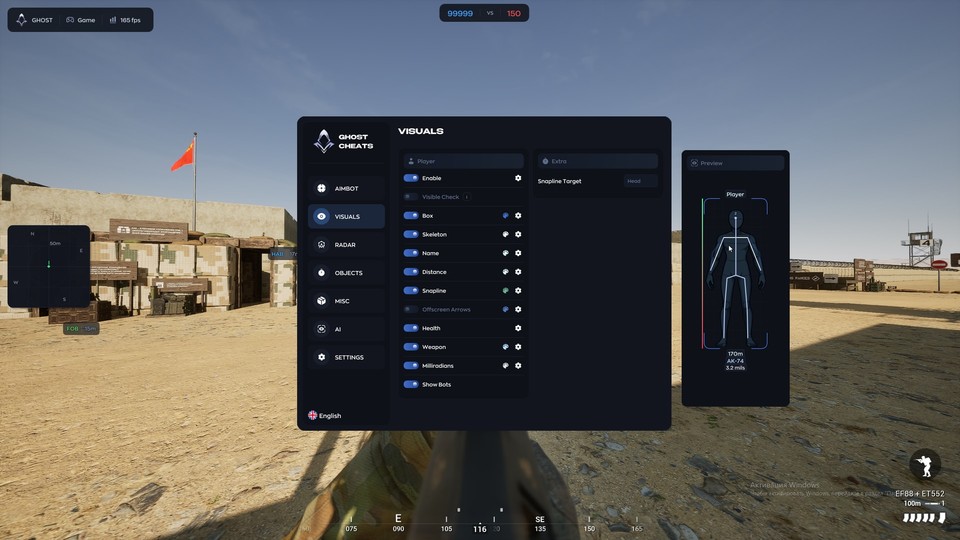
Player ESP
- Enable ESP and visibility checks (Visible Check)
- Normal / Corner / Filled / 3D boxes: distance, thickness and rounding
- Skeleton: distance and size
- Names and distance (Name / Distance)
- Player lines: target and mode selection (Snapline / Target / Mode)
- Offscreen target arrows (Offscreen Arrows)
- Health and weapon information (Health / Weapon)
- Milliradians
- Display bots (Show Bots)
- Color controls and visual preview
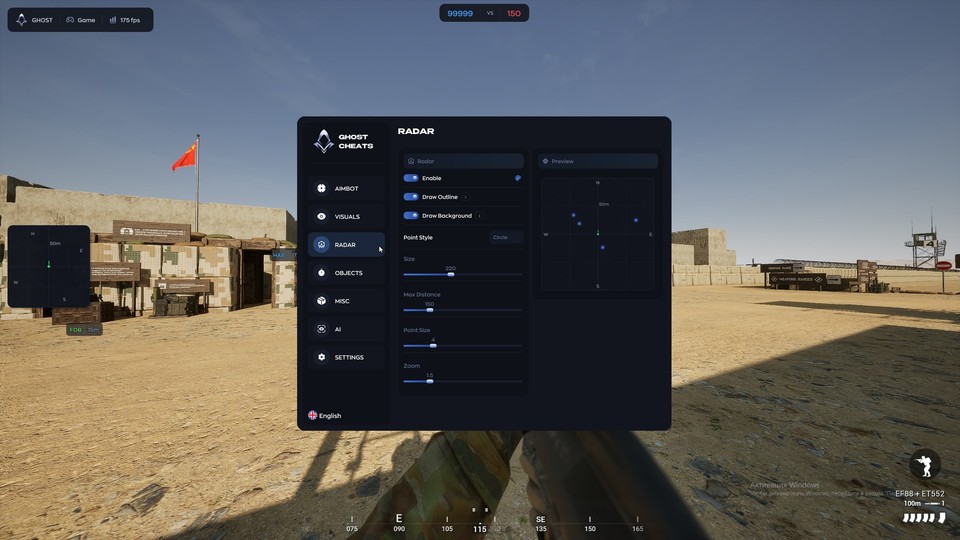
Radar
- Enable mini-radar
- Outline and background (Draw Outline / Background)
- Point style
- Radar size and distance limit (Size / Max Distance)
- Point size and zoom
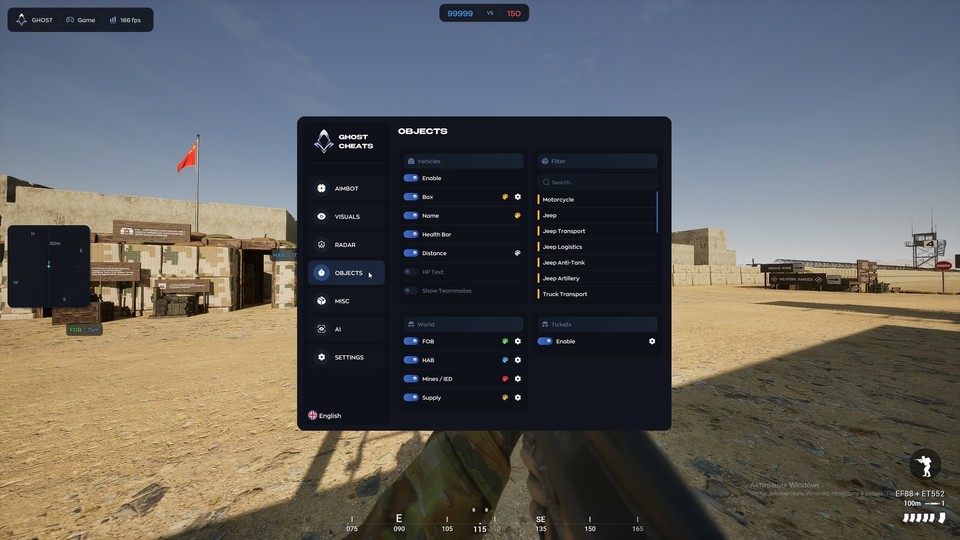
Objects and vehicles
- Vehicle ESP: boxes, names, distance and health bars (Box / Name / Distance / Health Bar)
- Health text and allied vehicle display (HP Text / Show Teammates)
- Search and filters: Motorcycle, Jeep, Jeep Transport, Jeep Logistics, Jeep Anti-Tank, Jeep Artillery, Truck Transport
- Forward bases and spawn markers (FOB / HAB)
- Mine and IED markers (Mines / IED)
- Supply markers
- Ticket counter (Tickets)
Additional features
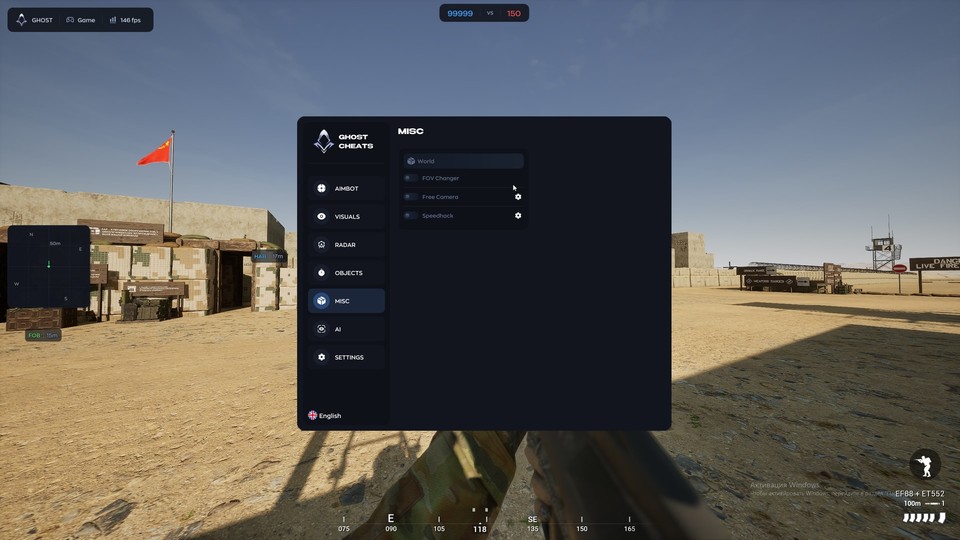
- Field-of-view adjustment (FOV Changer)
- Free Camera
- Movement speed: Toggle / Hold / Always modes (Speedhack)
- No Recoil
- No Sway
- No Spread
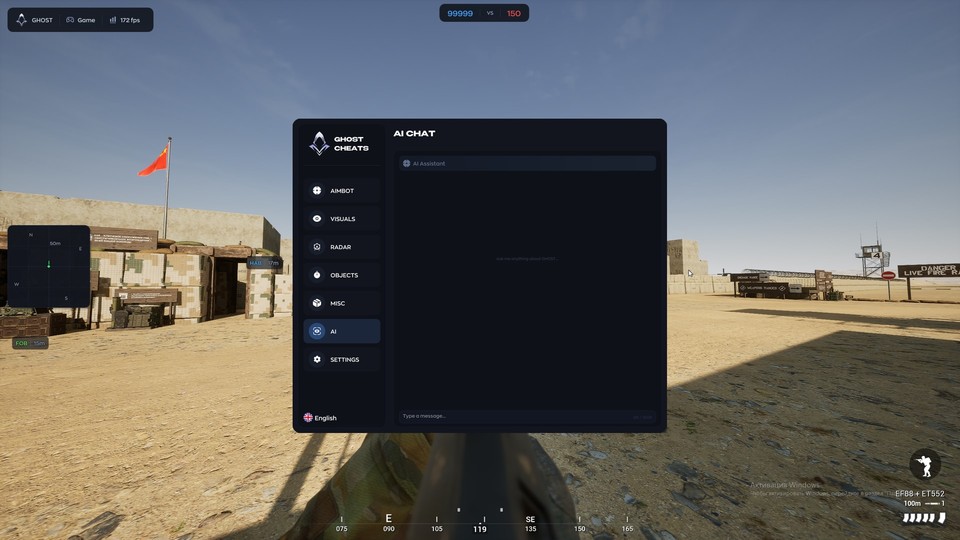
- AI Chat / AI Assistant tab
Settings
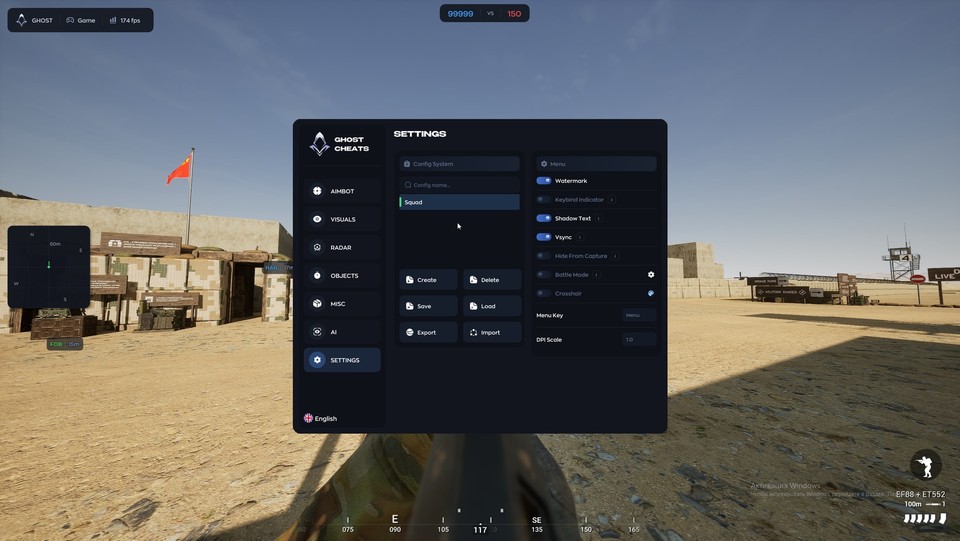
- Create, delete, save and load configurations
- Import and export configurations
- Watermark and keybind indicator
- Shadow Text and Vsync
- Hide menu from software capture (Hide From Capture)
- Battle Mode and Crosshair
- Menu Key and DPI Scale
Safety
Run the first session with a minimal set of modules and in the required window mode.
The declared bypass covers software capture only, not a camera pointed at the screen. The required window mode is Borderless; set it before entering a match.
System requirements
| Cpu | INTEL | AMD |
|---|---|
| Client | Steam |
| Os | Windows 10 | 11 |
| Gpu | NVIDIA | AMD |
| Game mode | Borderless |
Aiming controls in detail
Select Vector or Silent, hitboxes and target priority. Adjust the field of view, smoothing, visibility checks, target locking and distance independently. Humanize controls micro-movements, deadzone, reaction delay and maximum speed. Recoil Control appears in the Aimbot panel.
From players to supply locations
Player ESP shows boxes, skeletons, names, health, weapons, distances and milliradians. Lines and offscreen arrows help track targets beyond the screen. Vehicles have searchable type filters, names and health displays. Objects covers FOBs, HABs, mines/IEDs, supplies and Tickets.
Radar and extra panels
Configure radar background, outline, point style and size, range and zoom. The new Misc screenshot shows FOV Changer, Free Camera and Speedhack; the developer also lists No Recoil, No Sway and No Spread. AI Chat has its own menu tab.
Profiles and getting started
Save several configurations, then import or export them. Controls include Hide From Capture, Battle Mode, Crosshair, the menu key and DPI scale. Requirements: Steam, Windows 10/11, Intel/AMD, NVIDIA/AMD and borderless mode. Payment delivers the selected 1, 7 or 30 day key with the setup guide.
What to know before buying
How payment and delivery work
Checkout happens on the seller's side: for most cheats that is Digiseller, where the key appears on the order page as soon as the payment clears and is mirrored to your email. Some cheats are delivered manually — the key arrives once the seller confirms the order, and that is almost always the only reason for a delay. The licence countdown starts when the key is activated, not when you pay.
Ban risk, plainly
There is no safe cheat — only different odds of being caught in the next wave. Nobody compensates a lost game account: the key pays for access to software, not for an outcome.
Why cheats get detectedBefore the first launch
The routine is always the same: set the window mode from the requirements, start the software before entering a match, and do not switch everything on at once. The most dangerous window is the first days after a game or anti-cheat patch.
Safe launch checklistSetup guide
This page walks you through preparing Windows for Ghost Cheats, activating your key on the official loader page and starting the software. Follow it once and you finish with the cheat injected and the in-game menu ready to open with INSERT. The same procedure applies to every Ghost product.
FAQ
What is shown in the updated menu?
Which durations are available?
What are the requirements?
Other cheats for SQUAD
Soft Hub hack for SQUAD
Soft HubThe full package for SQUAD: Soft HUB puts combat and visual modules in one menu. Supported client: Official and Steam.
Mason External hack for SQUAD
MasonThe full package for SQUAD: Mason External puts combat and visual modules in one menu.
SMG hack for SQUAD
SMGSMG is an all-in-one cheat for SQUAD, from crosshair assistance to map markers. The menu is large — 75 entries.
Fecurity hack for SQUAD
FecurityThe full package for SQUAD: Fecurity puts combat and visual modules in one menu.