Ghost WARDOGS ESP: player, item and vehicle information
Choose the objects and indicators you want to see in WARDOGS. Player, item and transport settings work alongside a separate radar and saved profiles.
Choose period
Ghost
Before you buy
- Operating systems
- Windows 10 | 11 (1903-26H1)
- Processors
- INTEL | AMD
- Game clients
- Steam
- Video card / Game mode
- Video card: NVIDIA | AMD; Game mode: Windowed | Borderless
This is a summary. Check all requirements and ask the seller about unknown conditions.
Payment and delivery via Digiseller. The key arrives by email right after payment.
This is a digital product: there is no physical shipping or separate shipping charge.
Screenshots
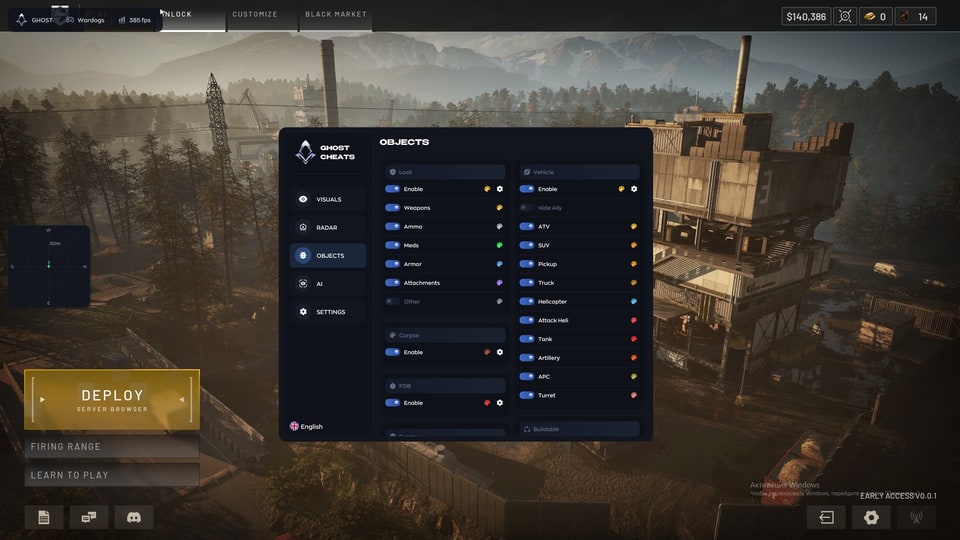
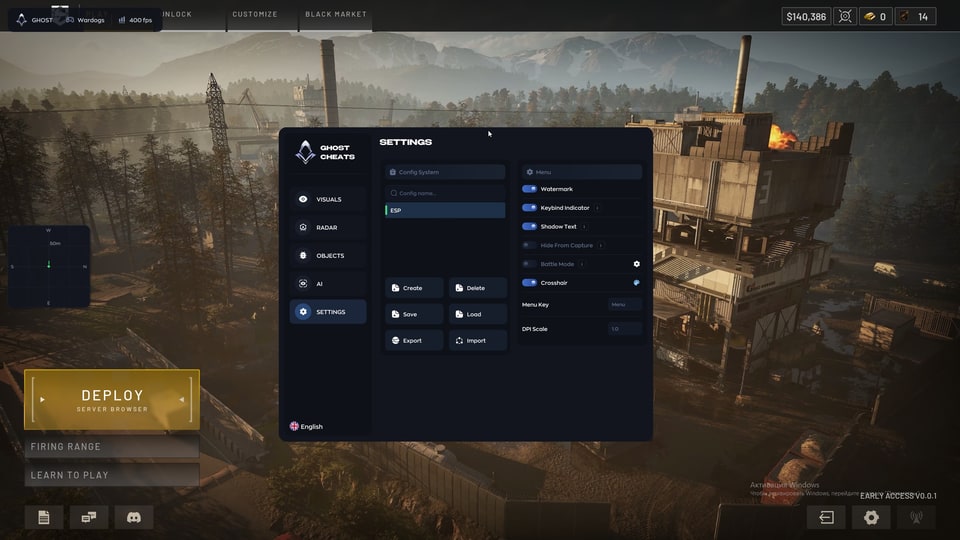
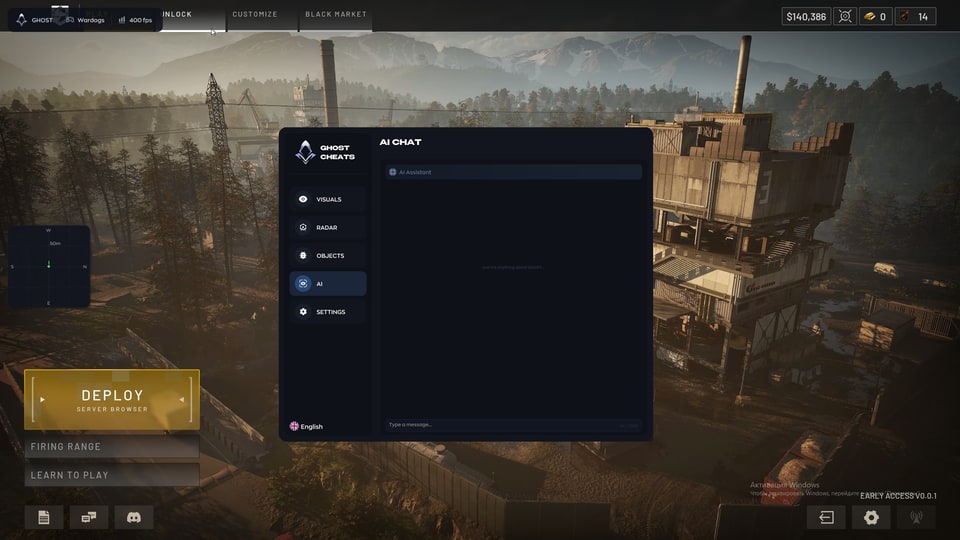
Features
60Player ESP
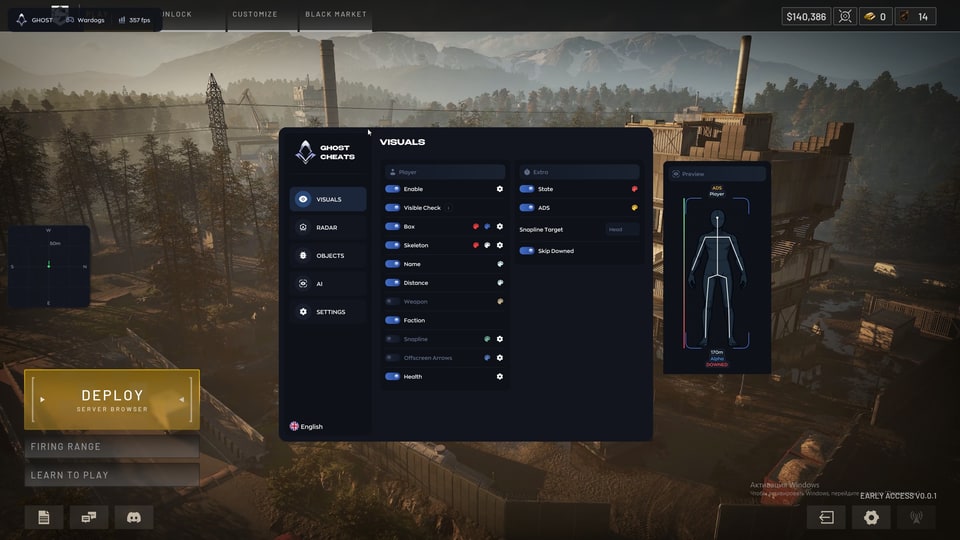
- Enable ESP
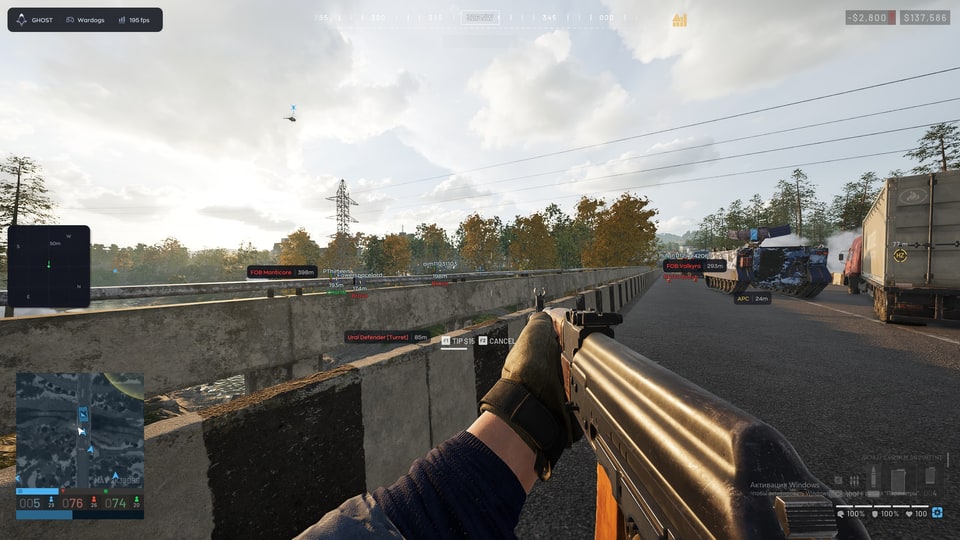
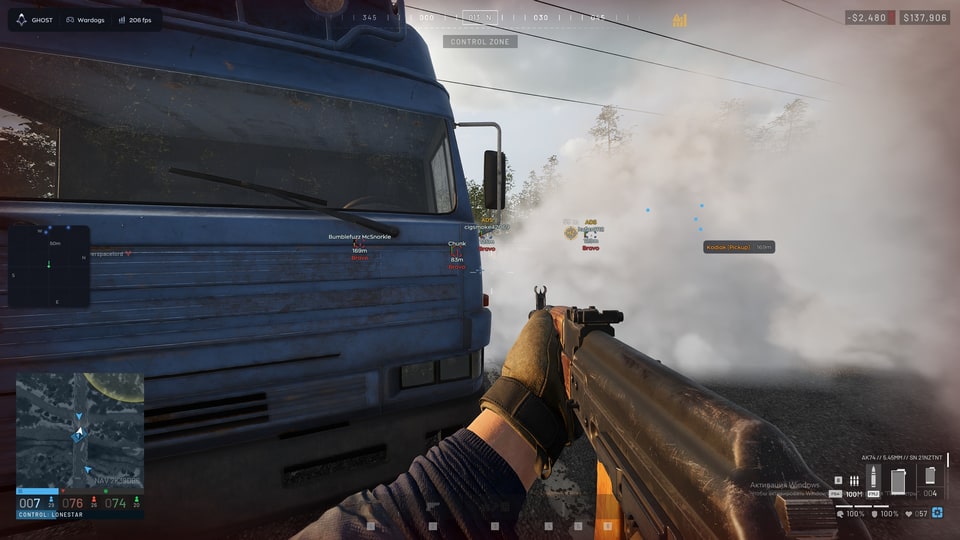
- Different colors for visible and occluded players (Visible Check)
- Player box (Box)
- Player skeleton (Skeleton)
- Player nickname (Name)
- Player distance (Distance)
- Current weapon (Weapon)
- Ally or enemy affiliation (Faction)
Player indicators
- Line from the screen center to a player (Snapline)
- Directions to offscreen enemies (Offscreen Arrows)
- Player health (Health)
- Player state: standing, prone or aiming (State)
- Aiming indicator (ADS)
- Select the snapline endpoint (Snapline Target)
- Hide downed players (Skip Downed)
Radar
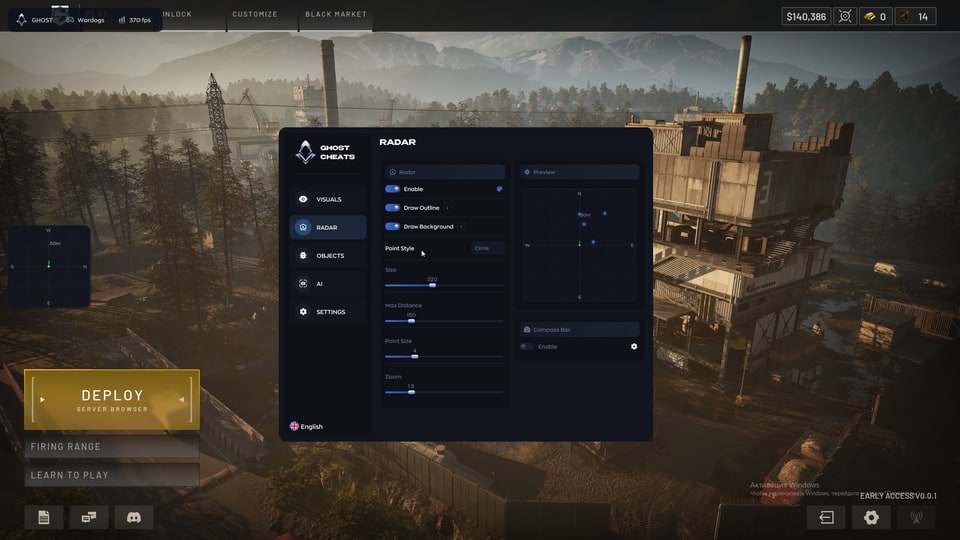
- Enable mini-radar
- Radar outline (Draw Outline)
- Radar background (Draw Background)
- Marker shape: circle or square (Point Style)
- Radar size (Size)
- Maximum distance (Max Distance)
- Marker size (Point Size)
- Radar zoom (Zoom)
- Compass bar (Compass Bar)
Loot
- Dropped items with name and distance (Loot ESP)
- Weapons
- Ammo and magazines
- Medical items (Meds)
- Armor
- Attachments
- Other items
Vehicles
- Vehicles with name and distance (Vehicle ESP)
- Hide allied vehicles (Hide Ally)
- ATVs
- SUVs
- Pickups
- Trucks
- Helicopters
- Attack helicopters
- Tanks
World objects
- Dead player bodies (Corpse ESP)
- Bases (FOB)
- Buildable objects
- Artillery
- Armored personnel carriers (APC)
- Turrets
Configs
- Create a config
- Save a config
- Load a config
- Delete a config
- Export a config
- Import a config
Interface
- Watermark
- Hotkey panel (Keybind Indicator)
- Menu and ESP text shadow (Shadow Text)
- Battle Mode
- Custom crosshair (Crosshair)
- Menu toggle key (Menu Key)
- Interface scaling (DPI Scale)
- Hide From Capture
Safety
Third-party software may lead to game-account restrictions. Check compatibility, the selected duration and the current instructions before payment.
System requirements
| Cpus | INTEL | AMD |
|---|---|
| Operating systems | Windows 10 | 11 (1903-26H1) |
| Video card | NVIDIA | AMD |
| Game mode | Windowed | Borderless |
| Game clients | Steam |
| Built in spoofer | No |
| Flash drive | Not required |
Player information on screen
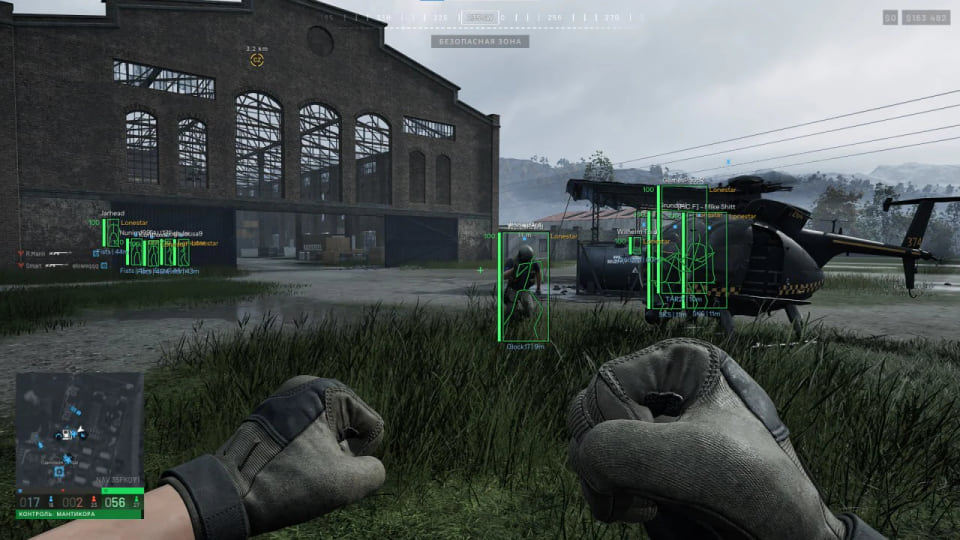
Enable boxes, skeletons, names, distance, weapons and team affiliation. Health, player state, ADS, snaplines and offscreen directions have their own controls. Downed players can be hidden.
Items and world objects
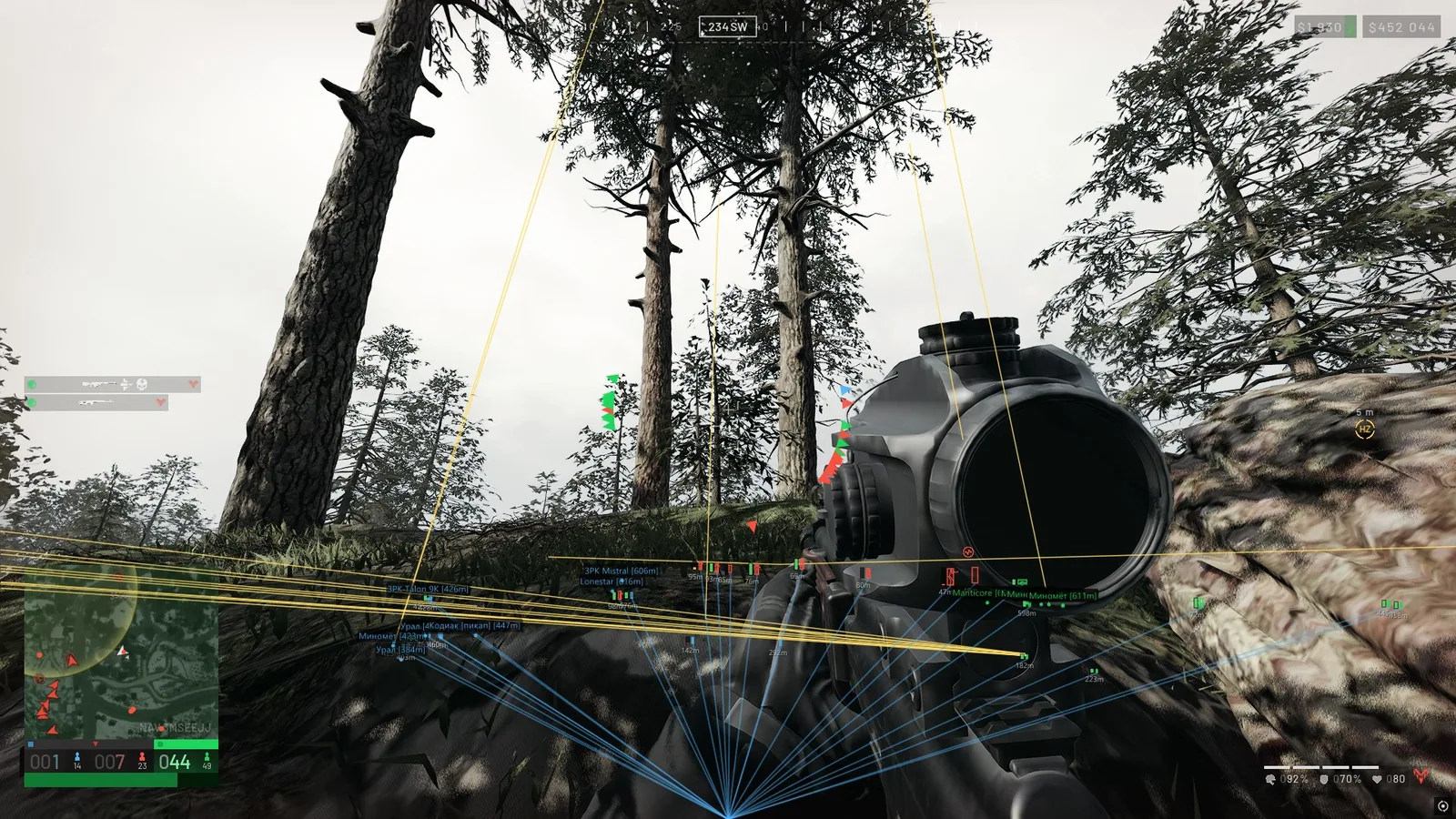
Loot filters cover weapons, ammunition, medical items, armor, attachments and other drops. Vehicles are grouped by type, with an option to hide allied transport. Bodies, bases and buildable objects have separate switches.
Radar and saved profiles
Adjust the radar background, outline, marker shape and size, zoom and distance limit. Add a compass bar for directions. Create, save, load or delete profiles, and use import or export to transfer your settings.
Check your setup
The product supports Steam, Windows 10 or 11 versions 1903–26H1, Intel/AMD and NVIDIA/AMD. Run the game in windowed or borderless mode. No spoofer is built in; a USB drive is not required. Keys are available for 1, 7 or 30 days. Check the current amount in the purchase section.
What to know before buying
How payment and delivery work
Checkout happens on the seller's side: for most cheats that is Digiseller, where the key appears on the order page as soon as the payment clears and is mirrored to your email. Some cheats are delivered manually — the key arrives once the seller confirms the order, and that is almost always the only reason for a delay. The licence countdown starts when the key is activated, not when you pay.
Ban risk, plainly
There is no safe cheat — only different odds of being caught in the next wave. Nobody compensates a lost game account: the key pays for access to software, not for an outcome.
Why cheats get detectedBefore the first launch
A radar renders on a second screen or phone and never touches the game itself — that is what makes it calmer than internal cheats. The phone link needs both devices on one network, so set it up before the match, not in the lobby.
Safe launch checklistFAQ
What does the ESP show?
Can I transfer my settings?
Which key durations can I choose?
How do I launch it?
Other cheats for WARDOGS
MASON Void for WARDOGS: aim settings and configurable ESP
MasonChoose how aiming responds and which information appears on screen. Void brings aim controls, visual indicators and radar together in one menu.
Mason hack for WARDOGS
MasonMason WARDOGS brings together a Humanize and visibility-check Aimbot, player, vehicle and ground-item ESP, plus No Recoil and No Sway. Four access periods are available.
NEIRO DMA WARDOGS — DMA cheat
SMGNEIRO brings configurable player markers, vehicle information and world tracking to WARDOGS through a DMA setup. MAKCU handles the aiming input.
NN Cheats WARDOGS Full — Aim, ESP, Radar and mortar
NN CheatsThe expanded NN Cheats edition for WARDOGS, combining combat tools, world mapping, radar and dedicated mortar controls.