Shack hack for ARC Raiders
Shack is an all-in-one cheat for ARC Raiders, from crosshair assistance to map markers. Supported client: Steam.
- Platform ARC Raiders
- Developer Shack
- By software type HWID spoofers · Radars
Choose period
Shack
Payment goes through the seller’s own storefront (eliteseller.ru). Delivery and order support are handled there — the terms are shown on the payment page before you confirm.
This is a digital product: there is no physical shipping or separate shipping charge.
Screenshots
Features
105General
- Aimbot for ARC Raiders - Core Settings
- Aimbot for ARC Raiders is a professional automatic aiming system with advanced customization options:
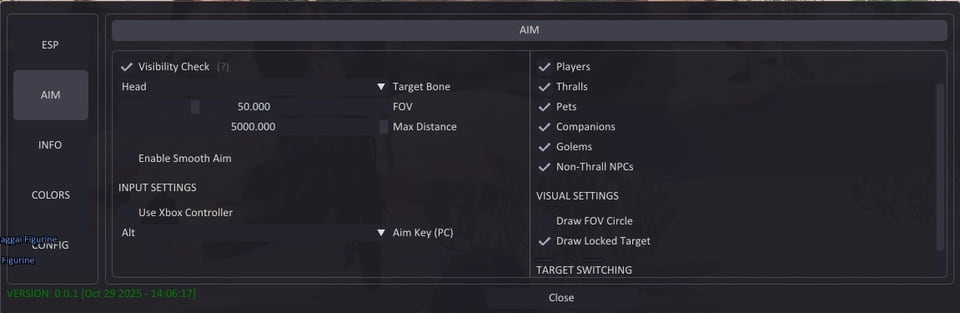
- Adjustable FOV (1-180°) - adjusts the viewing angle for target acquisition
- Maximum distance control (0–1000 m) - operating range limitation
- Bone selection - Precisely target the head, neck, chest and other body parts
- Visibility check - several modes for determining target visibility
- FOV circle display - visual indication of the capture area
- Illumination of a captured target - visual highlighting of the current target
- Flexible system for selecting and prioritizing goals:
- Player targeting - automatic tracking of opponents
- Targeting ARCs - targeting enemy robots
- Smooth aiming (0–100%)—adjusts the speed of sight movement
- Target priority - choose between players or targets with the lowest HP
- Target switch delay (0–1000 ms) - control the speed of target switching
- Automatic selection of visible bone - smart selection of the optimal aiming point
- Setting maximum target speed - filtering out fast moving objects
Universal control system
- Xbox controller support - full operation with a gamepad
- Key Customization - Custom Configuration for PC and Xbox
- Mouse, keyboard and controller support - multi-platform control
- Silent Aim FOV - Rage mode for aggressive play
ESP SYSTEMS FOR ARC RAIDERS
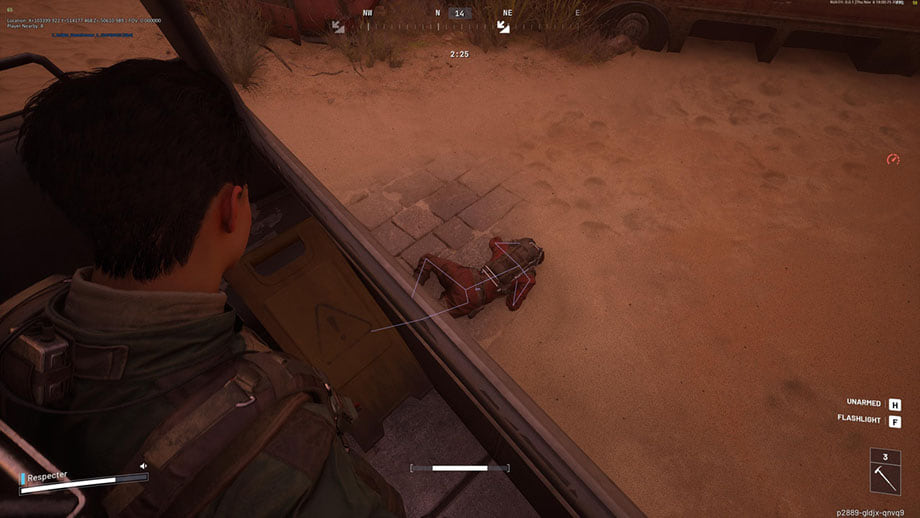
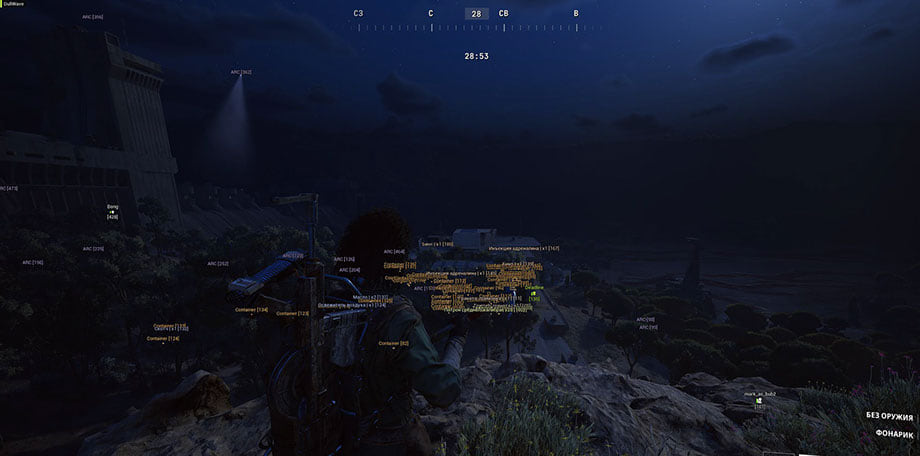
- Player ESP (player ESP) - visualization of opponents
Main parameters
- Display of player names - display nicknames above heads
- Distance display - distance to each player
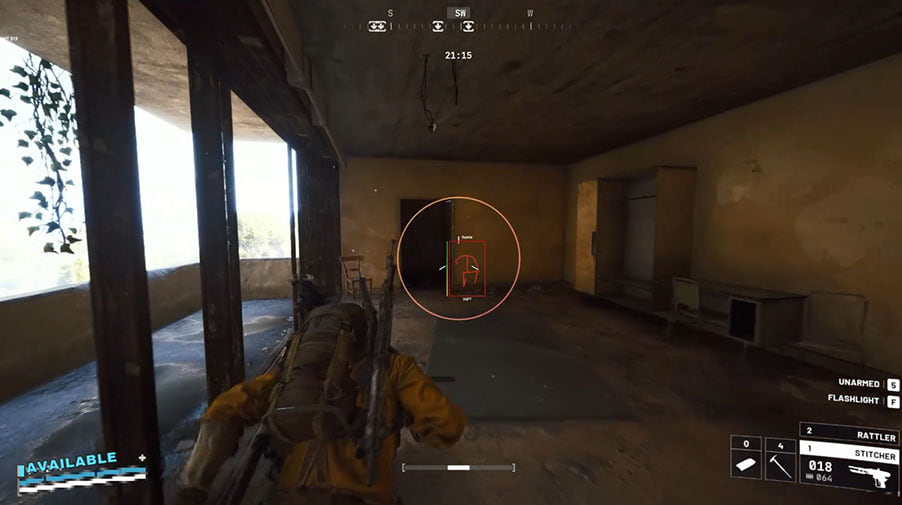
- Boxes (2D / 3D) - visual highlighting of opponents
- Snaplines—direction lines to targets
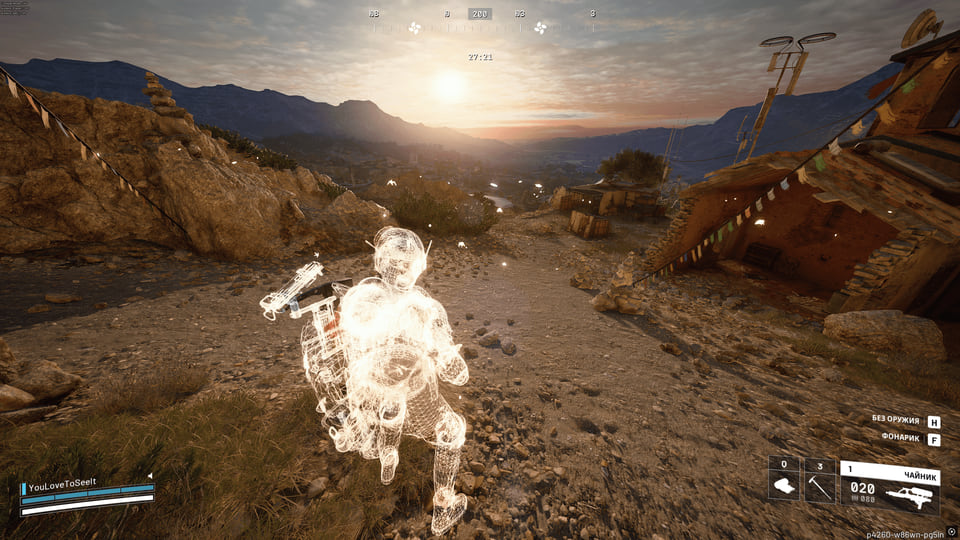
- Player Skeleton - Bone Structure Display
- Visibility check - visible/hidden target indication
- Health bar - displays enemy HP
- Custom Colors - Separate colors for visible and hidden purposes
- ARC Name Display - Robot Identification
- Distance display - distance to each ARC
- Boxes (2D / 3D) - visual highlighting
- Lines (Snaplines) - guides to robots
- Skeleton - ARC Structure Mapping
- Visibility check - visibility indication
- Health bar - display of robot HP
- Custom colors - colors for visible/hidden ARCs
Filters and settings
- Ally ESP switch - show/hide allied players
- Show/hide bodies - control the visibility of corpses
- Distance filter (0–1000 m)—limit display range
- Font size adjustment (8–30) - adjust text readability
Configuration
- Distance filter (0–1000 m) - range limitation
- Font Size Adjustment (8-30) - Text Adjustment
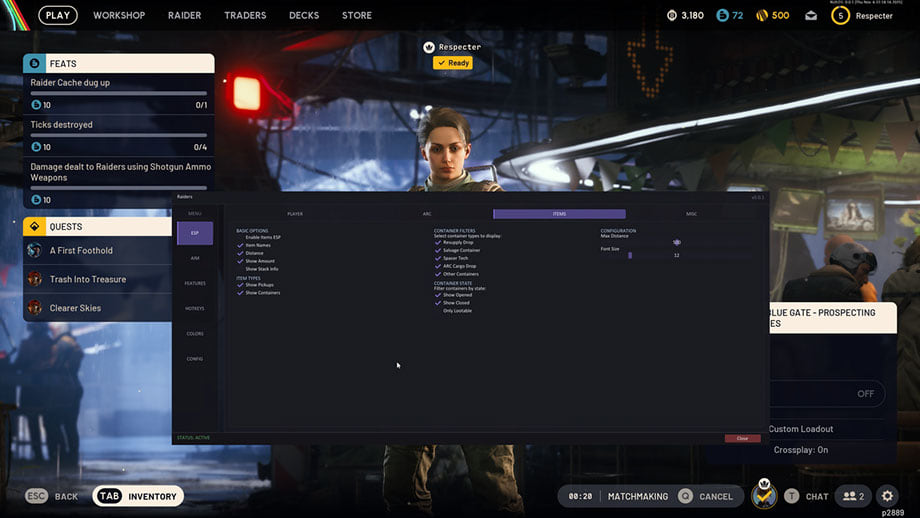
- Items & Containers ESP (ESP of items and containers)
Display options
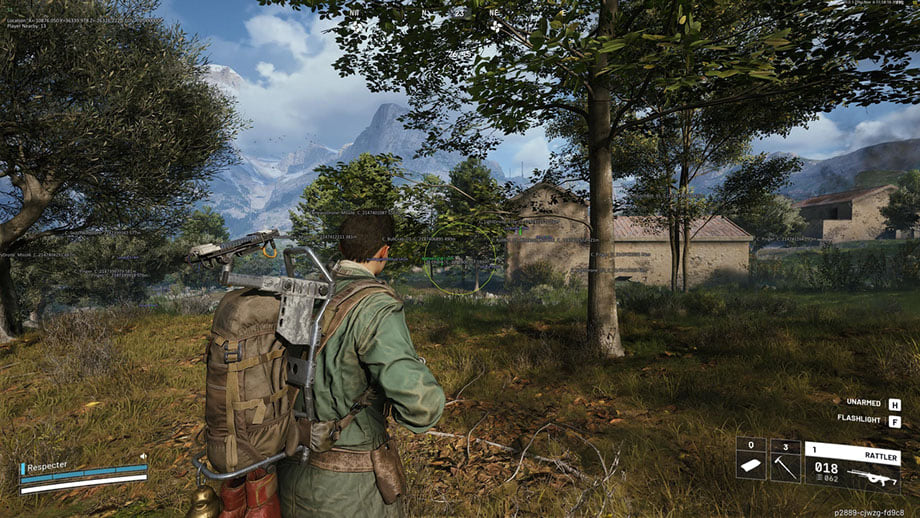
- Item names—shows the names of all objects
- Distance to objects - distance to each object
- Quantities and stacks - information about the number of items
- Showing selected objects - displaying already collected items
- Container display - visualization of all containers
Container types
- Resupply Drop - containers with supplies
- Salvage Container - containers with salvage
- Spacer Tech - technology containers
- ARC Cargo Drop - ARCs cargo containers
- Other containers - other types
Filters and configuration
- Show open/closed containers - filter by status
- Filter only for those available for loot - showing only available containers
- Distance filter (0–1000 m) - range limitation
- Font Size Adjustment (8-30) - Text Adjustment
- RADAR SYSTEM (Radar system for ARC Raiders)
- Intelligent Mini Radar for Tactical Advantage in ARC Raiders:
Main features
- Mini-circular radar - compact display of surroundings
- Player Tracking - Monitoring Opponents
- ARCs Tracking - Robot Tracking
- Display of items - visualization of loot
- Container display - display containers on the radar
- Other objects - additional elements
Radar setup
- Size (50–200 px) – adjust the size of the radar
- Range (100–2000 m) - scanning radius
- Transparency (20–100%) – visibility level
- X/Y Position - Screen Placement
- Icon size (1–8)—scale of radar elements
Auxiliary tools for a comfortable game
- Custom Reticle (1-30) - Custom scope with adjustable size
- FPS Display - Performance Monitoring
- Player counter - number of opponents in the zone
- VSync switch - vertical sync control
- Multilingual font support - correct text display
- Font stroke settings - improving readability
- Global font size (8-30) - universal text setting
- Display all objects (Debug) - debugging mode for developers
Color system
- Individual colors for each element - full control of the palette
- RGBA color selection - fine tuning with transparency
- Colors for visible/hidden objects - separate settings
- FOV color setting - capture area color
- Sight Color - Sight Personalization
- Player Color - Player ESP Settings
- Color ARCs - setting up ESP robots
- Color of items and containers - visualization of loot
Convenient settings management system
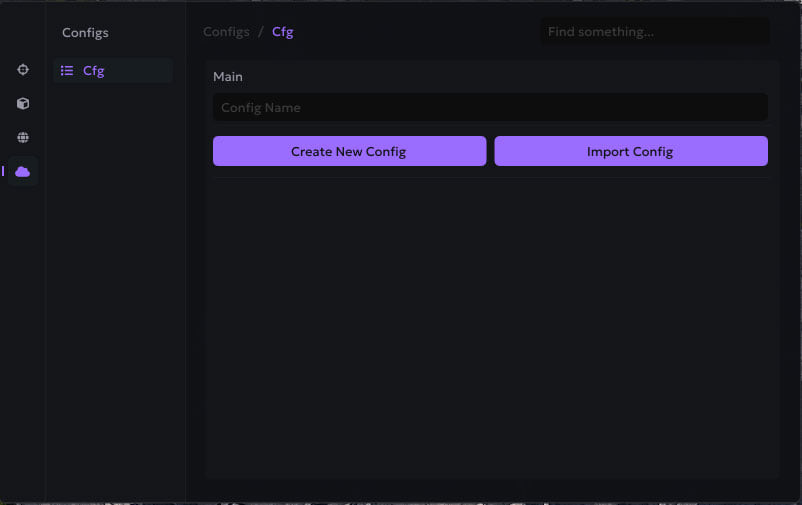
- Manage profiles - create and switch between configurations
- Saving and loading configurations - quick access to settings
- JSON config system - a convenient storage format
- Xbox controller support - full gamepad integration
- Setting up hot keys - individual key combinations
Modern and intuitive interface
- Modern design - current interface style
- Dark theme - comfortable for the eyes during long games
- Tab structure - organized navigation
- Smooth animations - nice visual effects
- Information tips - help with setup
- Resizable window - adaptation to the screen
- Adaptive design - correct display at different resolutions
ADVANTAGES OF SHACK PRIVATE
- 1. Maximum stealth - bypassing in-game anti-cheat and OBS
- 2. Stability - work without bans or crashes
- 3. Flexibility of configuration - full control over all parameters
- 4. Versatility - supports various input devices
- 5. Professional level - advanced algorithms and optimization
- 6. Ease of use - intuitive interface for beginners and professionals
Safety
Run the first session with a minimal set of modules and in the required window mode.
The declared bypass covers software capture only, not a camera pointed at the screen.
System requirements
| Operating system | Windows 10 (1903, 1909, 2004, 20H2, 21H1, 21H2, 22H2); Currently not safe on Windows 10!; Windows 11 (21H2, 22H2, 23H2, 24H2); Best option is 24H2! |
|---|---|
| Cpus | Intel / AMD |
| Game client | Steam |
| Built-in spoofer | No; |
| Bypass obs entry | Yes; |
| Supported game modes | Windowed, Frameless; |
Shack is a full cheat for ARC Raiders. Shack maintains it. The menu holds 105 entries across 16 sections. Menu sections: General, Universal control system, Esp systems for arc raiders, Main parameters, Filters and settings and Configuration.
Requirements first
The developer states the following: client: Steam; CPU: Intel / AMD. No spoofer is bundled. Screen capture bypass is declared.
The feature side
Sorted by what it does: opponents drawn on top of the map geometry, silent shots that land without visible camera snap, aim assistance that pulls the crosshair onto a target, markers for items, containers and stashes, a flat radar with live positions and a custom crosshair and view settings. Settings live in config profiles.
How long you can take it for
Licence lengths available: 15 days and 30 days.
Against the neighbouring cheats
This is the largest menu in the section — 105 entries against 9 in the most compact build.
What to know before buying
How payment and delivery work
Checkout happens on the seller's side: for most cheats that is Digiseller, where the key appears on the order page as soon as the payment clears and is mirrored to your email. Some cheats are delivered manually — the key arrives once the seller confirms the order, and that is almost always the only reason for a delay. The licence countdown starts when the key is activated, not when you pay.
Ban risk, plainly
There is no safe cheat — only different odds of being caught in the next wave. Nobody compensates a lost game account: the key pays for access to software, not for an outcome.
Why cheats get detectedBefore the first launch
A spoofer runs before the game starts and before you log in — afterwards it is too late, the fingerprint has already been taken. Check the BIOS requirements first: without them the substitution silently half-works.
Safe launch checklistFAQ
How long can I buy Shack for?
Will the overlay show up in recordings?
How does Shack differ from the other cheats here?
What is included in Shack?
Which system and client are supported?
Other cheats for ARC Raiders
Ancient hack for ARC Raiders
AncientAncient is an all-in-one cheat for ARC Raiders, from crosshair assistance to map markers. Screen capture bypass is declared, so the overlay stays out of recordings.
Dullwave hack for ARC Raiders
DullwaveDullwave is an all-in-one cheat for ARC Raiders, from crosshair assistance to map markers. 4 licence lengths to choose from.
Fecurity hack for ARC Raiders
FecurityThe full package for ARC Raiders: Fecurity puts combat and visual modules in one menu. Supported client: External.
Unnamed hack for ARC Raiders
UnnamedUnnamed is an all-in-one cheat for ARC Raiders, from crosshair assistance to map markers. Supported client: Steam.