Arcane MW4 — Modern Warfare 4 / Warzone support on Steam
Arcane for Modern Warfare 4 / Warzone adds clearer ESP and accurate loot prices. The MW4/DMZ update also improves FPS, item recognition and vehicle icons.
- Platform Call of Duty: Modern Warfare 4 / Warzone
- Developer Arcane
- By software type Radars · Bots and farming
Choose period
Arcane
Before you buy
- Operating system
- Windows 10 / 11 (26H1, 26H2)
- Processor
- Intel / AMD
- Client
- Steam
- USB drive
- Not required
- Game mode
- Windowed / Borderless
This is a summary. Check all requirements and ask the seller about unknown conditions.
If payment does not go through
A second checkout at eliteseller.ru in case the option above does not go through. Same seller; the price may differ — it is set there separately.
Payment and delivery via Digiseller. The key arrives by email right after payment.
This is a digital product: there is no physical shipping or separate shipping charge.
Screenshots
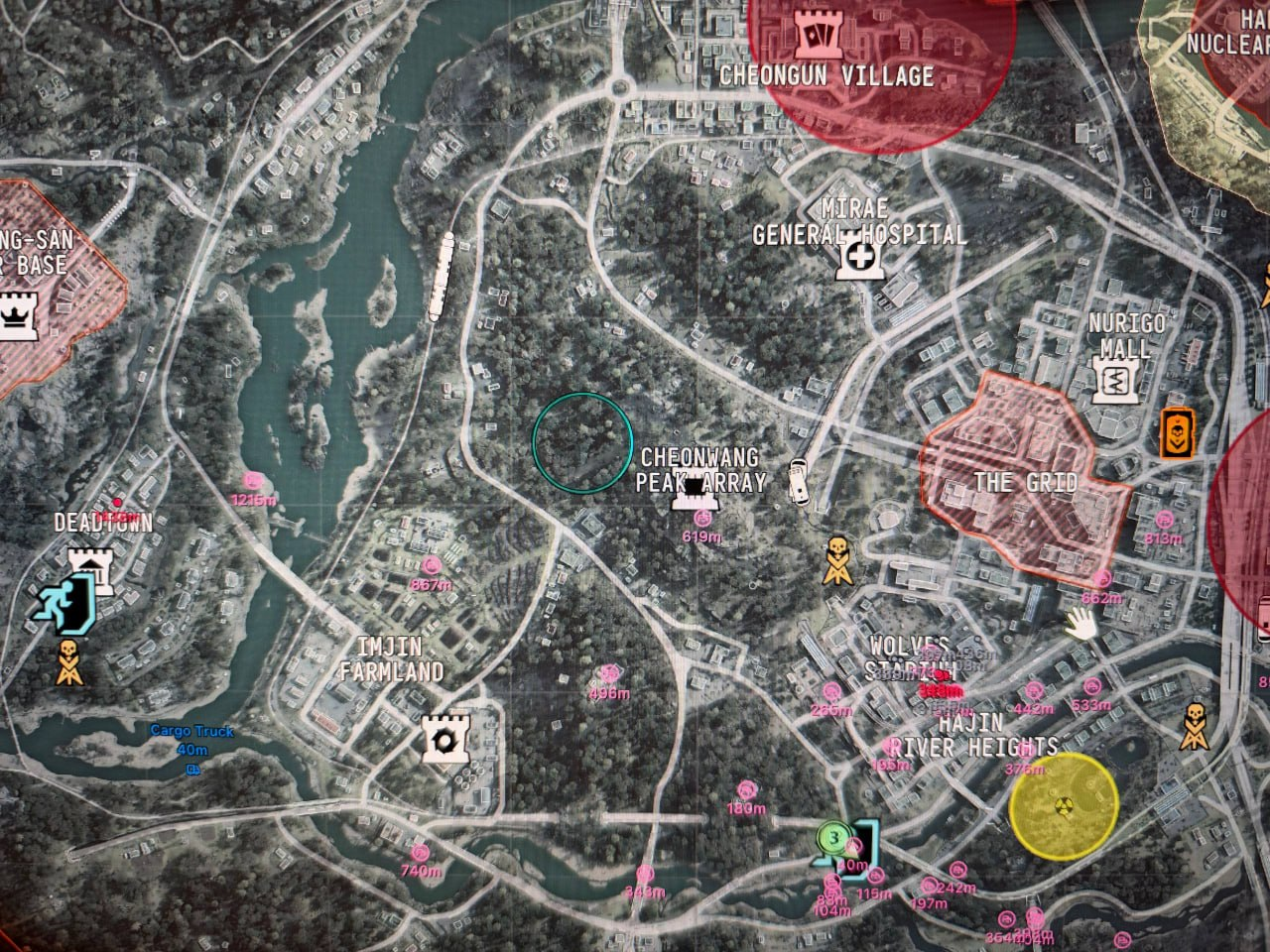
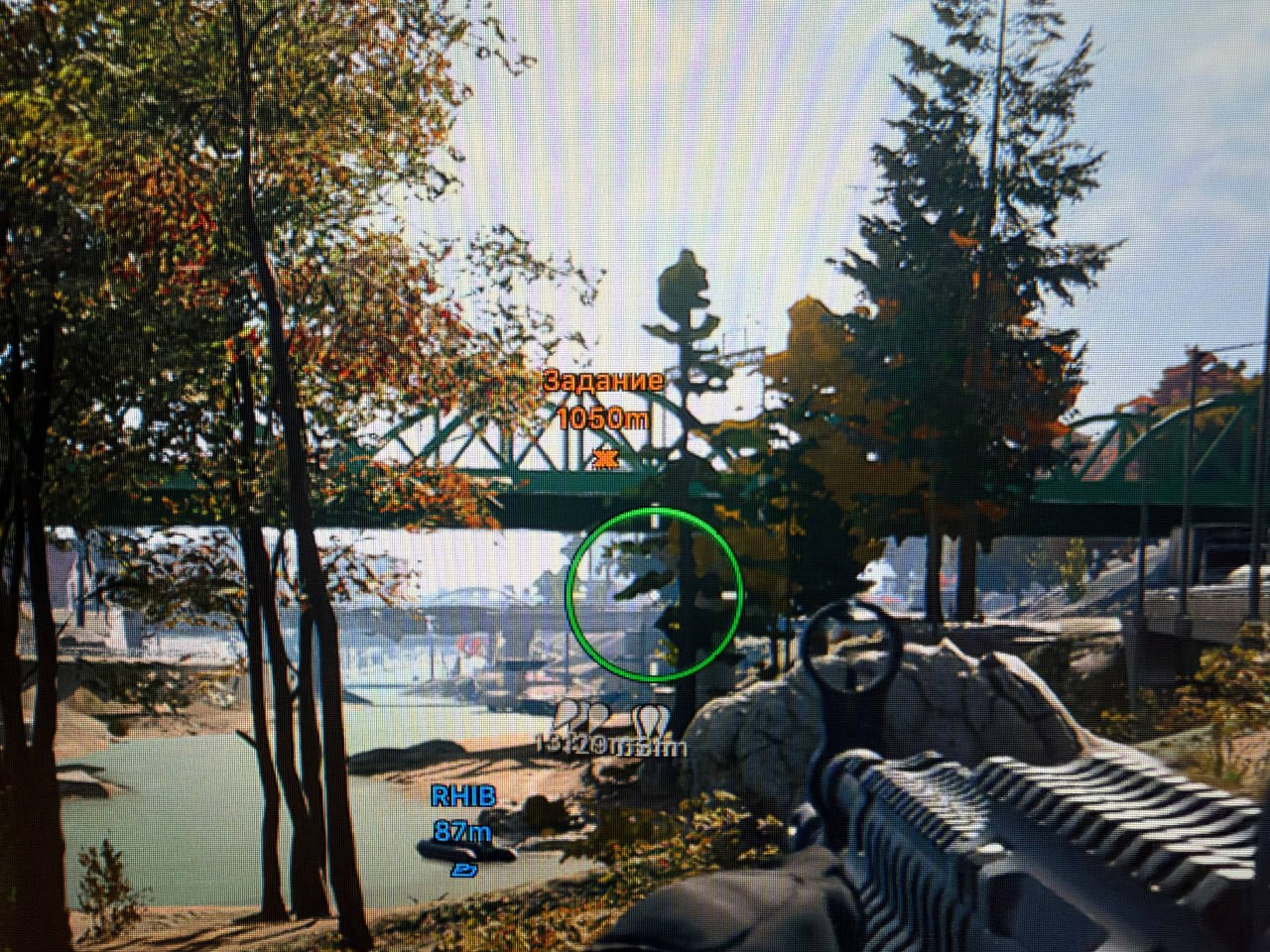
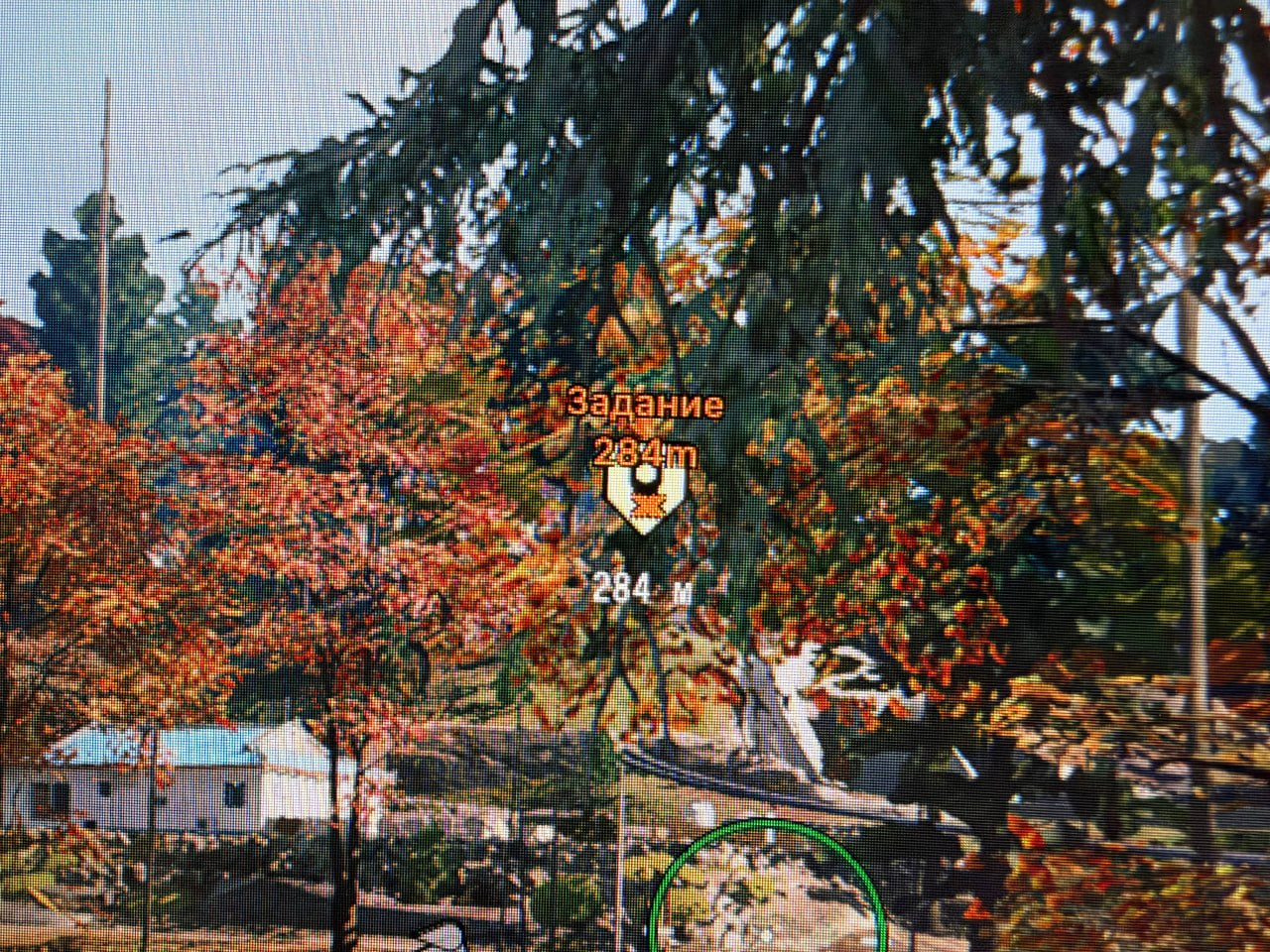
Features
97Update 2026-11-03
- Fixed the team check; improved performance and FPS in MW4 and DMZ.
- Visible players use a lighter color and thicker boxes, lines and skeletons; players behind cover use thinner strokes, with smooth transitions.
- Player ESP renders players beyond approximately 1,000 m; this distance extension does not apply to AI.
- In MW4, Aimbot ignores distant players rendered as standing figures when their actual pose is unknown.
- Loot ESP: separate icons for weapon classes, ammo and equipment, including Frag, Semtex, Molotov, Thermite, Claymore, C4, Flash, Stun, Smoke, Gas, Stim and more.
- In MW4 and DMZ, item prices appear beside names and match current in-game prices.
- In MW4 and DMZ, more valuables, crafting materials, keys and keycards, backpacks, medical items, dog tags, killstreaks and contracts are recognized, with clean names and correct rarity.
- Vehicle ESP: distinct icons for cars, off-road vehicles, SUVs, vans, trucks, tanks / APCs, motorcycles, boats, helicopters, planes and drones.
- In MW4, vehicles have proper names, including Light Helicopter, Transport Helicopter, JLTV, 6x6 Truck and RHIB.
Aimbot
- Vector or Silent aim type
- Always-on or hold-key activation
- Targets dropdown: Visibility check, Teammates, Bots, Knocked
- Selected, closest or random bone; head, neck, chest and pelvis
- Movement prediction and humanization
- Recoil control system
- FOV circle with background and a slider limit of 1000°
- Adjustable smoothing
- Maximum distance with corrected distance handling
Target switching and sway
- Switch delay: wait 0–5000 ms after losing a target before selecting the next player
- Aim releases immediately when the target dies
- Aim releases immediately on knockdown when knocked players are filtered out
- Weapon sway compensation adjusts the aim point for crosshair sway
Player ESP
- Regular or corner bounding box with solid or gradient fill
- Skeleton with thickness and head-circle controls
- View line and line to enemy
- Health and shield bars
- Nicknames, held weapon, team name and distance
- Team colors, knocked-player and bot display
- Visibility check and maximum distance
Armor plates
- Armor Plates above the ESP box show the number of plates carried
- Armor Satchel icon appears next to the plates when more than 5 plates are carried
- Corrected knocked-player detection
- Corrected bot detection for Draw bots
World ESP
- Object distance, transparency and maximum distance
- World ESP tabs: General, Weapons, Chests, Other
- Weapons and chests by rarity: Common, Uncommon, Rare, Epic, Legendary
- Dropped-item display
- Armor display
- Money display
- Ground and air vehicles in a separate tab
- Opened chests no longer remain visible in ESP
Weapon and ammo filters
- Weapon class filter: AR, BR, SMG, Shotgun, LMG, Marksman, Sniper, Pistol, Launcher, Melee, Special
- Class tag before the weapon name, for example [AR] or [Sniper]
- AR ammo with its own toggle and color
- Pistol / SMG ammo with its own toggle and color
- Sniper ammo with its own toggle and color
- Shotgun ammo with its own toggle and color
- Rockets with their own toggle and color
Equipment filters 1
- Separate Frag display filter
- Separate Semtex display filter
- Separate Cluster display filter
- Separate Thermite display filter
- Separate Molotov display filter
- Separate Claymore display filter
- Separate C4 display filter
- Separate Throwing axe display filter
Equipment filters 2
- Separate Flash display filter
- Separate Stun display filter
- Separate Smoke display filter
- Separate Gas display filter
- Separate EMP display filter
- Separate Decoy display filter
- Separate Shock charge display filter
- Separate Sensor dart display filter
Equipment filters 3
- Separate Stim display filter
- Separate Deployable cover display filter
- Separate Support box display filter
- Separate Heartbeat sensor display filter
- Separate Napalm strike display filter
- Separate Perk case display filter
Radar
- Enemies, teammates, bots and knocked players
- Item display
- Position and size controls
- Distance display
- Draw vehicles
- Ammo type filters also apply to radar
- Equipment filters also apply to radar
Off-screen
- Enemies, teammates, bots and knocked players
- Position and radius controls
- Distance display
Battle mode
- Configurable keybind
- Hide players, items, world items, radar or off-screen indicators
Settings and configs
- Menu and unload keys
- DPI scale, VSync, dark or light theme and watermark
- Menu languages: EN, RU and CH
- Create, load, save, rename, share and remove configs
Miscellaneous
- FOV Changer: 60°–125°, automatically adapts to the in-game FOV and screen resolution
- Default FPS limit raised to 244
- Performance improvements
Custom radar (MW4)
- New look with a darker background, distance rings labelled in meters and compass ticks around the edge
- New markers and default colors: dots for enemies and bots, a ring with a cross for knocked players, and a ring with a car icon for vehicles
- Pin players beyond the edge keeps out-of-range players at the radar edge with an arrow pointing toward them
In-game radar (MW4 / DMZ)
- Enemies, teammates, bots, knocked players and vehicles on the game’s own maps
- Separate switches for the corner minimap and the open tactical map
- InGame in the Radar tab beside Custom: adjustable marker size, maximum distance and optional distance labels
Quest ESP (MW4 / DMZ)
- Quest points displays HUD objectives for missions, contracts and their steps, with distance and a custom color
- Markers appear automatically as tasks are accepted and disappear as they are completed
Safety
The developer labelled the MW4 support announcement UNDETECTED. Confirm the current availability before use; this label does not rule out game-account restrictions.
System requirements
| Supported games | Call of Duty: Modern Warfare 4 / Warzone (Steam) |
|---|---|
| Client | Steam |
| Launcher | Any |
| Game mode | Windowed / Borderless |
| Operating system | Windows 10 / 11 (26H1, 26H2) |
| Processor | Intel / AMD |
| Graphics card | Any |
| Laptops | Not supported |
| Spoofer | Not included / not required according to the developer |
| Usb drive | Not required |
Update 2026-11-03
- Fixed the team check; improved performance and FPS in MW4 and DMZ.
- Visible players use a lighter color and thicker boxes, lines and skeletons; players behind cover use thinner strokes, with smooth transitions.
- Player ESP renders players beyond approximately 1,000 m; this distance extension does not apply to AI.
- In MW4, Aimbot ignores distant players rendered as standing figures when their actual pose is unknown.
- Loot ESP: separate icons for weapon classes, ammo and equipment, including Frag, Semtex, Molotov, Thermite, Claymore, C4, Flash, Stun, Smoke, Gas, Stim and more.
- In MW4 and DMZ, item prices appear beside names and match current in-game prices.
- In MW4 and DMZ, more valuables, crafting materials, keys and keycards, backpacks, medical items, dog tags, killstreaks and contracts are recognized, with clean names and correct rarity.
- Vehicle ESP: distinct icons for cars, off-road vehicles, SUVs, vans, trucks, tanks / APCs, motorcycles, boats, helicopters, planes and drones.
- In MW4, vehicles have proper names, including Light Helicopter, Transport Helicopter, JLTV, 6x6 Truck and RHIB.
Included with the licence
MW4 uses the established Arcane COD toolset: aiming options, player and world visual information, radar, and saved configurations. The specification below lists the existing product settings. Switching to MW4 does not require a separate licence.
Opening the program in a game mode
Enter the game first and choose the mode you want to play. Once Warzone, DMZ or another mode is selected, press F4 to display the program.
Check before buying
The MW4 addition covers Steam. A desktop computer is required; the developer excludes laptops. The same checkout offers five licence periods: 1, 3, 7, 30 and 90 days.
Current Warzone belongs to MW4. Choose the MW4 build to play Warzone.
Current Warzone belongs to MW4. Choose the MW4 build to play Warzone.
What to know before buying
How payment and delivery work
Checkout happens on the seller's side: for most cheats that is Digiseller, where the key appears on the order page as soon as the payment clears and is mirrored to your email. Some cheats are delivered manually — the key arrives once the seller confirms the order, and that is almost always the only reason for a delay. The licence countdown starts when the key is activated, not when you pay.
Ban risk, plainly
There is no safe cheat — only different odds of being caught in the next wave. Nobody compensates a lost game account: the key pays for access to software, not for an outcome.
Why cheats get detectedBefore the first launch
A radar renders on a second screen or phone and never touches the game itself — that is what makes it calmer than internal cheats. The phone link needs both devices on one network, so set it up before the match, not in the lobby.
Safe launch checklistSetup guide
Follow these steps on a Windows 10/11 desktop PC to prepare the overlay, activate your Arcane COD key and launch Warzone or Black Ops 7. Laptops are not supported.
FAQ
Do I need another key for MW4?
Which MW4 edition is supported?
When should I press F4?
Are MW4 screenshots available?
Other cheats for Call of Duty: Modern Warfare 4 / Warzone
NovaMacro AI Aim Assist for Call of Duty: Modern Warfare 4 / Warzone
NovaMacroAn external aim assistant for CoD MW4 that recognises targets in the displayed image and moves the mouse without injecting into the game process.
Fecurity COD Series for Modern Warfare 4 / Warzone
FecurityWatch two gameplay recordings showing Aimbot and ESP, plus a separate walkthrough of the Fecurity launch process.