Fecurity COD Series for Modern Warfare 4 / Warzone
Watch two gameplay recordings showing Aimbot and ESP, plus a separate walkthrough of the Fecurity launch process.
- Platform Call of Duty: Modern Warfare 4 / Warzone
- Developer Fecurity
Choose period
Fecurity
Before you buy
- Windows ver
- Windows 10 from 2004 (17134) to 22h2 (19045.2251), Windows 11 21h2, 22h2, 23h2, 24h2, 25h2. Home / PRO.
- Supported cpus
- INTEL and AMD
- Game clients
- Steam, Battle.net, Game Pass (Xbox)
- Bios requirements
- UEFI mode must be enabled. Check the guide <a href="/en/articles/uefi-boot-mode/">HERE</a>. The disk with Windows must be in GPT format. Check the guide <a href="/en/articles/disk-gpt-format/">HERE</a>.
This is a summary. Check all requirements and ask the seller about unknown conditions.
If payment does not go through
A second checkout at eliteseller.ru in case the option above does not go through. Same seller; the price may differ — it is set there separately.
Payment and delivery via Digiseller. The key arrives by email right after payment.
This is a digital product: there is no physical shipping or separate shipping charge.
Screenshots
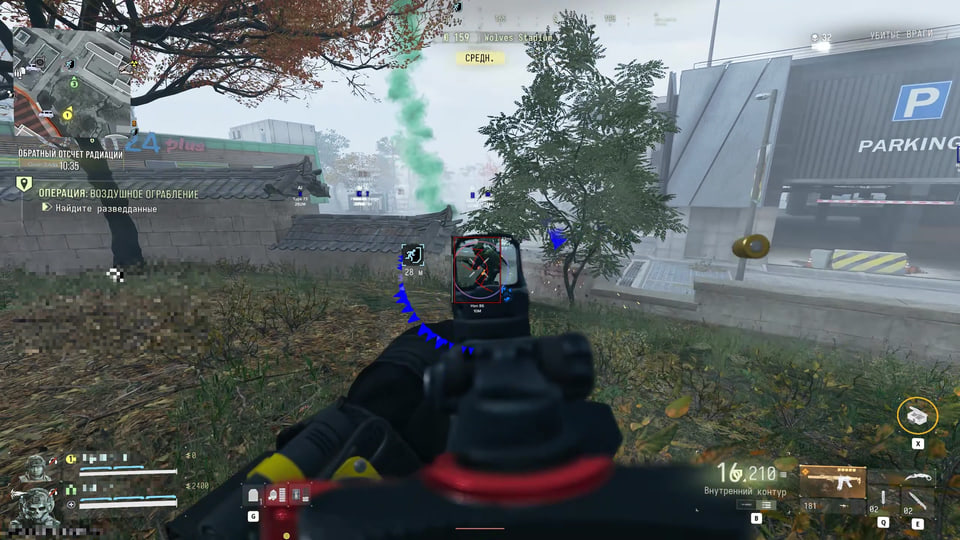
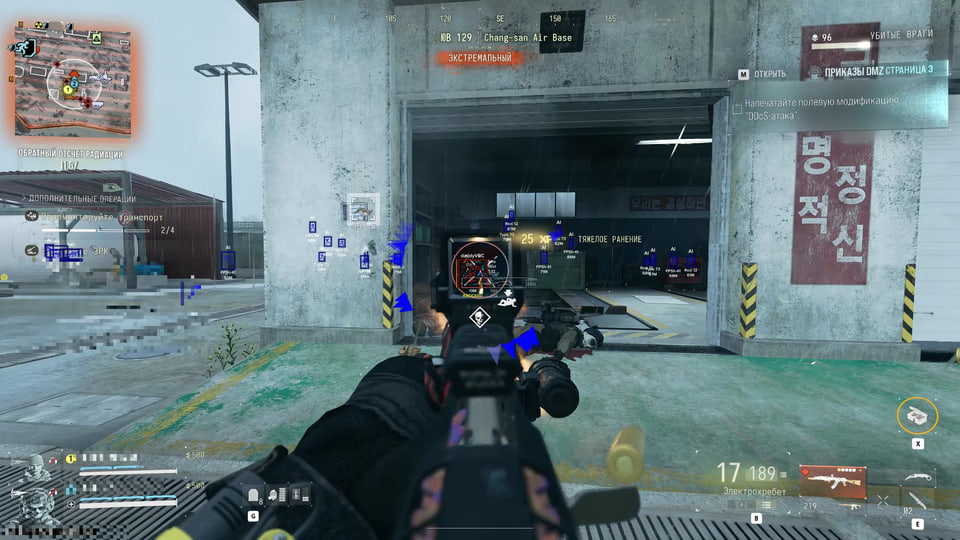
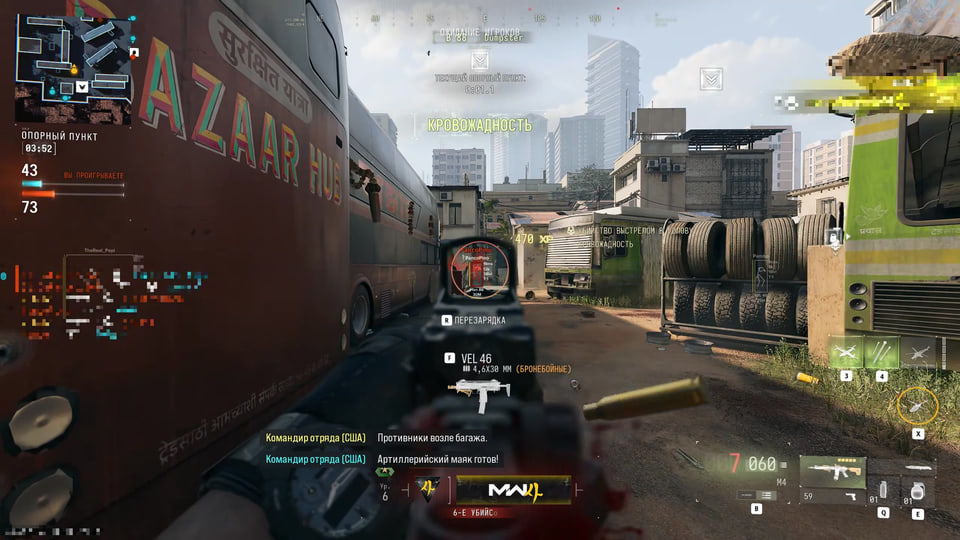
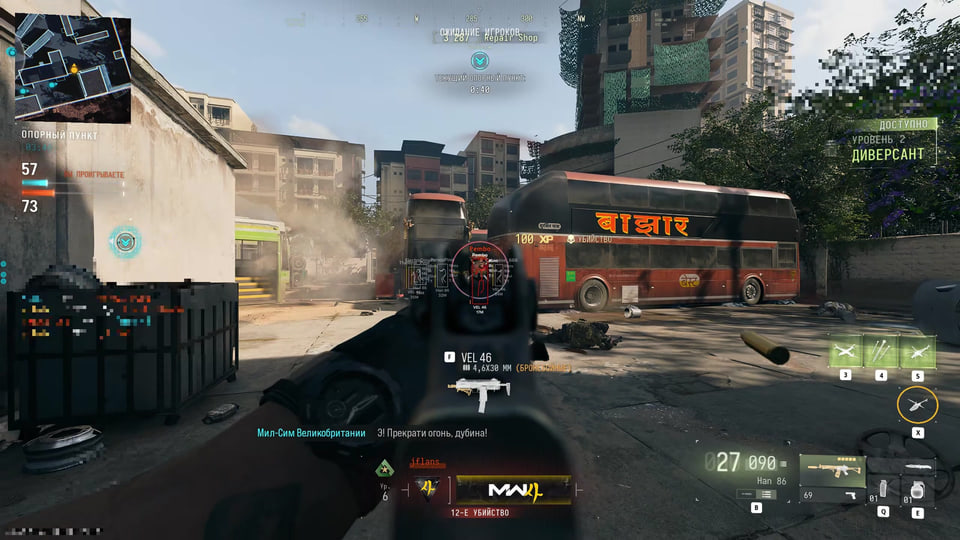
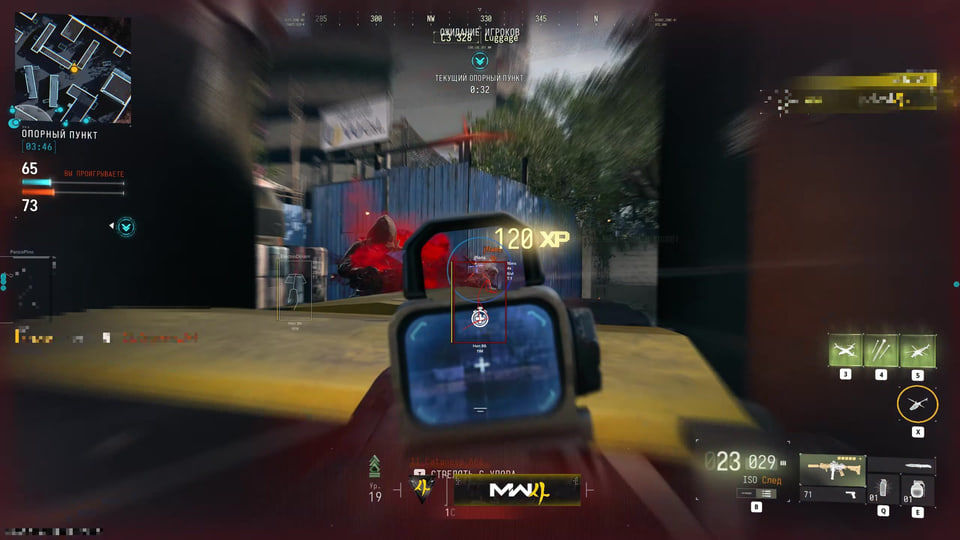
Video demo
The player needs scripts, and they are currently off: Open the video file →
The player needs scripts, and they are currently off: Open the video file →
The player needs scripts, and they are currently off: Open the video file →
Features
32AIMBOT
- Enable/disable in one click.
- Aim at shoot — triggered when fired.
- Aim at scope — activation when aiming.
- Visible only — the aimbot only works on visible targets.
- Two input types (relative, absolute).
- Adjustable speed (0–100%).
- Recoil compensation system.
- Displaying the trigger circle (Draw FOV).
- Gamepad support (Xbox).
- Prediction of enemy movements (Prediction).
- FOV radius setting (0–15).
- Ignoring defeated targets.
- Target switch delay.
- Unique hitbox system.
- Two aimbot activation buttons.
VISUALS (ESP)
- ESP for players.
- Enemy only — displays only enemies.
- Boxes around the players (Box).
- Out-of-view (OOF) indicators.
- Display of health and armor.
- Player skeleton, thickness adjustment.
- Glow stroke and fill.
- Visibility check.
- Stroke types: standard, textured, thermal, noisy.
- Player info: nickname, distance, weapon, ping, kills, rank.
LOOT ESP
- Highlighting items on the map.
- Setting the display distance.
- Categories: weapons, ammunition, armor, money, boosters, tactical items, contracts, perks and much more.
- Full customization of display (name, icons, colors).
- Quick keybind to enable/disable.
MISC
- Custom Clantag.
- Distance Unit (Feet, Yard, Meter).
Safety
Check Loot ESP availability before ordering. Third-party software still carries a risk of account restrictions.
System requirements
| Supported cpus | INTEL and AMD |
|---|---|
| Windows ver | Windows 10 from 2004 (17134) to 22h2 (19045.2251), Windows 11 21h2, 22h2, 23h2, 24h2, 25h2. Home / PRO. |
| Bios requirements | UEFI mode must be enabled. Check the guide <a href="/en/articles/uefi-boot-mode/">HERE</a>. The disk with Windows must be in GPT format. Check the guide <a href="/en/articles/disk-gpt-format/">HERE</a>. |
| Game clients | Steam, Battle.net, Game Pass (Xbox) |
| Obs bypass | The cheat is not visible on video, screenshots or screen sharing. |
| Controller | Supported (Xbox) |
Gameplay and launch walkthrough
Two short clips show gameplay. A separate launch guide records the sequence used to start Fecurity for MW4.
Ordering a key
Sales are open. Choose a key duration and use its purchase button to proceed to payment.
Loot ESP availability
Item highlighting may still be undergoing maintenance. Its presence in the feature list does not establish current availability; ask about Loot ESP before paying.
Current Warzone belongs to MW4. Choose the MW4 build to play Warzone.
Fecurity announced an automatic update: Warzone uses the MW4 build.
Current Warzone belongs to MW4. Choose the MW4 build to play Warzone.
Fecurity announced an automatic update: Warzone uses the MW4 build.
What to know before buying
How payment and delivery work
Checkout happens on the seller's side: for most cheats that is Digiseller, where the key appears on the order page as soon as the payment clears and is mirrored to your email. Some cheats are delivered manually — the key arrives once the seller confirms the order, and that is almost always the only reason for a delay. The licence countdown starts when the key is activated, not when you pay.
Ban risk, plainly
There is no safe cheat — only different odds of being caught in the next wave. Nobody compensates a lost game account: the key pays for access to software, not for an outcome.
Why cheats get detectedBefore the first launch
The routine is always the same: set the window mode from the requirements, start the software before entering a match, and do not switch everything on at once. The most dangerous window is the first days after a game or anti-cheat patch.
Safe launch checklistSetup guide
Follow the regular Fecurity launch sequence first. If Medal.tv cannot recognise a game that is already open, use the illustrated process-selection walkthrough below.